Dev Academy - WiFi Fundamentals - BLE Provisioning not working from iPhone.

Hi,

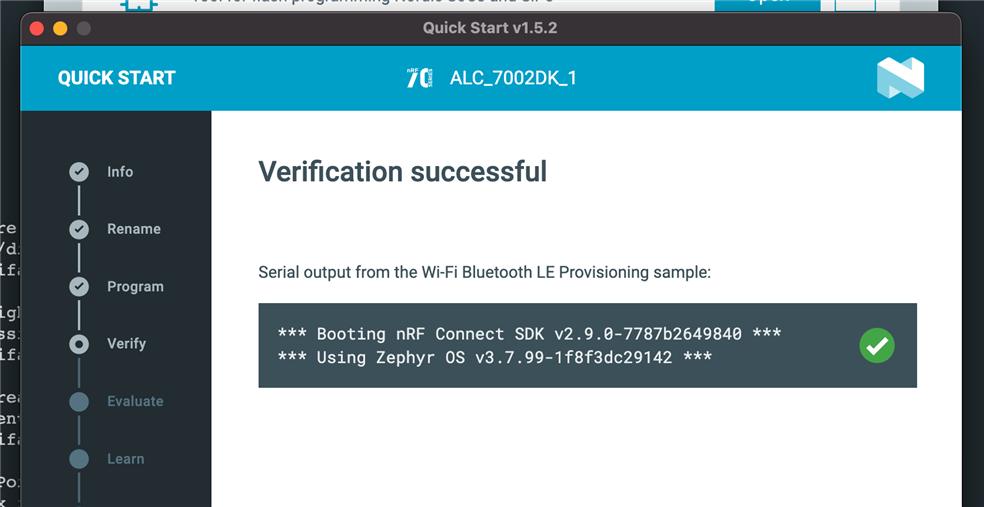
I've just completed Lesson 2 Exercise 3 and found that BLE Provisioning does not work from the iPhone version of the app.  The problem seems to be related to Version 2 of the firmware.  The Quick start version in the nRF Connect for Desktop 5.2.0 works fine and reports Version 1.

The problem also exists in Exercise 1 of Lesson1.

In general, the WiFi Fundamentals contains quite a few errors and would benefit from someone taking a look at it.  The errors are mostly obvious and easy to correct but cost a bit of time (and I'm only at lesson 2;-)).

SDK is v. 3.1.0.
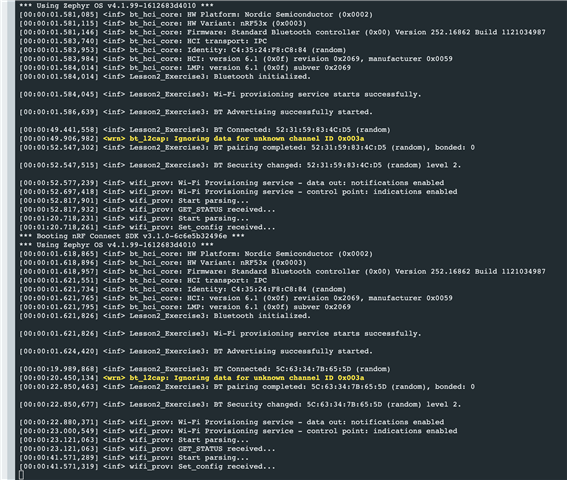
   

Any help greatly appreciated as always.

Andy

  • Hi Heidi,

    Thank you for taking the time to have a look at this.

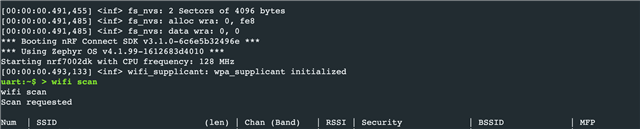
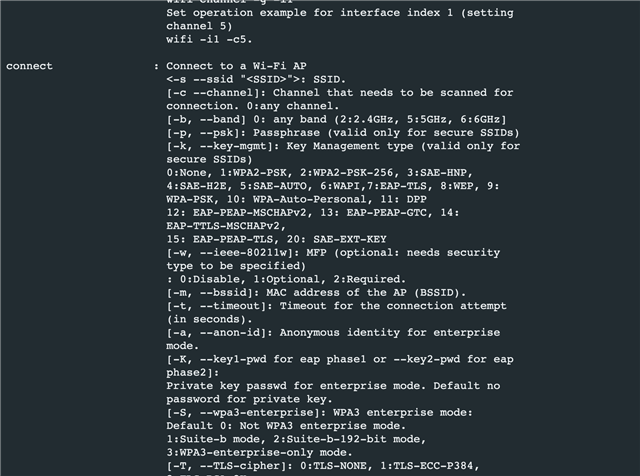
    Regarding a.  Here is the output from wifi shell and the relevant part of the help output.  I had to use option 9 to connect to my WPA-PSK AP.


    Regarding the problem with provisioning.  Please could you confirm if you were also seeing Version 2 on the iPhone app with sdk x3.1.0?  The provisioning example supplied with the Quick Start seems to be v2.9.0 and works correctly.

    I will download sdk v3.1.1 and let you know if this works for me.

    Kind regards,

    Andy  

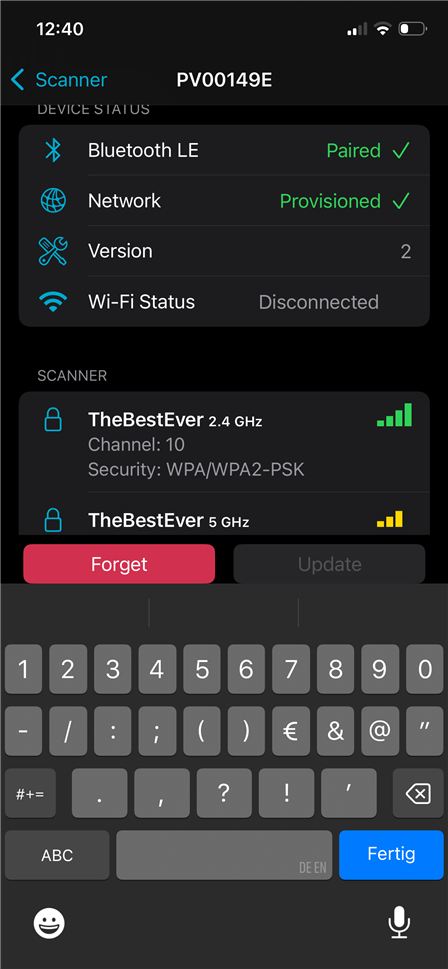
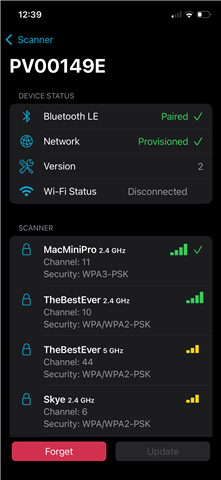
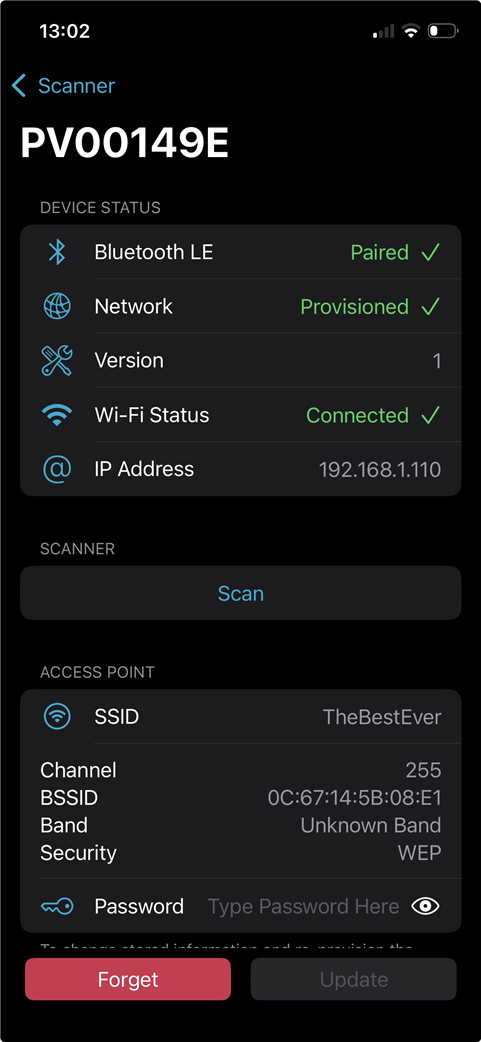
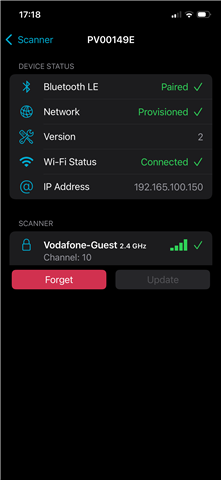
  • I've just completed a clean install of sdk 3.1.1 and have the same problem with the iPhone provisioning app.  Here are screen shots.  I tried connecting to two APs and each time the provisioning seems to work but there is no connection.  The final screenshots show the correct functioning of the Quick Start version.

    Another small detail, when I first try to connect using Version 2, there is a spinning 'wheel' next to Disconnected, but when i abort the connection with Forget and try again, the spinning wheel is gone (as in the screenshots above), as if the app is no longer attempting to connect(?).

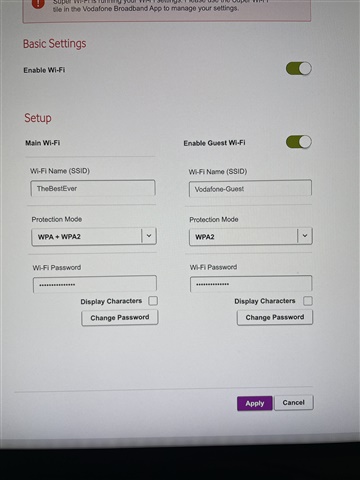
  • I have some more feedback on the BLE provisioning Version 2.  I noticed that in the screenshot above (Time - 13:02), the Security of SSID TheBestEver is incorrectly shown as WEP.  Other screenshots correctly report Security as WPA/WPA2-PSK.  This prompted me to try activating the guest WiFi on the router (which is a Vodafone GigaBox), using WPA2 only.  Now, this connection works!  So there seems to be a problem with WPA/WPA2-PSK in Version 2.  This probably explains why you were unable to replicate the problem.  Please could you discuss this with the developer(s).


  • I see, the documentation is outdated as well. I've updated the course and reported the error in the documentation. 

    Yes, I see Version 2 in the app when running v3.1.0 and Version 1 when running v2.9.0 (from Quick Start). 

    The AP I'm connecting to is WPA2-PSK, so yes, it seems to be an issue with that specific security configuration. 

    The issue has been reported, and we will notify you as soon as we receive an update. :)

    The rest of the course does not rely on the provisioning feature so feel free to proceed through the other lessons if you'd like. 

  • Hi,

    This PR should fix the issue with WPA https://github.com/nrfconnect/sdk-zephyr/commit/f72f7a27e923980e864dfa926c50545f7ecc9864. It didn't make it to NCS 3.1.0 in time, but should be present in 3.2.0-rc1. As I understood, the PR should work in 3.1.0 if you cherry-pick it

    Kind regards,
    Andreas

Related