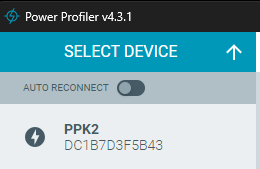
I have a PPK2 on hand.
Here is what happened:
1. When I first connected it to my Windows 11 PC, the Power Profiler app in nRF Connect for Desktop detected the device and showed “PPK2” under “Select device.”
2. I selected the PPK2, and a pop-up window appeared. I instinctively assumed it was a firmware update prompt, so I clicked “Program” (yes, I didn’t carefully check what the dialog said). After a while, I noticed that the PPK2 stopped responding, and in Device Manager it was listed as “Unknown device.”
3. I suspected that something went wrong during the firmware update, so I downloaded the HEX file from GitHub (github.com/.../firmware). I then used a J-Link through the P3 connector and tried flashing it using the nRF Connect for Desktop Programmer app.
4. Unfortunately, the situation became even worse. Now the device no longer appears even as an “Unknown device.”
I also tried the TP34 recovery method, but there was no reaction.
(devzone.nordicsemi.com/.../ppk2-stop-functioning-after-firmware-update)
What should I do next?
Thank you!