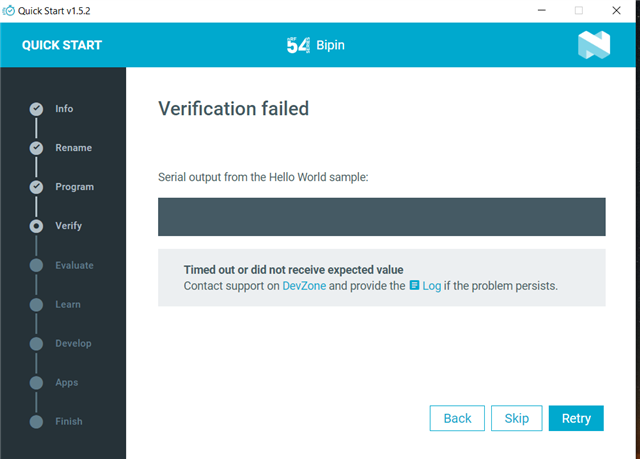
I'm using nrf54l15 dk and using quick start 1.5.2 and logs are 2025-11-14T10:20:53.990Z INFO Initialising the bundled nrfutil device 2025-11-14T10:20:53.998Z DEBUG Started watching devices 2025-11-14T10:20:54.598Z INFO Using the bundled core version for nrfutil device: 8.1.1 2025-11-14T10:20:54.627Z INFO Using nrfutil device version: 2.13.2 2025-11-14T10:20:54.628Z INFO Using nrf-device-lib version: 0.19.0 2025-11-14T10:20:54.628Z INFO Using nrf-probe version: 0.45.0 2025-11-14T10:20:54.628Z INFO Using SEGGER J-Link version: JLink_V8.60 2025-11-14T10:21:05.116Z DEBUG Selected device: nRF54L15 DK 2025-11-14T10:21:05.166Z DEBUG Changed step: Info 2025-11-14T10:21:07.079Z DEBUG Changed step: Rename 2025-11-14T10:21:07.774Z DEBUG Changed step: Program 2025-11-14T10:21:12.091Z DEBUG Changed step: Verify 2025-11-14T10:21:15.103Z INFO Opened port with options: {"path":"COM4","baudRate":115200} 2025-11-14T10:21:18.448Z INFO Port COM4 still in use by other window(s)
2025-11-14T10:21:18.448Z INFO Port COM4 still in use by other window(s)
This is the issue. The "verify step" is just reading the log from the hello world application to check that the output is as expected. The program is unable to open this COM port (where the logs are written to) because something else on your system currently is using it. Do you have any serial terminals open that might read logs from your board?