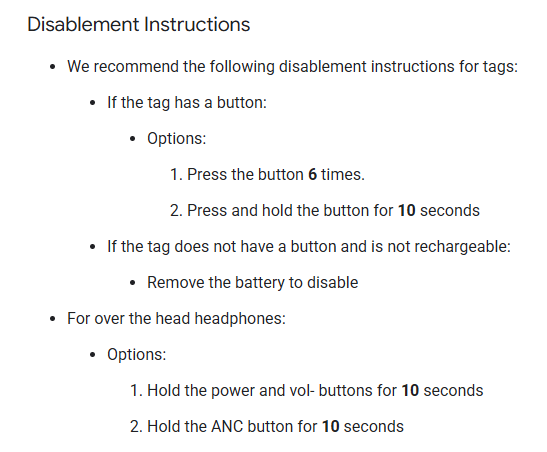
Disable and Reenable Locator Tag FMDN frame after provisioning

Hi,

I am working on Google fast pair locator tag using NCS sample code. For final product, we need one function in device for certification that is to disable and reenable FMDN frame (locating functionality) using button action. Can you guide me how can I do it in sample code example. Below guideline from Nordic given this option by direct power ON/OFF switch. I want this without power ON/OFF and using button press pattern. 
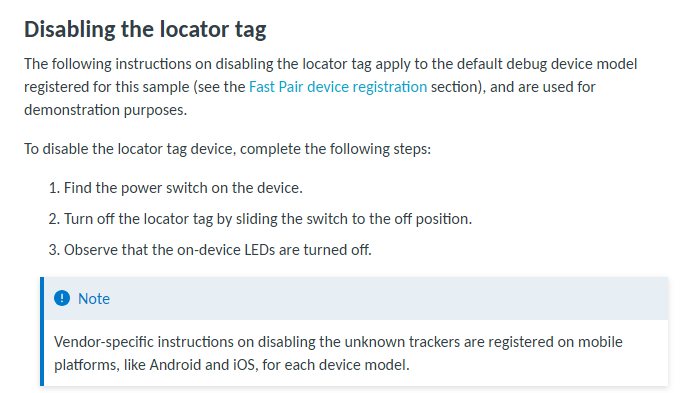
https://docs.nordicsemi.com/bundle/ncs-3.0.2/page/nrf/samples/bluetooth/fast_pair/locator_tag/README.html

Regards,

Bipin Patel

Parents Reply
  • Hi, 

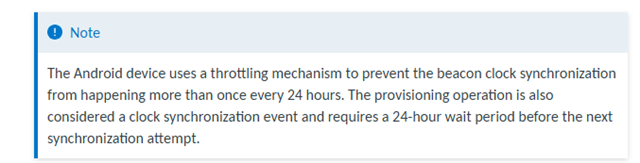
    Ad 1. There is no timeout - this is a critical feature to prevent the locator tag from losing synchronisation with the owner device permanently. If you have any scheduled reboots (e.g., during the DFU), you can refrain from starting not discoverable advertising after such a scheduled reboot


    Ad 2. Don't really understand the question here.


    Ad 3. Yes, you can disable auto clock synchronisation on reboot and manage it on your own:

    CONFIG_BT_FAST_PAIR_ADV_MANAGER_USE_CASE_LOCATOR_TAG_CLOCK_SYNC_TRIGGER=n

    https://github.com/nrfconnect/sdk-nrf/blob/main/subsys/bluetooth/services/fast_pair/adv_manager/loc…

    (see how the clock sync trigger is managed with the CONFIG_BT_FAST_PAIR_ADV_MANAGER_USE_CASE_LOCATOR_TAG_CLOCK_SYNC_TRIGGER set to y)

    You can create the clock sync trigger at the application level and manage it as needed.


    Ad 4. If clock drift is really long (e.g., more than 24 hours), the locator tag won't be mapped correctly with the owner account, and the location updates will not show up for it

Children
Related