Disconnect/reconnect loop when shadow messages are larger than modem 2K TLS buffer

Hi,

We're aware of the modem 2K TLS buffer limitation. It's causing us quite a bit of headache related to the device shadow.

Our application needs a number of config parameters in the shadow, but even with space-saving measures (short property keys, etc) we are running into problems. 

There are two aspects, which combine to make the situation problematic:

1. The current nRF lib implementation appears to instantly disconnect from the cloud whenever there is a shadow message that is too large. Worse, the offending shadow message is not dropped, so when the device tries again it finds itself in an endless disconnect/reconnect loop. This essentially forces the device offline because it cannot communicate any useful messages to the cloud that could help analyze or fix the situation, e.g. send debug information, do a FOTA update, etc.

2. The device cannot control the size or timing of the shadow messages the cloud sends to the device, nor can it ignore the shadow messages. So, once the cloud sends an offending shadow message, the device ends up in the above disconnect/reconnect loop that it cannot control. 

As a result, accidental or unexpectedly large shadow changes can force thousands of devices permanently offline and there is no indication as to what's wrong because the device just repeatedly disconnects before any useful information is exchanged.

The only way we have found to recover the situation is to "blindly" nuke the shadow of every affected device and hope that reduces the size of the next shadow message enough to allow the devices to re-establish and maintain a connection and get back on it's feet.

We understand there are workarounds to mitigate the problem (for example, spit shadow updates into multiple steps). But they have disadvantages and can be brittle.

It really seems the nRF lib should should be more robust in this regard. When receiving large shadow messages, instead of just disconnecting, it would be better to reject the shadow message, issue an error, and stay connected. This would allow the application to handle the error gracefully, rather than just going offline.

Curious to hear your thoughts. Maybe we are missing something?

Thanks

Parents
  • Hello  

    Sorry to hear that you are having issues with device shadow. I would like to understand a bit more this problematic:

    - Which protocol are you using?
    - Are you able to recreate this problem locally?

    Regards,

    Pascal.

  • Hi  ,

    We're using the default MQTT setup for device communication:
    CONFIG_NRF_CLOUD_MQTT=y
    CONFIG_NRF_CLOUD_MQTT_SHADOW_TRANSFORMS=y

    and we handle the shadow events as per the Nordic examples:
    NRF_CLOUD_EVT_RX_DATA_SHADOW
    NRF_CLOUD_EVT_TX_DATA_SHADOW

    >Are you able to recreate this problem locally?

    We can recreate the problem reliably on every device, but not only locally of course, because the cloud must send a shadow update that is larger than 2k to trigger the problem.

    I think you should be able to confirm this yourself fairly easily:

    1. Extend a device shadow with an application-specific "reported" section containing a number of key/value structures (like 15 structures sized 70 bytes each, which is about 1 KB in size).

    2. Then, on the cloud, issue a "desired" update where most of these key/value structures are changed --> this results in a large shadow delta.

    3. The cloud will send a large shadow delta update message to the device. 

    4. The device is forced to receive this message. Depending on the structure and changes in the shadow, the message will likely exceeds the 2k TLS modem buffer and the device disconnects immediately

    5. Since the shadow message was not acknowledged it remains in the network queue, so every time the device reconnects it will re-receive the message and disconnect again.

    Thanks

  • Hello,

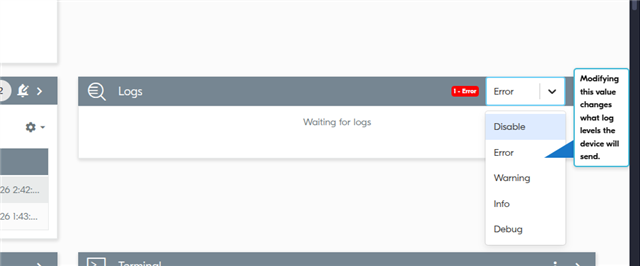
    The logLvl can be changed here: 

    A few questions:

    Which mechanism are you using to change the shadow properties?

    Are you using the nRF9151? Which Modem firmware? Which NCS version?

    Regards,

    Pascal.

  • Hi,

    Ok, logLvl, I see. Thanks.

    As I mentioned, you have to change several properties in desired at once to trigger this.

    You can use any method to update "desired", for example the nRF Cloud UI "View Config" functionality. There, in the "desired" change a number of properties, for example 10 properties with 4 key/value-pairs each:

            "config": {
                "cfg": {
                    "property0": {
                        "property0-key1": "value11",
                        "property0-key2": "value12",
                        "property0-key3": "value13",
                        "property0-key4": "value14"
                    },
                    "property2": {
                        "property2-key1": "value21",
                        "property2-key2": "value22",
                        "property2-key3": "value23",
                        "property2-key4": "value24"
                    },
                    ...
                    "property9": {
                        "property9-key1": "value91",
                        "property9-key2": "value92",
                        "property9-key3": "value93",
                        "property9-key4": "value94"
                    }
                }
            }

    Then, "Commit".

    This "desired" is very different from "reported", so the cloud will now issue a large shadow delta update to the device, which should trigger the problem (it doesn't really matter what the current "reported" of the device is, if "desired" is large and different the problem will trigger)

    Our current HW/SW:

    • nRF SDK 2.9.0-7787b2649840
    • nRF9151 LACA A0A
    • mfw_nrf91x1_2.0.2
      Thanks
  • Hello,

    I was able to reproduce the issue. We are investigating a solution, I will contact you as soon we know something.

    Regards,

    Pascal.

  • Hello,

    Thank you for your patience. We've been investigating ways to resolve this issue and believe the only solution is through nRF Cloud. Since the modem's 2KB limit is unchangeable, we ask that you find a way to adjust your Shadow update to a smaller size. We will work to limit this through nRF Cloud in the future to prevent messages larger than the modem can handle from being posted to the topic. Our documentation already explains this, but we believe it would be better to prevent this connection/disconnection cycle through nRF Cloud.

    Pascal.

Reply
  • Hello,

    Thank you for your patience. We've been investigating ways to resolve this issue and believe the only solution is through nRF Cloud. Since the modem's 2KB limit is unchangeable, we ask that you find a way to adjust your Shadow update to a smaller size. We will work to limit this through nRF Cloud in the future to prevent messages larger than the modem can handle from being posted to the topic. Our documentation already explains this, but we believe it would be better to prevent this connection/disconnection cycle through nRF Cloud.

    Pascal.

Children
  • Hi  .

    Thank you for the update. As mentioned, we already have significantly reduced the size of our shadow, and in normal operation that works for us.

    The problem is that it that the current system is quite brittle and doesn't handle shadow changes very robustly, even when the shadows themselves are smaller than 2k. For example, we had a bug in our cloud application where incorrect updates were written to "desired" (via nRF Cloud API). This caused shadow deltas larger than 2k, immediately forcing a large number of devices into the disconnect/reconnect loop. There are several other situations where accidental shadow operations can force devices offline.

    Looking forward to your approach to address this in nRF Cloud.

    Thanks!

  • Hello,

    I would like to discuss more in detail parts of your application and device shadow usage. I sent you an email.
    Pascal.

  • Hello,

    For future reference, requesting the device shadow using `/trim` has the limitation that the nRF91 device's modem cannot handle the payload (limited to 2KB). This causes a socket error and terminates the connection, leading to the issue reported here. To avoid this problem, adjustments were made to the MQTT library, using `transform` to optimize data transmission since it uses JSONata. This functionality already existed but was not being used for connection initialization. The change was implemented in the following pull request:

    github.com/.../26667

    Enabling `CONFIG_NRF_CLOUD_MQTT_SHADOW_TRANSFORMS` in your project enables this functionality.

    Pascal.

  • UPDATE

    We've just integrated into NCS the fix that resolves the issue with device shadows using MQTT. This implementation is a continuation of the first fix I shared.
    On the nRF Cloud side, the delta update will no longer allow sending payloads larger than 1792 bytes. If the resulting delta exceeds this limit, an error will be posted in the following topics:
    - /shadow/update/delta/trim/err
    - /shadow/update/delta/full/err
    To prioritize nRF Cloud sending the maximum number of shadow updates, the MQTT library in NCS is configured by default to use /shadow/update/delta/trim and its corresponding error topic.
    If you wish to request the status of a shadow value, we recommend doing so through Transform and its /shadow/get/tf topic. The response will be received via /shadow/get/accepted/tf. Transform has the feature of sharing the payload size limit for the response, which is set to 1792 bytes by default. If the response exceeds this limit, nRF Cloud will publish an error message in /shadow/get/accepted/tf.
    In the same pull request, the samples that used MQTT device shadow were updated and can be used as a reference.
Related