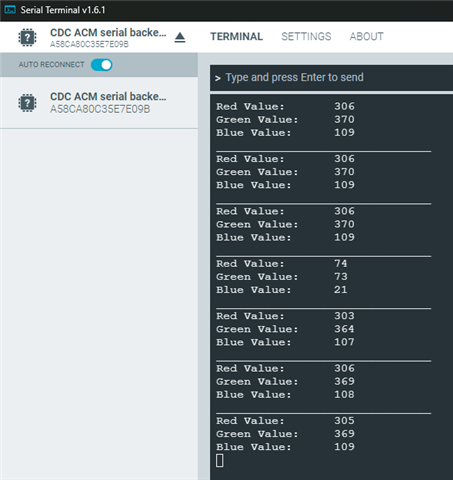
Using Thingy:53, I needed to add the following code to the boards/thingy53_nrf5340_cpuapp_ns.overlay file in order to be able to view the output:
Hello,
The logging output for the Thingy:53 is available through the USB CDC ACM class, so you will be able to see the logs by using i.e. the Serial Terminal application from nRF Connect for Desktop:


See the relevant part of the Thingy:53 application guide here (docs.nordicsemi.com).
Best regards,
Maria
Thank you for your response. I'm specifically referring to Lesson 6, Exercise 2 of the "nRF Connect SDK Fundamentals" course which does not say anything about that. I was using generic serial terminals like cutecom, minicom, ..., but wasn't getting anything from the Thingy:53 comm port. Should the course material be updated to specify one or both of these for those using Thingy:53 for that exercise?
Hello,
You are correct. The Serial Terminal is not required to read the logs from the Thingy:53. I wrongfully assumed that it would show up as one of the "connected devices" in my nRF Connect for VS Code extension, but it will not because there is no debugger on the Thingy:53.
When running l6_e2_sol again, I was able to also see the output with the nRF Terminal extension. Have you tried running the code from both the provided solution and your completed exercise?
Best regards,
Maria
Hello,
You are correct. The Serial Terminal is not required to read the logs from the Thingy:53. I wrongfully assumed that it would show up as one of the "connected devices" in my nRF Connect for VS Code extension, but it will not because there is no debugger on the Thingy:53.
When running l6_e2_sol again, I was able to also see the output with the nRF Terminal extension. Have you tried running the code from both the provided solution and your completed exercise?
Best regards,
Maria
Interesting... I do see the output with the terminals using the l6_e2_sol. Strange, when I was following the lesson, I had to add that code in order to see it.