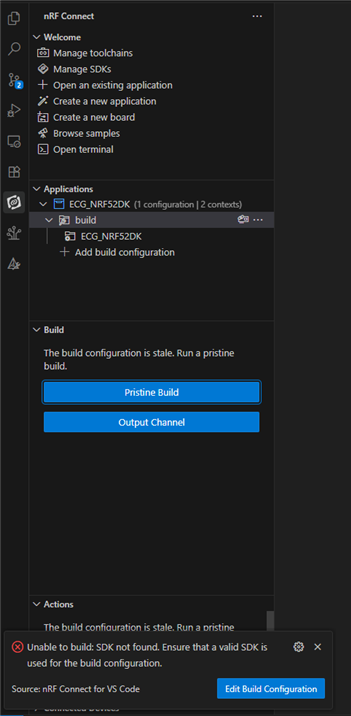
I mean like when ever i click pristine build in the vs code i am getting this below error
"Unable to build: SDK not found. Ensure that a valid SDK is used for the build configuration."
but the build is getting done when it is done in the terminal 
I mean like when ever i click pristine build in the vs code i am getting this below error
"Unable to build: SDK not found. Ensure that a valid SDK is used for the build configuration."
but the build is getting done when it is done in the terminal 
NCS with zephyr only. i do have the sdk version with the zephyr.
Still doesn't make complete sense to me.
Do you mean a normal NCS (nRF Connect SDK)? Or Zephyr only, without the nRF part of it?
What folders are present in the root folder of your SDK? Can you please send a screenshot?
Best regards,
Edvin

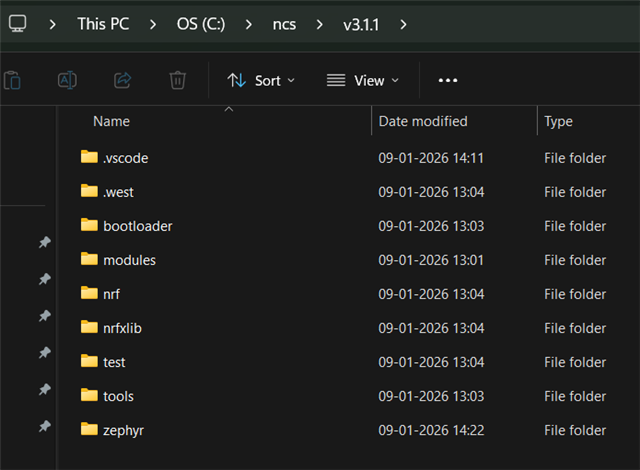
this is the ncs folder which i am having.
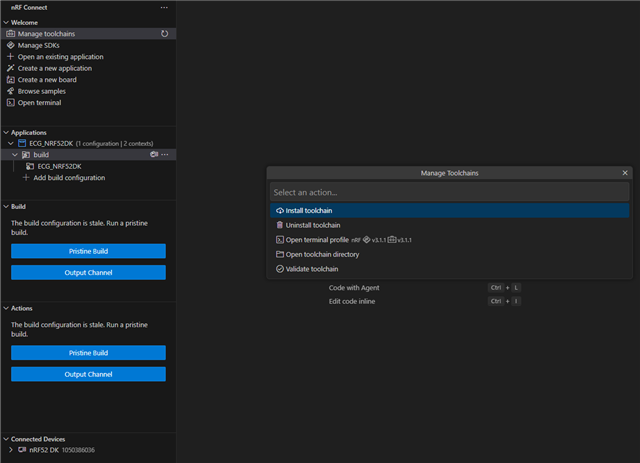
and my manage tool chain menu looks like the above, and moreover when i click the open sdk directory in the manage sdk menu it is opening the C:\ncs\v3.1.1 folder only, am i missing something, it is a nRf Connect SDK (NCS) right
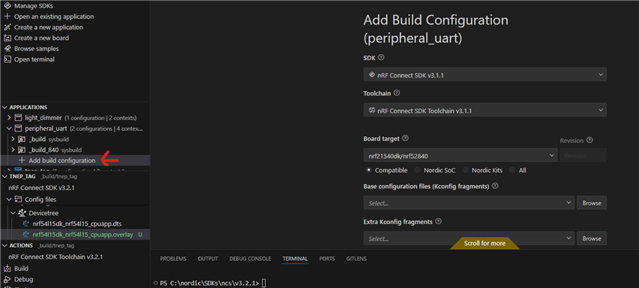
Can you try: in VS Code, press file -> open folder, and open the root folder of your SDK (the one named v3.1.1). Then press the "+" sign ("open an existing application"), navigate to your application folder, and select "Open". This adds the application to the workspace, without removing the SDK from the workspace. Then you can generate a new build configuration:

And you should see the SDK version and toolchain version in the two upper options.
Best regards,
Edvin
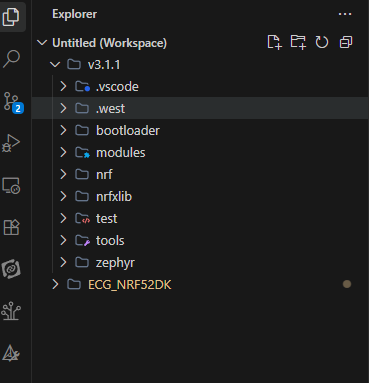
so basically i tried what you were saying, 
and even added the build configuration and it still looks like this 
it dint change anything here
regards
vishva