mcuboot images intermittently failing to apply -- DFU image is not valid 9(0)

I've been wrestling with an issue whereby I attempt to deploy an mcuboot image to a device and inconsistently I get a message that says the firmware image is not valid (error code 9).

Some specifics:

  • I am using nRF52840 on an Adafruit Feather nRF52840 Express boards
  • I am using NCS SDK 2.6.1
  • I have a pm_static.yml in place
  • I am trying to use only one slot for mcuboot
  • Currently I'm just using the default key for signing the update

There is a lot I don't know about mcuboot, so I apologize in advance if I'm missing obvious things or need to ask clarifying questions.

Here is a sequence of steps that helps define the problem:

  1. I take 3 of these boards and blank them first by using nrfjprog --recover
  2. I flash each of these boards with the same merged.hex. Let's call this firmware version 1.0.
  3. I confirm that all of these boards are working as expected, running v1.0.
  4. I modify firmware 1.0 slightly. For example in one case, I added code to enable and use the hardware watchdog timer. So, the inclusion of extra drivers for that is probably not nothing, but overall the functionality of the code is not significantly different. Let's call this v1.1. For this version I did not change the pm_static or mcuboot config at all.
  5. I attempt to flash v1.1 to each of the three boards using mcuboot. These are identical boards, running identical firmware. An outboard device is pulling the pin to get the bootloader active and sending the image via serial, so in some ways this may limit my visibility into the process.
  6. Two of the boards take the update and run it just fine - total success. One of the boards says "DFU image is not valid 9(0)" and fails to apply the update, leaving the board in an inop state. This third board can be recovered and flashed again. It's not permanently damaged, but most of the time, if it failed once it will fail on subsequent attempts as well.

If the problem is with the image, why does it work for two of the identical boards with identical firmware?

If I turn off the mcuboot option to validate the image (CONFIG_BOOT_VALIDATE_SLOT0), what will happen is that the update will still not work, but it never produces a definitive error message and just repeatedly attempts to apply it in a loop.

I'm not sure what questions I need to be asking at this point to identify the cause of the problem, as this doesn't seem to make any sense. Can anyone suggest steps that would be helpful for getting to the bottom of it? I'll attach my configs here for reference.

adafruit_feather_nrf52840.overlay

#~~~~~~~~~~~~~~~~~~~~~~~~~~~~~~~~~~~~~~~~~~~~~~~~~~~~~~~~~~~~~~~~~~~~~~~~~~~~~~~
#~~ GENERAL ~~~~~~~~~~~~~~~~~~~~~~~~~~~~~~~~~~~~~~~~~~~~~~~~~~~~~~~~~~~~~~~~~~~~
# GPIO enable
CONFIG_GPIO=y

# Enable Zephyr base64 encode for Notecard uploads
CONFIG_BASE64=y

# Enable the watchdog timer
CONFIG_WATCHDOG=y

# Allow Zephyr to safely reboot the system
CONFIG_REBOOT=y

#~~~~~~~~~~~~~~~~~~~~~~~~~~~~~~~~~~~~~~~~~~~~~~~~~~~~~~~~~~~~~~~~~~~~~~~~~~~~~~~
#~~ MEMORY ~~~~~~~~~~~~~~~~~~~~~~~~~~~~~~~~~~~~~~~~~~~~~~~~~~~~~~~~~~~~~~~~~~~~~
CONFIG_SYSTEM_WORKQUEUE_STACK_SIZE=2048

#~~~~~~~~~~~~~~~~~~~~~~~~~~~~~~~~~~~~~~~~~~~~~~~~~~~~~~~~~~~~~~~~~~~~~~~~~~~~~~~
#~~ BLUETOOTH ~~~~~~~~~~~~~~~~~~~~~~~~~~~~~~~~~~~~~~~~~~~~~~~~~~~~~~~~~~~~~~~~~~


#~~~~~~~~~~~~~~~~~~~~~~~~~~~~~~~~~~~~~~~~~~~~~~~~~~~~~~~~~~~~~~~~~~~~~~~~~~~~~~~
#~~ FLASH ~~~~~~~~~~~~~~~~~~~~~~~~~~~~~~~~~~~~~~~~~~~~~~~~~~~~~~~~~~~~~~~~~~~~~~
# CONFIG_FLASH=y
# CONFIG_FLASH_PAGE_LAYOUT=y
# CONFIG_NVS=y
# CONFIG_NVS_LOG_LEVEL_DBG=y
# CONFIG_MPU_ALLOW_FLASH_WRITE=y


#~~~~~~~~~~~~~~~~~~~~~~~~~~~~~~~~~~~~~~~~~~~~~~~~~~~~~~~~~~~~~~~~~~~~~~~~~~~~~~~
#~~ DFU ~~~~~~~~~~~~~~~~~~~~~~~~~~~~~~~~~~~~~~~~~~~~~~~~~~~~~~~~~~~~~~~~~~~~~~~~
# Include the mcuboot bootloader, required for DFU
CONFIG_BOOTLOADER_MCUBOOT=y
# CONFIG_SECURE_BOOT=y
# CONFIG_DISABLE_FLASH_PATCH=y


#~~~~~~~~~~~~~~~~~~~~~~~~~~~~~~~~~~~~~~~~~~~~~~~~~~~~~~~~~~~~~~~~~~~~~~~~~~~~~~~
#~~ LOGGING ~~~~~~~~~~~~~~~~~~~~~~~~~~~~~~~~~~~~~~~~~~~~~~~~~~~~~~~~~~~~~~~~~~~~
CONFIG_LOG=y
CONFIG_LOG_PRINTK=y
CONFIG_LOG_BACKEND_SHOW_COLOR=y
CONFIG_LOG_PROCESS_THREAD_STACK_SIZE=2048
# Settings below are helpful for debugging and reduce dropped messages
# CONFIG_LOG_PROCESS_THREAD_STACK_SIZE=4096
# CONFIG_LOG_BUFFER_SIZE=4096

#~~~~~~~~~~~~~~~~~~~~~~~~~~~~~~~~~~~~~~~~~~~~~~~~~~~~~~~~~~~~~~~~~~~~~~~~~~~~~~~
#~~ BLUETOOTH ~~~~~~~~~~~~~~~~~~~~~~~~~~~~~~~~~~~~~~~~~~~~~~~~~~~~~~~~~~~~~~~~~~
CONFIG_BT=y
CONFIG_BT_OBSERVER=y
CONFIG_BT_EXT_ADV=y

#~~~~~~~~~~~~~~~~~~~~~~~~~~~~~~~~~~~~~~~~~~~~~~~~~~~~~~~~~~~~~~~~~~~~~~~~~~~~~~~
#~~ SERIAL ~~~~~~~~~~~~~~~~~~~~~~~~~~~~~~~~~~~~~~~~~~~~~~~~~~~~~~~~~~~~~~~~~~~~~
CONFIG_SERIAL=y

#~~~~~~~~~~~~~~~~~~~~~~~~~~~~~~~~~~~~~~~~~~~~~~~~~~~~~~~~~~~~~~~~~~~~~~~~~~~~~~~
#~~ NOTECARD ~~~~~~~~~~~~~~~~~~~~~~~~~~~~~~~~~~~~~~~~~~~~~~~~~~~~~~~~~~~~~~~~~~~
# Used for Notecard interface
CONFIG_I2C=y
CONFIG_NEWLIB_LIBC=y

#~~~~~~~~~~~~~~~~~~~~~~~~~~~~~~~~~~~~~~~~~~~~~~~~~~~~~~~~~~~~~~~~~~~~~~~~~~~~~~~
#~~ UART ~~~~~~~~~~~~~~~~~~~~~~~~~~~~~~~~~~~~~~~~~~~~~~~~~~~~~~~~~~~~~~~~~~~~~~~
# CONFIG_UART_ASYNC_API=y
# CONFIG_UART_0_INTERRUPT_DRIVEN=n
# CONFIG_UART_0_ASYNC=y
# Are these two lines below needed for DFU???
# CONFIG_CONSOLE=y
# CONFIG_UART_CONSOLE=y
# CONFIG_UART_INTERRUPT_DRIVEN=y
# CONFIG_UART_LINE_CTRL=y
#~~~~~~~~~~~~~~~~~~~~~~~~~~~~~~~~~~~~~~~~~~~~~~~~~~~~~~~~~~~~~~~~~~~~~~~~~~~~~~~
#~~ USB CDC ACM ~~~~~~~~~~~~~~~~~~~~~~~~~~~~~~~~~~~~~~~~~~~~~~~~~~~~~~~~~~~~~~~~
CONFIG_USB_DEVICE_STACK=y
CONFIG_USB_DEVICE_DRIVER=y
CONFIG_USB_DEVICE_PRODUCT=""
CONFIG_USB_DEVICE_PID=0x0004
CONFIG_USB_WORKQUEUE=y                  #--sc 30 May 2024
CONFIG_USB_DEVICE_INITIALIZE_AT_BOOT=y  #--sc 30 May 2024

#--sc 21 Oct 2025
CONFIG_USB_CDC_ACM_RINGBUF_SIZE=4096

#~~~~~~~~~~~~~~~~~~~~~~~~~~~~~~~~~~~~~~~~~~~~~~~~~~~~~~~~~~~~~~~~~~~~~~~~~~~~~~~
#~~ POWER ~~~~~~~~~~~~~~~~~~~~~~~~~~~~~~~~~~~~~~~~~~~~~~~~~~~~~~~~~~~~~~~~~~~~~~
CONFIG_PM_DEVICE=y

#~~~~~~~~~~~~~~~~~~~~~~~~~~~~~~~~~~~~~~~~~~~~~~~~~~~~~~~~~~~~~~~~~~~~~~~~~~~~~~~
#~~ DEBUG: THREAD ANALYZER ~~~~~~~~~~~~~~~~~~~~~~~~~~~~~~~~~~~~~~~~~~~~~~~~~~~~~
# CONFIG_THREAD_ANALYZER=y
# CONFIG_THREAD_ANALYZER_USE_PRINTK=y
# CONFIG_THREAD_ANALYZER_AUTO=y
# CONFIG_THREAD_ANALYZER_AUTO_INTERVAL=5
# CONFIG_THREAD_NAME=y
CONFIG_DEBUG_THREAD_INFO=y

# CONFIG_NORDIC_SECURITY_BACKEND=y
4666.mcuboot.overlay3404.mcuboot.conf
PM_MCUBOOT_OFFSET=0x0
PM_MCUBOOT_ADDRESS=0x0
PM_MCUBOOT_END_ADDRESS=0xc000
PM_MCUBOOT_SIZE=0xc000
PM_MCUBOOT_NAME=mcuboot
PM_MCUBOOT_ID=0
PM_mcuboot_ID=PM_MCUBOOT_ID
PM_mcuboot_IS_ENABLED=1
PM_0_LABEL=MCUBOOT
PM_MCUBOOT_PAD_OFFSET=0xc000
PM_MCUBOOT_PAD_ADDRESS=0xc000
PM_MCUBOOT_PAD_END_ADDRESS=0xc200
PM_MCUBOOT_PAD_SIZE=0x200
PM_MCUBOOT_PAD_NAME=mcuboot_pad
PM_MCUBOOT_PAD_ID=1
PM_mcuboot_pad_ID=PM_MCUBOOT_PAD_ID
PM_mcuboot_pad_IS_ENABLED=1
PM_1_LABEL=MCUBOOT_PAD
PM_MCUBOOT_PRIMARY_OFFSET=0xc000
PM_MCUBOOT_PRIMARY_ADDRESS=0xc000
PM_MCUBOOT_PRIMARY_END_ADDRESS=0x100000
PM_MCUBOOT_PRIMARY_SIZE=0xf4000
PM_MCUBOOT_PRIMARY_NAME=mcuboot_primary
PM_MCUBOOT_PRIMARY_ID=2
PM_mcuboot_primary_ID=PM_MCUBOOT_PRIMARY_ID
PM_mcuboot_primary_IS_ENABLED=1
PM_2_LABEL=MCUBOOT_PRIMARY
PM_MCUBOOT_PRIMARY_SPAN="mcuboot_pad app"
PM_APP_OFFSET=0xc200
PM_APP_ADDRESS=0xc200
PM_APP_END_ADDRESS=0x100000
PM_APP_SIZE=0xf3e00
PM_APP_NAME=app
PM_APP_ID=3
PM_app_ID=PM_APP_ID
PM_app_IS_ENABLED=1
PM_3_LABEL=APP
PM_MCUBOOT_PRIMARY_APP_OFFSET=0xc200
PM_MCUBOOT_PRIMARY_APP_ADDRESS=0xc200
PM_MCUBOOT_PRIMARY_APP_END_ADDRESS=0x100000
PM_MCUBOOT_PRIMARY_APP_SIZE=0xf3e00
PM_MCUBOOT_PRIMARY_APP_NAME=mcuboot_primary_app
PM_MCUBOOT_PRIMARY_APP_ID=4
PM_mcuboot_primary_app_ID=PM_MCUBOOT_PRIMARY_APP_ID
PM_mcuboot_primary_app_IS_ENABLED=1
PM_4_LABEL=MCUBOOT_PRIMARY_APP
PM_MCUBOOT_PRIMARY_APP_SPAN="app"
PM_SRAM_PRIMARY_OFFSET=0x0
PM_SRAM_PRIMARY_ADDRESS=0x20000000
PM_SRAM_PRIMARY_END_ADDRESS=0x20040000
PM_SRAM_PRIMARY_SIZE=0x40000
PM_SRAM_PRIMARY_NAME=sram_primary
PM_NUM=5
PM_ALL_BY_SIZE="mcuboot_pad mcuboot sram_primary app mcuboot_primary_app mcuboot_primary"
# SPDX-License-Identifier: Apache-2.0

cmake_minimum_required(VERSION 3.20.0)
find_package(Zephyr REQUIRED HINTS $ENV{ZEPHYR_BASE})
project(GR3_Firmware)

target_sources(app PRIVATE
  src/main.c
  src/gr3_observer.c
  src/gr3_event_mgr.c
  src/gr3_timekeeping.c
  src/gr3_notecard.c
  src/note_c_hooks.c
  src/gr3_filter.c
  src/gr3_health.c
  src/gr3_uploader.c
  src/gr3_flash.c
  src/gr3_config.c
)

# Let Zephyr build additional 3rd party libs (e.g. `note-c`) with `app`
target_sources(app
	PRIVATE note-c/n_atof.c
	PRIVATE note-c/n_b64.c
	PRIVATE note-c/n_cjson.c
	PRIVATE note-c/n_cjson_helpers.c
	PRIVATE note-c/n_const.c
	PRIVATE note-c/n_cobs.c
	PRIVATE note-c/n_ftoa.c
	PRIVATE note-c/n_helpers.c
	PRIVATE note-c/n_hooks.c
	PRIVATE note-c/n_i2c.c
	PRIVATE note-c/n_md5.c
	PRIVATE note-c/n_printf.c
	PRIVATE note-c/n_request.c
	PRIVATE note-c/n_serial.c
	PRIVATE note-c/n_str.c
	PRIVATE note-c/n_ua.c
)

target_include_directories(app
	PRIVATE note-c
)

Parents
  • Hello,

    Thank you for explaining this in detail. I see that you have enabled logging; could you please also enable the MCUboot logs by setting CONFIG_MCUBOOT_LOG_LEVEL_INF, and then share the logs here?

    Kind Regards,

    Abhijith

  • Thanks Abhijith.

    How can I get the bootloader logging to an interface where I'll be able to see it? When mcuboot is active, I don't currently have the USB CDC interface. It has uart0, but I don't think I can log to there because that's the interface being used by mcumgr when I'm testing, or by the outboard device providing the new firmware image. What's the best way for me to approach?

    To simplify troubleshooting, I just connected to the bootloader directly with mcumgr and uploaded an image. I did a pristine build and pulled the app_update.bin file from \build\zephyr\ and uploaded that to mcuboot. Afterward, I did "image list" and it lists the image in the slot as being not bootable. If I understand correctly, that means mcuboot is saying this is not a valid, workable firmware image. It just doesn't tell me why, or what the problem is with the image. And despite this, if I use nrfjprog to flash this app to a board, it runs just fine.

    Scott

Reply
  • Thanks Abhijith.

    How can I get the bootloader logging to an interface where I'll be able to see it? When mcuboot is active, I don't currently have the USB CDC interface. It has uart0, but I don't think I can log to there because that's the interface being used by mcumgr when I'm testing, or by the outboard device providing the new firmware image. What's the best way for me to approach?

    To simplify troubleshooting, I just connected to the bootloader directly with mcumgr and uploaded an image. I did a pristine build and pulled the app_update.bin file from \build\zephyr\ and uploaded that to mcuboot. Afterward, I did "image list" and it lists the image in the slot as being not bootable. If I understand correctly, that means mcuboot is saying this is not a valid, workable firmware image. It just doesn't tell me why, or what the problem is with the image. And despite this, if I use nrfjprog to flash this app to a board, it runs just fine.

    Scott

Children
  • Hello,

    cscase said:
    How can I get the bootloader logging to an interface where I'll be able to see it? When mcuboot is active, I don't currently have the USB CDC interface. It has uart0, but I don't think I can log to there because that's the interface being used by mcumgr when I'm testing, or by the outboard device providing the new firmware image. What's the best way for me to approach?

    Could you please try collecting the logs via RTT? You can enable the following configurations in the prj.conf file and then check the logs using J-Link RTT Viewer or VS Code.

    Enable Zephyr logging
    CONFIG_LOG=y
    # Enable RTT as logging backend
    CONFIG_USE_SEGGER_RTT=y
    CONFIG_LOG_BACKEND_RTT=y
    #Disable UART logging backend/console
    CONFIG_LOG_BACKEND_UART=n
    CONFIG_RTT_CONSOLE=y
    CONFIG_UART_CONSOLE=n

    It’s a bit strange that the same application works fine on the other two boards but shows an issue on only one board. Could you please verify that this is not caused by a signing key mismatch between MCUboot and the application image?

    Kind Regards,

    Abhijith

  • Hi,

    I've enabled RTT in the prj.conf for mcuboot. A couple of things: When I added that, I got an error saying that a dependency was missing. It wanted LOG_MODE_MINIMAL, so I added that as well.

    When it starts up now, I see this message at the bottom-right of VSCode: 

    Element with id 504500724 is already registered

    (This number is the serial # for my JLink.)

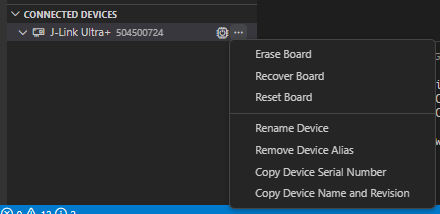
    And where previously, I could expand the J-link item under "Connected Devices" and see RTT, I don't see that now. Expanding this item shows nothing nested under it:

    When I boot the app as normal, I still see serial output from USB serial. When I start the bootloader, the COM port disappears. In either case, though, I see nothing any more aobut RTT under the programmer in nRF Connect's lower-left pane.

    I haven't used RTT and have been using the USB serial for debugging on this project, so I apologize for not having it running more easily here.

    Regarding the signatures:

    I've been trying something different here and just trying to bootload the exact same image that the board is programmed with. I do the following:

    • Flash the board with NCS
    • Manually put it in bootloader mode
    • Upload the app_update.bin for the same build that I just flashed to the board, directly from \build\zephyr\.

    It shows this image as not bootable.

    I think that because I am trying to flash the same build that is already on the board, that means it must have the same signature for both, right? I see the warning that says "Using the default MCUBoot key, it should not be used for production" whenever I build.

    I was working on this today and I used imgtool to use the private key from the mcuboot source directory to get the public key.

    Here's my prj.conf from the child project for reference. You can see where I added the RTT enable options.

    CONFIG_PM=n
    
    CONFIG_MAIN_STACK_SIZE=10240
    CONFIG_MBEDTLS_CFG_FILE="mcuboot-mbedtls-cfg.h"
    
    CONFIG_BOOT_SWAP_SAVE_ENCTLV=n
    CONFIG_BOOT_ENCRYPT_IMAGE=n
    
    CONFIG_BOOT_UPGRADE_ONLY=n
    CONFIG_BOOT_BOOTSTRAP=n
    
    ### mbedTLS has its own heap
    # CONFIG_HEAP_MEM_POOL_SIZE is not set
    
    ### We never want Zephyr's copy of tinycrypt.  If tinycrypt is needed,
    ### MCUboot has its own copy in tree.
    # CONFIG_TINYCRYPT is not set
    # CONFIG_TINYCRYPT_ECC_DSA is not set
    # CONFIG_TINYCRYPT_SHA256 is not set
    
    CONFIG_FLASH=y
    CONFIG_FPROTECT=y
    
    ### Various Zephyr boards enable features that we don't want.
    # CONFIG_BT is not set
    # CONFIG_BT_CTLR is not set
    # CONFIG_I2C is not set
    
    CONFIG_LOG=y
    CONFIG_LOG_MODE_MINIMAL=y # former CONFIG_MODE_MINIMAL
    ### Ensure Zephyr logging changes don't use more resources
    CONFIG_LOG_DEFAULT_LEVEL=0
    ### Use info log level by default
    CONFIG_MCUBOOT_LOG_LEVEL_INF=y
    ### Decrease footprint by ~4 KB in comparison to CBPRINTF_COMPLETE=y
    CONFIG_CBPRINTF_NANO=y
    ### Use the minimal C library to reduce flash usage
    CONFIG_MINIMAL_LIBC=y
    CONFIG_NRF_RTC_TIMER_USER_CHAN_COUNT=0
    
    ### FROM FORUM POST
    # Enable Zephyr logging
    CONFIG_LOG=y
    # Enable RTT as logging backend
    CONFIG_USE_SEGGER_RTT=y
    CONFIG_LOG_MODE_MINIMAL=y
    CONFIG_LOG_BACKEND_RTT=y
    #Disable UART logging backend/console
    CONFIG_LOG_BACKEND_UART=n
    CONFIG_RTT_CONSOLE=y
    CONFIG_UART_CONSOLE=n
    

  • cscase said:
    I think that because I am trying to flash the same build that is already on the board, that means it must have the same signature for both, right? I see the warning that says "Using the default MCUBoot key, it should not be used for production" whenever I build.

    That is an expected warning message when using the default key and does not indicate any issue.

  • Right, I get that, but I mention it because it lets us know what key is being used for this build.

    I found that although there appears to be no way to view it from within nRF Connect, I can see mcuboot's output using the Segger RTT viewer. I uploaded the bin but the log doesn't show any errors. Here's the last bit where it finishes uploading:

    00> I: Writing at 0x30a84 until 0x30bd4
    00> I: RX: 0x0
    00> I: TX
    00> I: RX: 0x0
    00> I: TX
    00> I: RX: 0x0
    00> I: TX
    00> I: RX: 0x0
    00> I: TX
    00> I: Writing at 0x30bd4 until 0x30d24
    00> I: RX: 0x0
    00> I: TX
    00> I: RX: 0x0
    00> I: TX
    00> I: RX: 0x0
    00> I: TX
    00> I: RX: 0x0
    00> I: TX
    00> I: Writing at 0x30d24 until 0x30e74
    00> I: RX: 0x0
    00> I: TX
    00> I: RX: 0x0
    00> I: TX
    00> I: RX: 0x0
    00> I: TX
    00> I: Writing at 0x30e74 until 0x30fc4
    00> I: RX: 0x0
    00> I: TX
    00> I: RX: 0x0
    00> I: TX
    00> I: Erasing range 0x%jx:0x%jx
    00> I: Writing at 0x30fc4 until 0x31088
    00> I: Erasing range 0x%jx:0x%jx
    00> I: RX: 0x0
    00> I: TX
    00> I: TX

    At the end there is where I sent the "image list" command from mcumgr, and the RTT says TX TX.

    From my cmd window, here's the mcumgr output where I uploaded the file and then checked to see if the image is bootable:

    PS C:\users\scase> mcumgr --conntype serial --connstring "dev=COM6,baud=115200" image upload app_update.bin
     196.13 KiB / 196.13 KiB [======================================================================] 100.00% 788 B/s 4m14s
    Done
    PS C:\users\scase> mcumgr --conntype serial --connstring "dev=COM6,baud=115200" image list
    Images:
     image=0 slot=0
        version: 0.0.0
        bootable: false
        flags:
        hash: 88c94b0d46cdcc25ebadbdb9a13757fee9ef7604ebbbeca5611ea15730384b17
    Split status: N/A (0)
    PS C:\users\scase>

    One possible reason, I read online, that the image might not be considered valid, would be if it is larger than the available space partitioned for the slot. But this image - in hex format, which is uncompressed I'm pretty sure - is 659 kb. You can see in the pm_static that we have almost a megabyte available for slot0.

    How can I determine what causes the image to be considered invalid or non-bootable?

Related