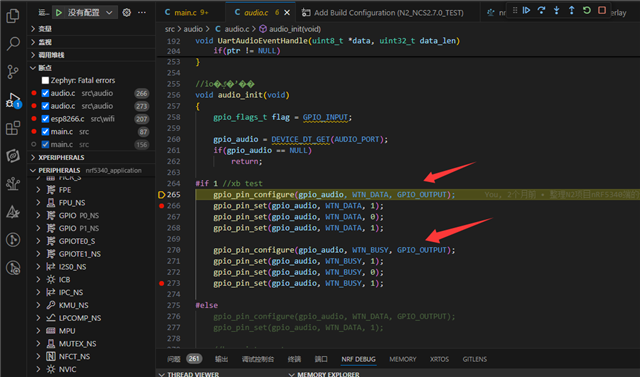
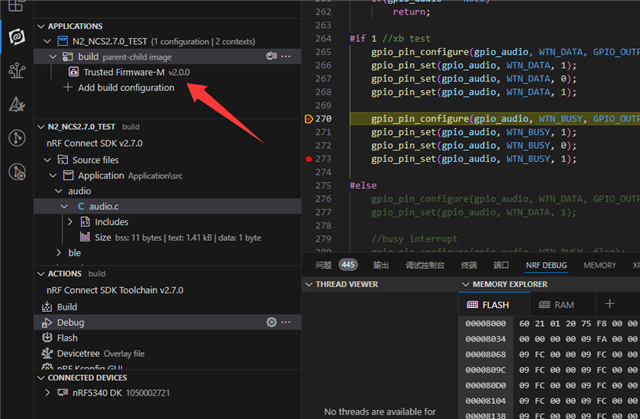
Why can't my application control the p1.00 and p1.01 pins of 5340?

I am developing a project using nRF5340 to drive some peripherals. During debugging, I found that no matter how I executed the pull-up/pull-down commands, the p1.00 and p1.01 pins remained uncontrollable and always stayed in a high-level state. Why is this? I have attached my config file and overlay file.

5050.prj.conf

7026.nrf5340dk_nrf5340_cpuapp_ns.overlay

Parents Reply Children
  • Hello,

    Try taking the app that I sent in the previous reply, and add this to prj.conf:

    CONFIG_TFM_LOG_LEVEL_SILENCE=y
    CONFIG_TFM_SECURE_UART=n

    Then copy boards\nrf5340dk_nrf5340_cpuapp.overlay, and paste it as boards\nrf5340dk_nrf5340_cpuapp_ns.overlay

    And build for nRF5340dk/nrf5340/cpuapp/ns, and see if that works.

    Best regards,

    Edvin

  • Hi,

    Thank you for your reply. I have modified the code you provided earlier according to your instructions. The application can run on my development board, and I can see that LED1 is flashing, but LED2 does not respond at all, as shown in the attached video file.

  • Hi,

    After adding these two statements to my conf file, the problem was resolved. Thank you for your help!
    CONFIG_TFM_LOG_LEVEL_SILENCE=y
    CONFIG_TFM_SECURE_UART=n

Related