nRF sniffer capture tool is not working in wireshark

HI,

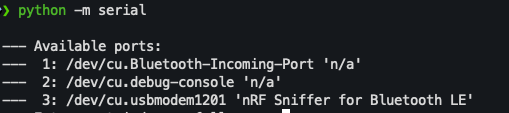
I am using an nRF52840 DK as a Bluetooth LE sniffer and have followed all the steps described in the official documentation.

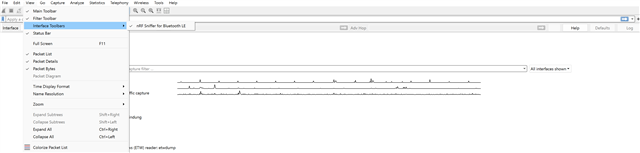
In Wireshark, I can see “nRF Sniffer for Bluetooth LE” listed under View → Interface Toolbars, so the plugin appears to be installed correctly.

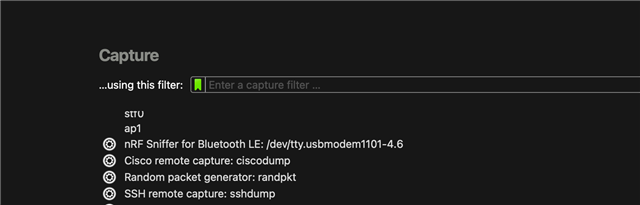
However, the “nRF Sniffer for Bluetooth LE COMxx” interface does not appear under the Capture interfaces, so I am unable to start capturing packets.

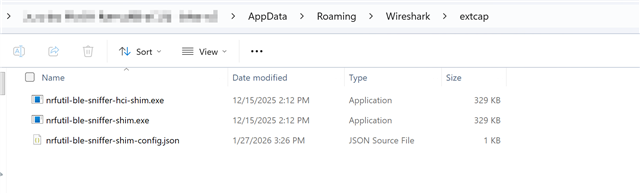
I have flashed the board with sniffer_nrf52840dk_nrf52840_4.1.1.hex and confirmed that the required files are present in Wireshark’s extcap folder.
Please refer to the attached screenshots for additional details.
Parents
  • Hi Maulik, 
    We have a known issue with the nRF52840 DK that the interface IC may not suitable for the nRF sniffer firmware. What you can do is to use the nRF USB port of the nRF52840 instead of the debugger/programmer USB port. 
    Please try that and let us know if you see the interface appear.
    Tip: if you have BLE activity nearby,  LED1 on the DK should blink on each packet. You can use that as the indicator if the nRF Sniffer is running or not. 

Reply
  • Hi Maulik, 
    We have a known issue with the nRF52840 DK that the interface IC may not suitable for the nRF sniffer firmware. What you can do is to use the nRF USB port of the nRF52840 instead of the debugger/programmer USB port. 
    Please try that and let us know if you see the interface appear.
    Tip: if you have BLE activity nearby,  LED1 on the DK should blink on each packet. You can use that as the indicator if the nRF Sniffer is running or not. 

Children
Related