nRF connect cannot see packages after connection

Hello everyone

I am following BLE tutorial on Nordic DevAcademy
Last part of BLE shows you how to use the nRF52480 to have a BLE sniffer in the Wireshark
I have installed Wireshark and successfully connected and passed all part of training except the very last one. 
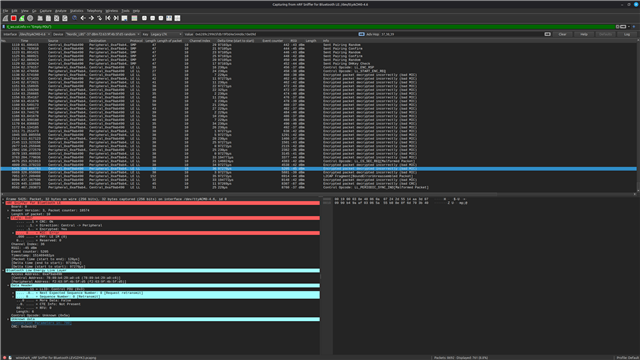
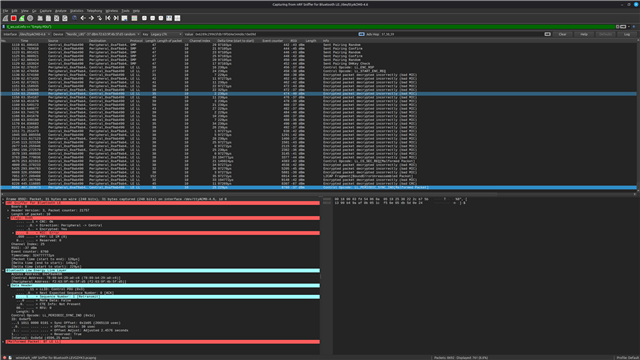
Once devices get bonded and connnected using a SC LTK key the Wireshark does not see any packets from this device anymore
I am using Wireshark v4.6.3 and I have nRF52480 as a dongle. OS is Linux Mint 22.3
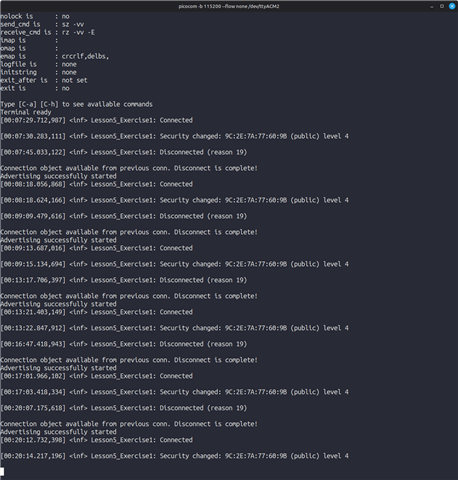
My test board is nRF54l15-DK which has been compiled with the code as in the lesson, I can see the UART output in console as on the image below and I got the SC LTK key and put it into the input box
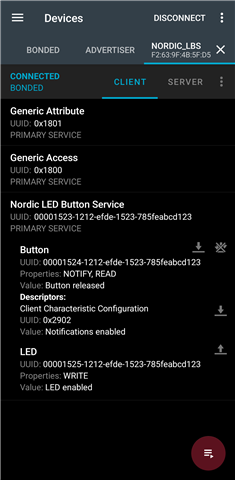
I use Samsung S22 Ultra with nRF Connect application to connect to the nRF54l15-DK and sucessfully do the thing - switch on/off LED and read the status of the button
If I do not use security I see all packets. But once I switch on security and then connect the Wireshark does not receive the packets anymore
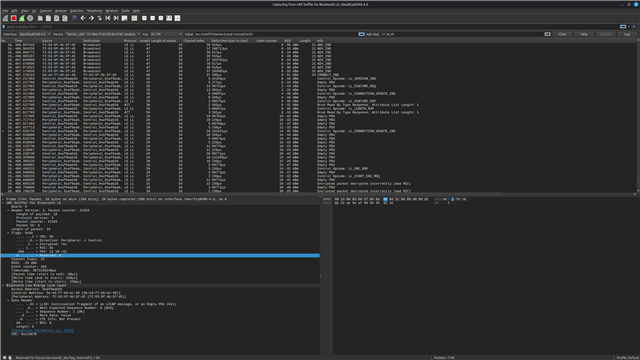
As soon as I disconnect from the nRF54l15-DK on my phone in nRF Connect application or if I reset the board I immediately start to receive ADV_IND packets
Parents
  • Hi,

    If you never see any packets at all, once entering security, then that may mean the LTK is wrong, or the connection is using a different security from the one you selected from the drop-down. For instance, this may be the case if the connection is not using Secure Connections, either because the sample does not support it, or the phone does not. In that case, you may have to select "Legacy LTK" in the "key" dropdown in Wireshark.

    Alternatively, depending on the security used, there might be other valid dropdowns that you can use for sharing the required information with Wireshark, for it to be able to follow the connection. In that case, which one depends on the project configurations and the capabilities of the devices making the connection.

    Regards,
    Terje

Reply
  • Hi,

    If you never see any packets at all, once entering security, then that may mean the LTK is wrong, or the connection is using a different security from the one you selected from the drop-down. For instance, this may be the case if the connection is not using Secure Connections, either because the sample does not support it, or the phone does not. In that case, you may have to select "Legacy LTK" in the "key" dropdown in Wireshark.

    Alternatively, depending on the security used, there might be other valid dropdowns that you can use for sharing the required information with Wireshark, for it to be able to follow the connection. In that case, which one depends on the project configurations and the capabilities of the devices making the connection.

    Regards,
    Terje

Children
  • Thank you for answering. 

    Yes, that makes sense. I tried changing the LTK method but cannot recall the steps now. I'll try again.

    But shouldn't the wireshark show the packets and indicate they were encrypted rather then not showing them at all?

  • I've tried again with mixed results. I got some packet after I paired but soon I stopped receiving anything.

    My phone and the nRFl5415 are definitively talking to each other as I can do all that the demo is supposed to do: control the LED and read the state of the button on change. 

    I tried changing SC LTK to Legacy LTK in wireshark, I've put the Key I got from the exercise but still no packets received after bonding. Could it be something with permissions in Wireshark, I'm not exactly the Wireshark expert. 

    I'll try sniffing two nRFl5415 talking to each other directly without phone as my project includes that. 

  • Hi,

    tdarlic said:
    Could it be something with permissions in Wireshark

    No. Sniffing BLE packets using an nRF DK or Dongle for the BLE connectivity should not have anything to do with permissions.

    tdarlic said:
    I'll try sniffing two nRFl5415 talking to each other directly without phone as my project includes that.

    How did that go?

    Regarding your sniffer traces (screenshots), the packets for setting up the encryption (including, but not limited to LL_ENC_RSP and LL_START_ENC_REQ) should hold information about what encryption is in use. If you share the sniffer trace, I might be able to figure out what settings you should use in Wireshark, for the keys.

    Regards,
    Terje

Related