

After updating from v2026.1.1327 to v2026.3.1484 on Linux, all previously installed SDKs disappeared from the Welcome view — the extension no longer recognizes them. Attempting to update west from within the extension fails immediately with exit code -2. No changes were made to the environment between the two versions.
It seems that in v2026.3.1484, `toolchainInstallDir` reads `nrfutil-sdk-manager config show --json` output as `JSON.parse(e)?.install_dir`, but the actual JSON structure nests it under `default.install_dir`, so it always falls back to `~/ncs` regardless of configuration.
Verified workaround: rolling back the extension to 2026.1.1327 immediately fixes the issue.
Another workaround (which defeats the purpose of having a setting for selecting a different folder): create a symbolic link from the actual`ncs` foldet to `~/ncs`.


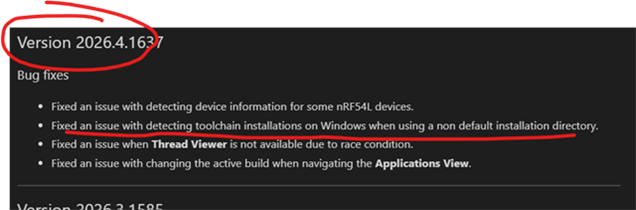 the the yesterday extension update(i.e., 2026.4.1637) is resolved.