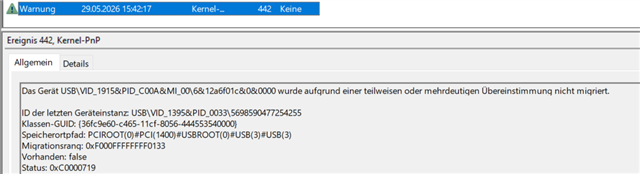
Hi folks, so I will start by saying I have had this device working at home under Windows 11. I have brought the device to work to use on my works computer, which is still windows 10 (work for a uni, they don't seem to be in a hurry switching lol).
I have full admin rights on my machine...
So I have installed PP V431 through NRF connect.
Plugged my PPK2 and loaded POwer Profiler.. The device of mine is listed, but when I click on the item it fails to load with the following error
13:39:42.664	Initialising the bundled nrfutil device
13:39:43.106	Using the bundled core version for nrfutil device: 8.0.0
13:39:43.144	Using nrfutil-device version: 2.10.2
13:39:43.144	Using nrf-device-lib version: 0.17.71
13:39:43.144	Using nrf-probe version: 0.38.0
13:39:43.144	Using JLink version: JLink_V9.24a
13:39:43.146	Your version of SEGGER J-Link (9.24a) is newer than the one this app was tested with (8.18). The tested version is not required, and your J-Link version will most likely work fine. If you get issues related to J-Link with your devices, use the tested version.
13:39:43.220	Getting serial port options from the persistent store for CE9C1EEC7811.pc-nrfconnect-ppk
13:39:43.222	Device connected with the serial number CE9C1EEC7811
13:40:07.870	Selecting device with the serial number CE9C1EEC7811
13:40:08.157	Selected device with the serial number CE9C1EEC7811
13:40:08.158	Note: no pre-compiled firmware is available for the selected device.
13:40:08.158	Error while setting up device with the serial number CE9C1EEC7811
13:40:08.159	"No device setup found"
13:40:08.159	Deselected device
I have also tried plugging into a powered USB3 hub, and I get the same error, so don't think it is due to unstable power as has been suggested on a similar thread...
Is there anything I can try to increase the odds of getting this to work on this machine?
Thanks