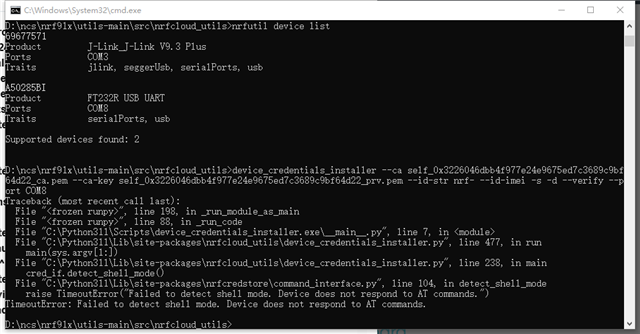
Device_credetials_installer.py cannot be used

Hi:

I would like to use the Device_credetials_installer.py script to generate and install device certificates (including public/private key pairs) for the device.

ncs v2.8.0 and example at_client.

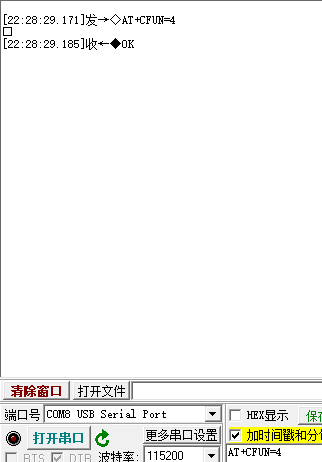
I tested the serial port and there were no issues.

But when I use Device_credetials_installer.py, it doesn't work. I don't know why.

Customize nrf9151 board.
  • Hi again!

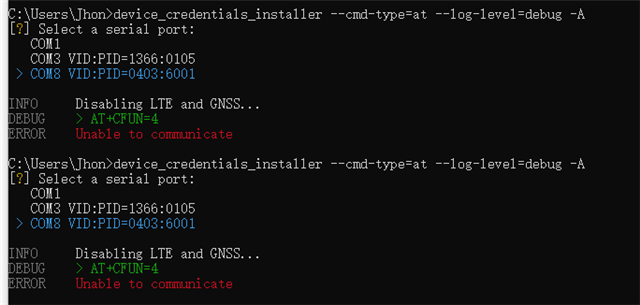
    These logs indicate that the device isn't connected. What is the output if you call the following command: device_credentials_installer --cmd-type=at --log-level=debug -A ? This should output the different available COM ports, so please also try selecting the different ones and check the output.

    Apologies for asking you to try out all these different commands. I'm just trying to figure out the issue here.

    ---

    Regarding alternative methods for provisioning (registering) your devices for nRF Cloud you can check out the Provisioning Service, which is firmware based. We have a sample here that you can use.

    Best regards,
    Carl Richard

  • Hi:

    thanks for your help!

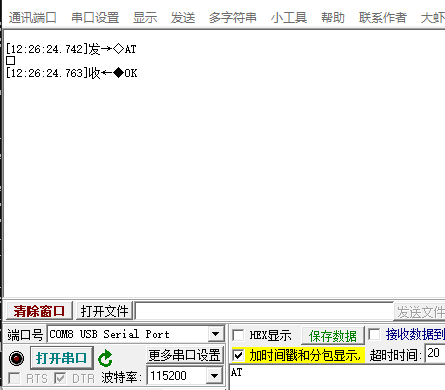
    I use tools, it's good.Very strange! 

    Is it possible for Device_credetials_installer that RX cannot receive or TX did not add "\ r \ n" when sending!

  • Hi again!

    This is indeed very strange, but I have managed to reproduce the issue here now. It seems to be related to the custom board and the FT232R chip. I will investigate further and try to find a solution!

    Best regards,
    Carl Richard

  • Hi again!

    And here is the solution. The device_credetials_installer is using hardware flow control (CTS/RTS) by default, as this is used on the interface of the Nordic DKs. This is deactivated in your configuration, so you will need to call the command with the hardware flow control deactivated as well, using the flag --rtscts-off. You can test with the following command:

    device_credentials_installer --cmd-type=at --log-level=debug --port COM8 --rtscts-off

    It should be enough to just add the flag to your original command as well.

    Best regards,
    Carl Richard

Related