

Hello
I already have a team on the PRO plan on nRFCloud and I would like to create a new team on the nRFCloud, using the same user as owner of both teams. According to: https://docs.nordicsemi.com/bundle/nrf-cloud/page/AccountAndTeamManagement/Teams/WorkWithTeams.html
in order to create a team one should follow these steps:
Creating a team
When you create a new account in the nRF Cloud portal, a team is created for you. You are the owner of that team as the only member. A team can only have one owner.
To create additional teams, complete the following steps in the portal:
- Click the menu icon in the upper right corner and select Team.
- Click the gear icon next to the Current Team page title and select Create.
- Give your team a name and click Save.
The Current Team page now shows the new team name and ID.
However, when i perform the above steps I do not see the Create selections, as you can see in the following screenshot. The only selections are Rename and Delete.
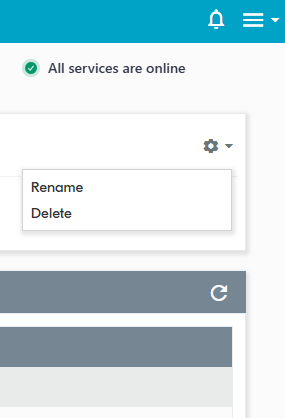
Could you please let me know in case there is another way to create a new team.
Thank you
Avgerinos
