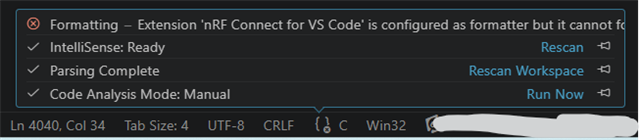
Something seems to have broken in my VSC and/or Nordic extensions. Intellisense seems to be working for code, but cannot resolve any of my custom kconfig options.
I use some boolean kconfig CONFIG_WHATEVER along with some #if defined(CONFIG_WHATEVER) to enable/disable code blocks. But everything is greyed out now and intellisense for the code within that block is also disabled. I can right-click the CONFIG_WHATEVER and "view definition" (=1 if enabled), and all code compiles exactly as it should.
Other "standard" options like CONFIG_SERIAL behave fine in the same project.
Can you give any hints where to look or how to fix please?
(AI suggested solution of adding "C_Cpp.default.configurationProvider": "nordic-semiconductor.nrf-connect" to settings.json didn't work)
NCS 3.02
VS Code version:
Version: 1.114.0 (user setup)
Commit: e7fb5e96c0730b9deb70b33781f98e2f35975036
Date: 2026-04-01T09:27:11Z
Electron: 39.8.3
ElectronBuildId: 13658728
Chromium: 142.0.7444.265
Node.js: 22.22.1
V8: 14.2.231.22-electron.0
OS: Windows_NT x64 10.0.26200