How to unlock a locked nRF54L10

Hello,

   Our product has reached the final mass production stage, but we need to add a lock function to prevent erasure and access to the programming/debug port.
    
   nRF54L10  ncs3.2.3
   
   I have performed the following operations:

    @Echo Off

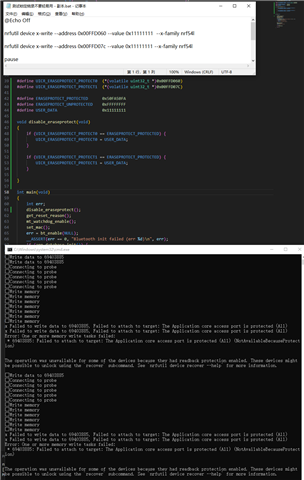
nrfutil.exe device recover --traits jlink --x-family nrf54l

nrfutil device x-write --address 0x00FFD060 --value 0x50fa50fa  --x-family nrf54l

nrfutil device x-write --address 0x00FFD07c --value 0x50fa50fa --x-family nrf54l

nrfutil.exe device x-provision-keys --key-file keyfile.json --traits jlink --x-family nrf54l

nrfutil.exe device program --options chip_erase_mode=ERASE_RANGES_TOUCHED_BY_FIRMWARE --traits jlink --x-family nrf54l  --firmware merge.hex

nrfutil.exe device fw-verify --firmware merge.hex

nrfutil.exe device protection-set ALL

nrfutil.exe device reset --reset-kind RESET_PIN


So how can I unlock it through my code? My code has an upgrade function.


Parents
  • Hello,

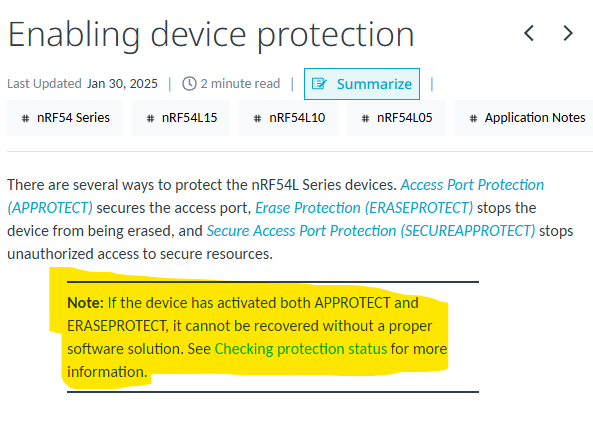
    If both APPROTECT and ERASEPROTECT are activated simultaneously, the device cannot be recovered unless it already contains compatible firmware that supports the unlock procedure.

    Please refer to the note under the Enabling Device Protection section. If the currently locked device does not already include this firmware path, it cannot be added afterward through normal debug access, as APPROTECT blocks debug access and ERASEPROTECT prevents erase operations.

    To enable recovery, the application firmware must write a chosen non-zero key value to the device’s ERASEPROTECT disable register. At the same time, the debug tool must write the exact same key value to the corresponding register on the debug side. Once both sides have written the same key, the tool can perform an erase (recover) operation to unlock the device.

    Kind Regards,

    Abhijith

Reply Children
No Data
Related