VSCode RTT connection to nRF54L15

Hello,

I am developing a custom board based on the nRF54L15. 

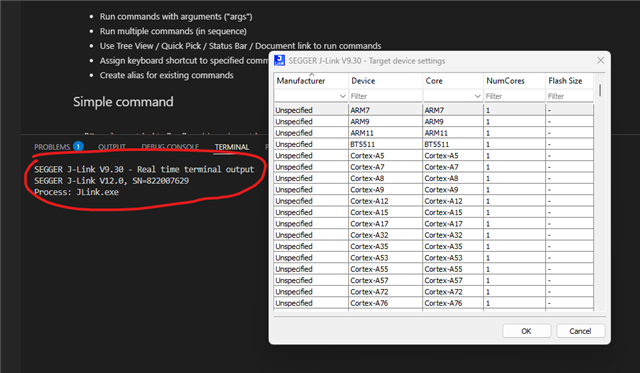
Every time I do RTT connection from the extension i have been asked to prompt the target device (nRF54L15M33 in my case).

Is there a way to avoid it and set it as default into the workspace?

I have tried with the Command extension but it still asks the Target device. Here my command json:

"commands.commands": {
        "nrf-terminal.startTerminal": {
            "command": "nrf-terminal.startTerminal",
            "args": {
                "connectionType": "rtt",
                "device": "nRF54L15_M33",
                "memoryAddress": "auto"
            }
        }
    }
When I run it it prompts:
Any idea?
Thanks!
Parents
  • Hi Andrea, 

    The J-Link prompt is likely coming from J-Link itself, not the nRF Connect extension. When J-Link doesn't recognize the device natively, it pops up its own dialog regardless of what the extension passes. The issue might be because the nRF54L15 is comparatively new to the JLink. If possible, I suggest using the URAT log to avoid prompts asking for the target. 

    Regards,
    Amanda H.

Reply
  • Hi Andrea, 

    The J-Link prompt is likely coming from J-Link itself, not the nRF Connect extension. When J-Link doesn't recognize the device natively, it pops up its own dialog regardless of what the extension passes. The issue might be because the nRF54L15 is comparatively new to the JLink. If possible, I suggest using the URAT log to avoid prompts asking for the target. 

    Regards,
    Amanda H.

Children
No Data
Related