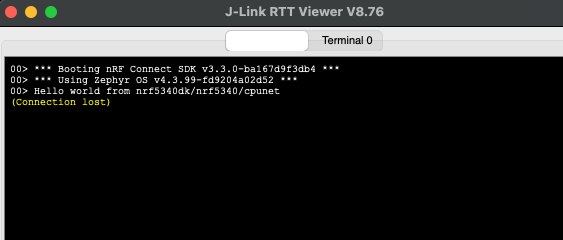
RTT Viewer connecting to nrf5340 cpunet core will trigger a mass erase and afterwards one needs to recover the core

Hi all!

I need to see the printks and log messages from the b0n and cpunet app in RTT Viewer.

The problem is, whenever I connect with the SEGGER RTT Viewer to the netcore, I do get the following error message:

CTRL-AP indicates that the device is secured.
For debugger connection the device needs to be unsecured.
Note: Unsecuring will trigger a mass erase of the internal flash, SRAM and UICR of both the application and the network core.

In another ticket, Vidar answered me the following:

Hi Thilo,

It would better if you created a new ticket for this, but I will try to help here.
To troubleshoot this, please disable APPROTECT by using the nrfutil commands below (note: the order matters, netcore needs to be recovered first),
then try to connect the RTT viewer again to see if you get the same error (there will not be any logs).

nrfutil device recover --core network
nrfutil device recover --core application

Cheers

Vidar


Sadly that doesn't change anything. I execute the first command (recover netcore) and then connect via RTT Viewer and the same error message appears and the chip has no fw on it anymore.

Any other idea?

Cheers,
Thilo

Parents Reply
  • Hi Thilo,

    It should work with b0n as well. The "CTRL-AP indicates that the device is secured" error indicates that you are facing a different problem unrelated to the logging configuration. But perhaps that is what you are trying to debug? 

    To check if the debugger is able to access the network core, please try the command below. 

    # Read out CPU registers from the network core
    nrfutil device cpu-register-read --core network

    Cheers,

    Vidar

Children
  • Hi Vidar

    it looks like, that you are on the right track:

    (v3.4.0-rc1) cest@simt406:/media/data/projects/pan-ng/nrf-sdk-3.4.0/PAN-NG-PROD_APPCORE$ nrfutil device cpu-register-read --core network
    Error: One or more read cpu registers tasks failed:
     * 600104758: Failed to attach to target: The Network core access port is protected (All) (NotAvailableBecauseProtection)
    
    
    The operation was unavailable for some of the devices because they had readback protection enabled. These devices might be possible to unlock using the `recover` subcommand. See `nrfutil device recover --help` for more information.
    

    How can I it be, that our fw locks theses registers?
    I can flash your demo and connect with rtt viewer.
    But after I flash our fw, the netcore is protected again.

    How can I prevent it, to get protected when flashing our fw?

    Cheers,
    Thilo

Related