nRF Connect for VS Code extension version 2026.6.2030 error when flashing with J-Link

Yesterday, I upgraded to nRF Connect for VS Code extension version 2026.6.2030 and restarted VS Code, and now no matter what I do, the 'Flash' button in my project just pops up the error message "Cannot read properties of null (reading 'padStart')". I am flashing using a SEGGER J-Link. I've tried completely wiping the workspace by deleting the AppData/Roaming/Code/User/workspaceStorage directory, but the error persists after re-opening the workspace.

If I downgrade the extension to 2026.4.1766 it works fine again like it did before this upgrade, so it looks like something in 2026.6.2030 broke the 'Flash' ability with the J-Link.

Parents
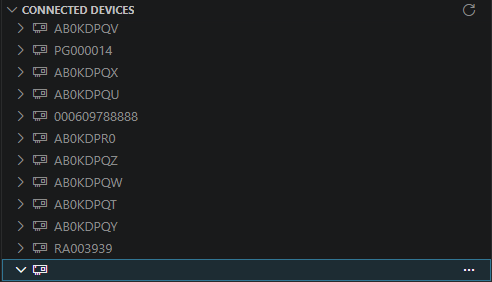
  • I've found that this is happening because one of the serial COM devices on my machine has an empty string for its name/serial no. If I unplug this device, then the Flash button works fine on 2026.6.2030, but I get the error with it plugged in. No error with it plugged in is seen on the previous version of the extension, so this seems like a regression.

Reply
  • I've found that this is happening because one of the serial COM devices on my machine has an empty string for its name/serial no. If I unplug this device, then the Flash button works fine on 2026.6.2030, but I get the error with it plugged in. No error with it plugged in is seen on the previous version of the extension, so this seems like a regression.

Children
No Data
Related