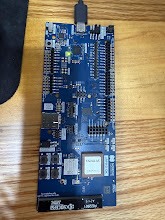
Board: nRF9151 DK (PCA10171), revision 1.4.0
OS: Windows nRF Connect for Desktop version: v5.3.2
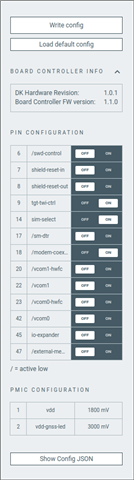
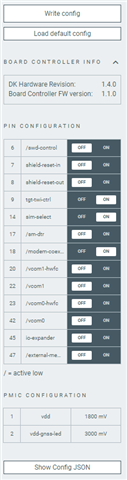
Board Configurator version: 1.4.0
J-Link Configurator: V9.52, reports probe firmware already up to date
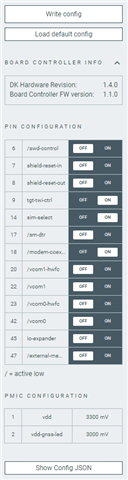
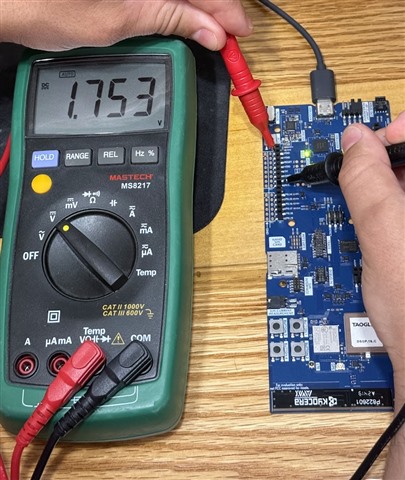
Problem: I'm trying to change VDD_GPIO from the 1.8V default to 3.3V using Board Configurator. After selecting 3.3V and clicking Apply/Write, VDD_GPIO still measures ~1.75V at the VDD/GND pins on P20, even after a full power cycle (USB unplugged and replugged).
Steps taken so far:
1. Set VDD_GPIO to 3.3V in Board Configurator, wrote the config, power cycled. No change, still ~1.75V.
2. Checked J-Link Configurator. It reports the on-board J-Link probe firmware is already up to date.
3. Found other threads describing this same symptom on the nRF9161 DK, fixed by updating board controller firmware to v1.1.0 or higher. Downloaded the nRF9161 DK board controller firmware from the nRF9161 DK Downloads page and flashed it with nRF Connect Programmer, selecting the IMCU (nRF5340) as the target.
4. Programmer reported "Erase & write" succeeded. After flashing and power cycling, Board Configurator still shows the same firmware version as before, and VDD_GPIO is still ~1.75V.
Questions:
1. Is the nRF9161 DK's board controller firmware actually valid for the nRF9151 DK (PCA10171)? The nRF9151 DK downloads page doesn't have its own board controller firmware section, so I used the nRF9161 DK file assuming they share the same nRF5340 IMCU hardware. I have no confirmation this is correct, and since the reported version didn't change after a successful flash, I suspect it isn't.
2. If that's not the right file, where can I get the correct board controller firmware for the nRF9151 DK?
3. Is there a way to read the currently running board controller firmware version directly (for example with a CLI command) so I can confirm whether the flash actually took effect at all? Happy to attach the Programmer app log if useful.