Kconfig navigation (go to definition) does not work from the application’s  prj.conf

Environment

• Windows 11
• VS Code 1.139.0
• nRF Connect for VS Code 2026.9.2797
• nRF Kconfig 2026.9.356
• nRF Connect SDK 3.4.1
• Single-domain sysbuild application  (Nordic LED-Button BLE GATT service sample)

Problem

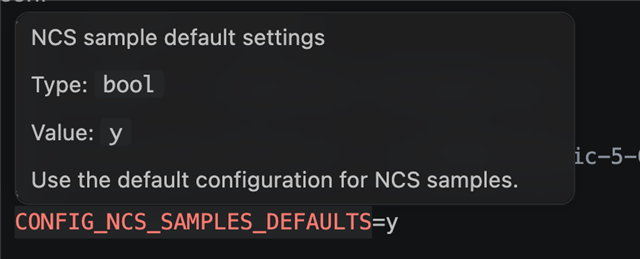
Kconfig navigation does not work from the application’s  prj.conf . For example, Go to Definition on  CONFIG_NCS_SAMPLES_DEFAULTS  does nothing, although the project builds successfully and the symbol is present in the generated  .config .

The build contains:

• Sysbuild parent:  <workspace>\build 
• Application child:  <workspace>\build\peripheral_lbs

 build\domains.yaml  correctly identifies the application child as the default domain, and the child’s  build_info.yml  lists  prj.conf  as a Kconfig user file. However, the Kconfig log reports:

No conf file for <workspace>/prj.conf

It appears that nRF Connect registers the matching child context using  addBuild , but leaves the sysbuild parent as the active Kconfig context.

patching the VSCode extension to use  setMainBuildContext  fixes the issue. After reloading VS Code, Go to Definition correctly opens the symbol definition in:

<ncs>\nrf\samples\Kconfig

Reproduction

  • With the environment specified above, create a new application based on the "Bluetooth LE LED Button service" sample
  • Build the application with the config - sample.bluetooth.peripheral_lbs
  • Open prj.conf in the root folder
  • select CONFIG_NCS_SAMPLES_DEFAULTS and press F12
  • Expected - navigates to <ncs>\nrf\samples\Kconfig
  • Actual - nothing happens
Parents
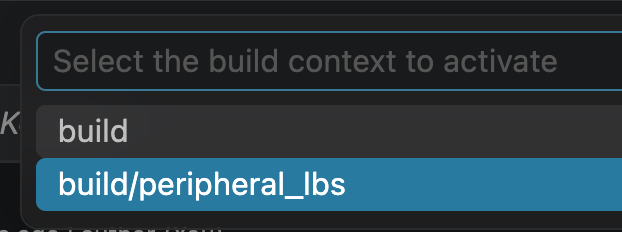
  • Hi, with sysbuild you must select the child as the active build context, otherwise the extension does not have the context to show KConfig information.

    Pay attention to this in the bottom right corner.

    Click it, then select the child:

    and it should work

    We know this is not a great user experience. If you aware that selecting the child makes a big difference for the context, it helps a little.

    This is also reflected in the KConfig GUI. Try it with the build selected and you only see a few KConfig options for the sysbuild.
    Then select peripheral_lbs, and open KConfig GUI again, now it has lots more options because it shows options for the domain.

Reply
  • Hi, with sysbuild you must select the child as the active build context, otherwise the extension does not have the context to show KConfig information.

    Pay attention to this in the bottom right corner.

    Click it, then select the child:

    and it should work

    We know this is not a great user experience. If you aware that selecting the child makes a big difference for the context, it helps a little.

    This is also reflected in the KConfig GUI. Try it with the build selected and you only see a few KConfig options for the sysbuild.
    Then select peripheral_lbs, and open KConfig GUI again, now it has lots more options because it shows options for the domain.

Children
No Data
Related