

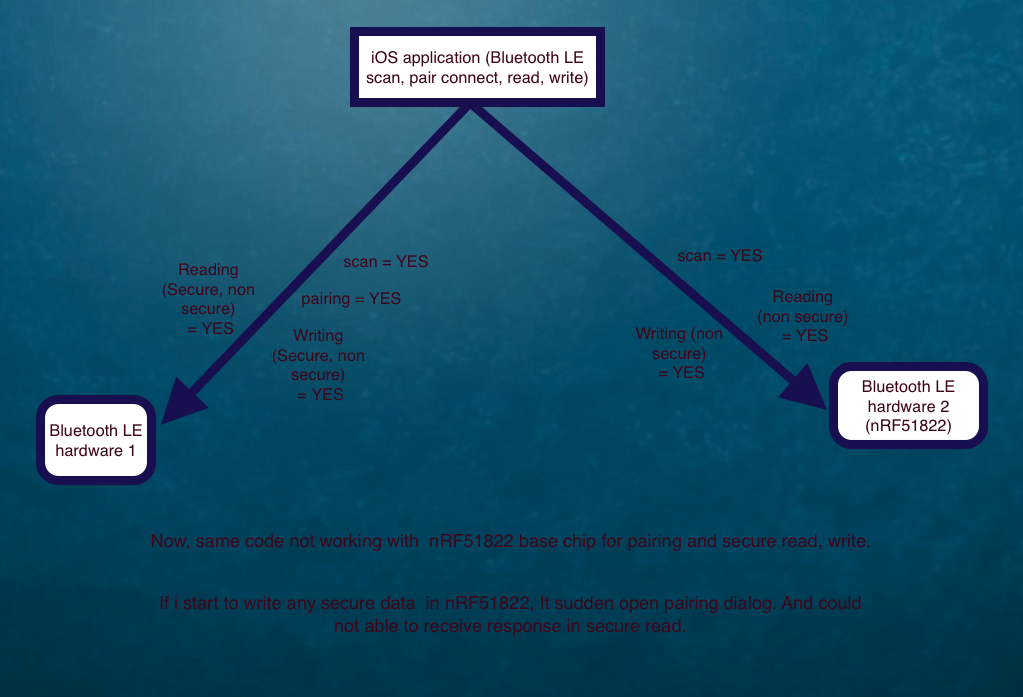
In iOS, I have developed one sample code for BLE scanning and connection with peripheral.
I have one nRF51822 Ble. It has secure pairing mechanism. (Claimed by Hardware programmer.)
when i connect this ble, App never trigger Pair dialog from iOS.
where this iOS code works with Other BLE (Not nRF51822) for pairing..
What was the reason ??
Is there any missing in Hardware firmware or iOS side ?
Here is sample code of iOS
//Creating Central

        NSDictionary *options = @{ CBCentralManagerOptionShowPowerAlertKey : @(NO), CBCentralManagerOptionRestoreIdentifierKey : BLECentralManagerIdentifier };

        dispatch_queue_t centralQueue = dispatch_queue_create("com.company.ble", DISPATCH_QUEUE_SERIAL);// or however you want to create your dispatch_queue_t
        self.centralManager = [[BLECentral alloc] initWithDelegate:self queue:centralQueue options:options];
        self.peripheralManager = [[BLEPeripheral alloc] initWithDelegate:self queue:nil];

//Start Scan
    NSDictionary *options = [NSDictionary dictionaryWithObject:[NSNumber numberWithBool:true] forKey:CBCentralManagerScanOptionAllowDuplicatesKey];
    [self.centralManager scanForPeripheralsWithServices:@[ [CBUUID UUIDWithString:SERVICE_UUID] ] options:options];

//Discover and Connect
    [self.centralManager connectPeripheral:self.connectPeripheral options:nil];

At this point my Bluetooth LE hardware 1 pop up Pairing dialog, But nRF51822 not..


