This post is older than 2 years and might not be relevant anymore
More Info: Consider searching for newer posts

Locked nRF52840 DK board

Hi All.

Practising Secure DFU, my nRF52840 DK board seems like if it is locked. Only Leds 1 and 2 are ON. The board is advertising with DEVICE_NAME=Dfu Targ and its COM serial communication is lost. If I press the reset button SW5, nothing happens. If I press the reset button (SW5) while power cycling, the board enters in bootloader mode, but appart from this, nothing seems to change. If I try to access the board via nRF Connect, when I try >Select Device my PCA10056 is not being detected. Summarizing. I need an HW full reset procedure.

Does anyone know how to do it?

Thanks for your time.

Regards

Juan

  • Hi Hung.

    I got it 

    Thanks

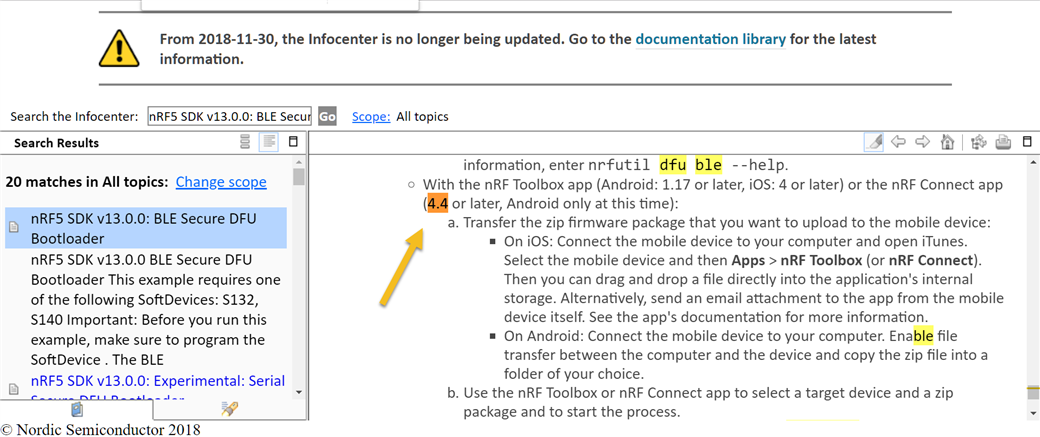
    One last question. From this Infocenter Nordics documentation:

    ------------------------------------------------------------------------------------------------------------------------------------

    mobile Connect app v4.4

    -----------------------------------------------------------------------------------------------------------------------------------------

    it looks as if you could make mobile Secure DFU not only from nRF Toolbox app, but also from mobile Connect app (Android version 4.4 or later). Mine is v4.22.2 but I can't see where the DFU feature is allocated. Would you clarify it? 

    Thanks again and,

    Best regards

    Juan

  • Hi Juan, 

    The DFU feature only appear when you have the DFU service in your attribute table. It will appear as a button like this: 

  • heHi Hung.

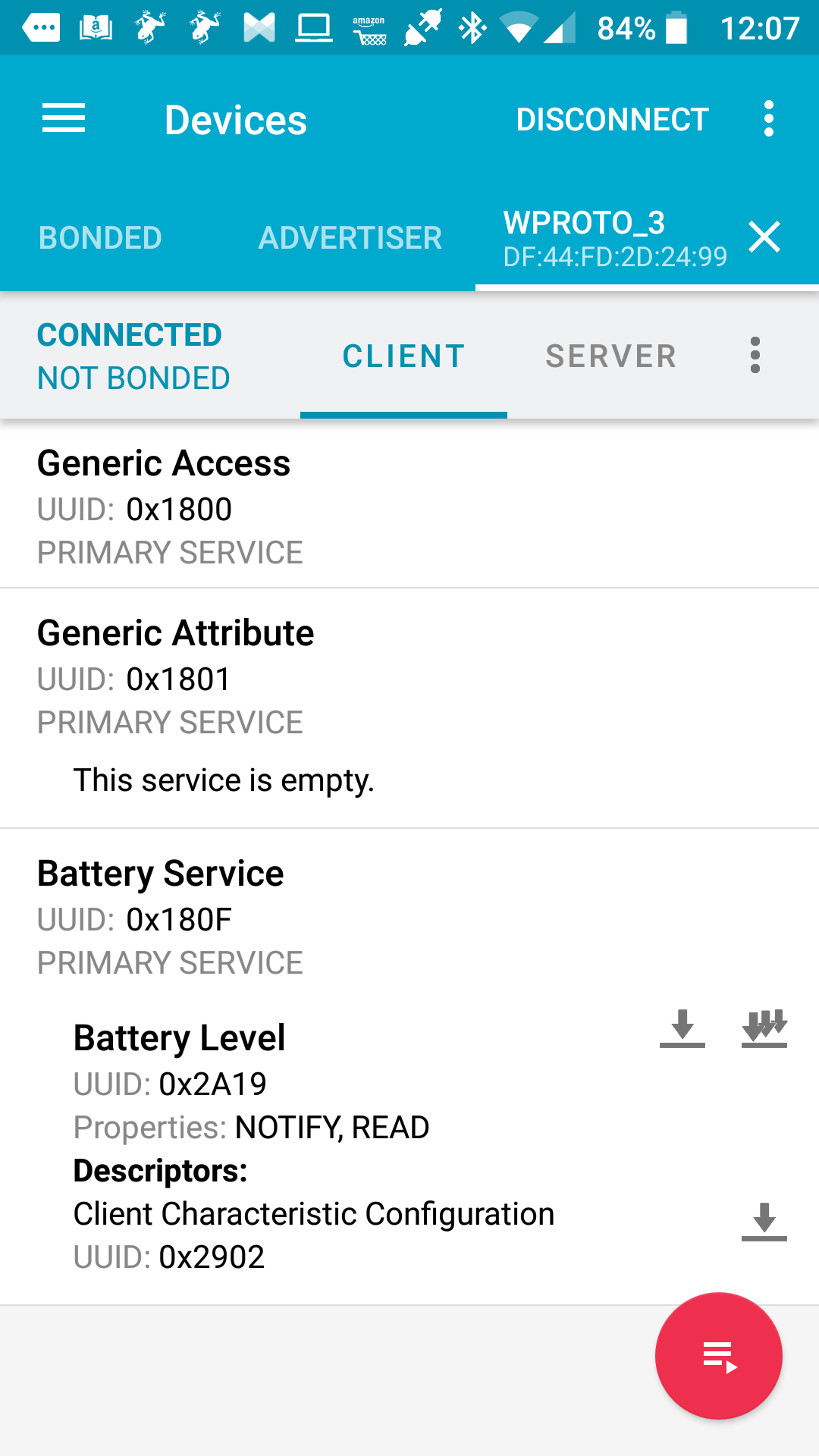
    I am sure you are right but in my case, I just performed a secure DFU procedure using the nRF Toolbox app from my mobile to program an application in the nRF52840 of my PCA10056 through BLE (whose SD and Bootloader were previously programmed through the virtual COM port). As the procedure was successful, I assume that the target device supports DFU service. Then, scanning the device (the one with a DEVICE_NAME WPROTO_3) from my mobile Connect app, no DFU feature appears in the attribute table:

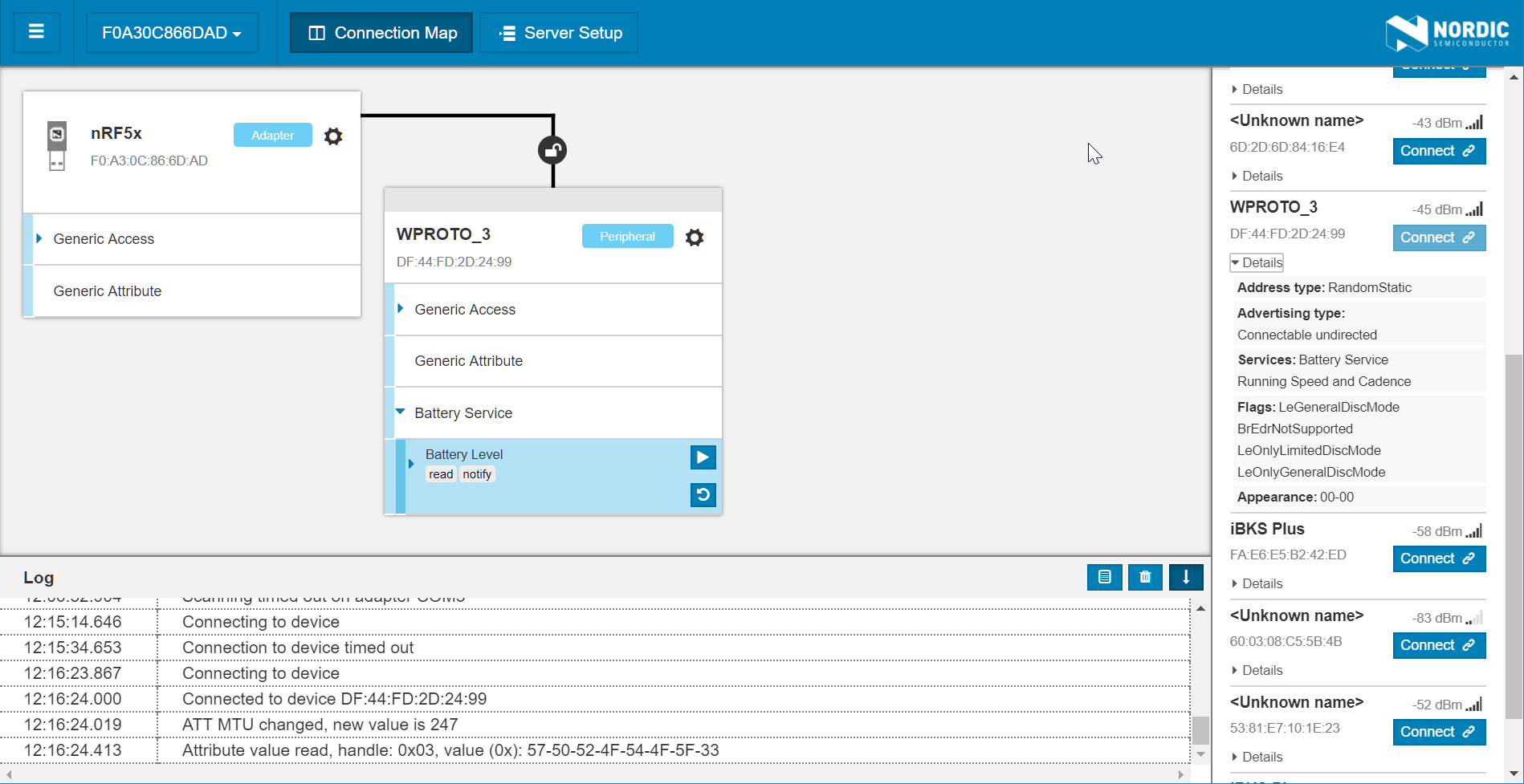
    If I instead scan from mi nRF52840 Dongle using Connect for PC app, that's what I get:

    Also with no DFU feature showing.

    What am I missing?

    Best regards,

    Juan

  • Hi Juan, 

    Which app did you do DFU update on ? 

    It seems that the app doesn't support DFU service. I'm not sure why you assume that the app should support DFU. 

    Please try to follow this to test the DFU buttonless app . If you want to do DFU update from your app, you need to include the DFU buttonless service (otherwise the only way to go back to DFU mode is to press and hold a button when resetting ) 

  • Hi Hung.

    The assumption is simply based on the fact that my app image was successfully flashed on the target device and it works as expected.

    The file I programmed is a merge I made on my own from two different example apps from SDK v15.2.0. I certainly didn't include any DFU buttonless service on it, but it looks that this didn't prevent me from performing a successful programming through ble (??), yet the DFU sign does not show up while scanning the target device.

    (btw. I think your comment ...Please try to follow this to test the DFU buttonless app ... is missing some link (?))

    Waiting for your comments,

    Thanks

    Juan

Related