This post is older than 2 years and might not be relevant anymore
More Info: Consider searching for newer posts

I have trouble doing buttonless dfu example

Hello all

i have problem with doing this example

https://github.com/gamnes/nRF52832-buttonless-dfu-development-tutorial

Here is my stepts to do this

1.Download Sdk in "C:\ "(nRF5_SDK_15.0.0_a53641a)

2.Flash software device in C:\nRF5_SDK_15.0.0_a53641a\components\softdevice\s132\hex

3.I put command at cmd

nrfjprog --program C:\nRF5_SDK_15.0.0_a53641a\examples\dfu\secure_dfu_test_images\ble\nrf52832\sd_s132_bootloader_buttonless_with_setting_page_dfu_secure_ble_debug_without_bonds.hex --chiperase

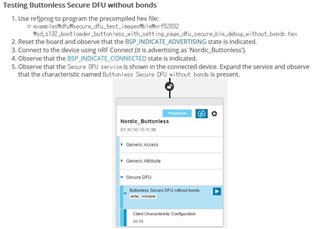
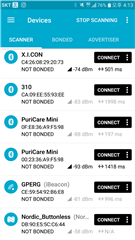
but I can't see any Buttonless in nrfconnect through my android phone

I don't know why it is not shown

is there any point i missed?

Parents Reply
  • Hi.

    Sorry, the fault is mine, I should be clearer with my explanation.

    1. Open the file pca10040.h in folder nRF5_SDK_15.0.0_a53641a\components\boards

    2. Edit line 52 and 53 like this:

    #define LED_START      17
    #define LED_1          17
    
    EDIT TO THIS:
    #define LED_START      14
    #define LED_1          14
    

    And edit this on line 74:

    #define BUTTON_2       14
    
    EDIT TO THIS:
    #define BUTTON_2       17

    3. Save and close the pca10040.h file

    4. Open the secure_bootloader project in the folder nRF5_SDK_15.0.0_a53641a\examples\dfu\secure_bootloader\pca10040_ble in the IDE you wish to use.

    5. Compile the secure_bootloader project and flash this to your device. You also need to flash the SoftDevice (found in the folder nRF5_SDK_15.0.0_a53641a\components\softdevice\s132\hex)

    Best regards,

    Andreas

Children
Related