

Board:PCA10056 (0.9.3)
SDK:15.2
Softdevice:S140
Example:ble_app_blinky
Today,I follow this page Using an ampere-meter for current measurement to measure the current,
And follow this page Preparing the development kit board to prepare the board,
And follow this page nRF52840 direct supply to support external power.
so, the connection mode is this:
1. External 3.3V power connected to P21
2.Connect an ampere-meter between the pins of connector P22
3.SW10 is on; SW8 is VDD; SW6 is nRF ONLY
4.SB40 has been cutted
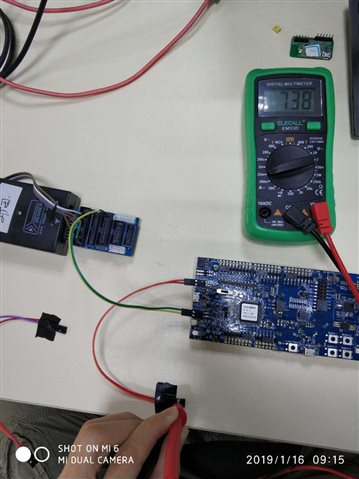
Now, I can scan its adv by my Nordic connect app. but, the current is 7.38 mA, it's so high, can you tell me why?my connection mode is wrong?
