This post is older than 2 years and might not be relevant anymore
More Info: Consider searching for newer posts

GATT not working from my phone

Hi,

I am facing a very weird problem right now. I have one Board which works just fine and connects with my Android phone with ease.

There is another DK which my phone is not connecting to. I dumped the ble_app_uart code intially and checked the application with the Nordic UART app. As soon as I connect to it, It disconnects automatically and shows the same series of Messaged consisting of Connecting and disconnecting. This problem is further causing hindrance when I try to Provision that Board with the Mesh app. The Mesh application is not able to provision that Board from my phone.Everything was working just fine a couple of days back.

I have checked with the error on your blog but no solution has a definite answer. My phone works just fine. Using the nRF Connect app, when I check the Log, it shows me some problem related to GATT.

NOTE: Other Android phone works just fine.  

Why is the Board working on other phones and not mine? Also my phone works just fine.

PS: I deleted and reinstalled the App and nothing changed.

DK: nRF52840

Phone: Poco F1 with BLE 5

Android version: 9

Best Regards,

Shrinidhi Bhat

Parents Reply Children
  • Hi, I am attaching a pdf file showing each screens when I use the nRF connect app.

    The Board showing the problem is discovering other service (Glucose service) even though ble_app_uart code has been dumped. For comparison I have also attached the screens of another Board when the application works fine.

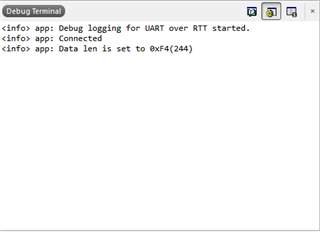
    The device log screenshot has also been attached. It shows the device is connected with the max length fixed. 

    NOTE: Once I connect using either applications (nRF connect and nRF UART v2.0) the Board shows connected state. That is LED 1 stays On. Phone_screenshots.pdf

  • Hi,

    If you have previously connected to the same board (when it had a different application), then the phone might have cached the GATT table.

    I also noticed from your logs that for the non-working board, the delay between gatt.discoverServices() and the services discovered callback is 13 ms (less than two connection intervals), while for the working board the delay is 750 ms (ten connection intervals). To me that looks like caching for the non-working board and full service discovery process for the working board.

    We have previously seen that iOS devices uses caching, but this might be the first time we see that for Android. For the iOS phones, turning bluetooth off and on again resets the cache (so that full service discovery is performed the next time you connect to the device.) I do not know if that workaround will work for caching Android phones as well, but you should give it a try.

    This caching is actually in accordance with the Bluetooth specification, and the way to prevent it is to enable the service changed characteristic in the GATT service. When a device has that characteristic, unbonded peers may not cache the GATT table. Bonded peers may cache, but the application should provide service changed notifications when the GATT table changes. For more on this, see for instance the GATT Service Server Example Application, which sends Service Changed indications to connected peers. For now, however, you should probably focus on figuring out how to get the phone to clear the cache.

    Regards,
    Terje

  • Hi Tesc,

    Your solution was right. I had to unpair the device from my Bluetooth settings and then I also changed the services like you said from the example above. It now works like it did before.

    Thanks a ton for your support.

    Regards,

    Shrinidhi Bhat

Related