This post is older than 2 years and might not be relevant anymore
More Info: Consider searching for newer posts

nRF9160 - Can't use LTE Monitor - Can't send AT commands

Hello all,

Almost giving up, I'm struggling to make my nRF9160 working. I can't use the LTE Monitor at all!

Tried everything, I think, and run out of ideas. All AT commands just get the Time out messages. 

I think many people reported that they manage to solve the issue but I could not see what they made to solve the issue. 

hope someone can help me. 

I'm based in the Netherlands, I manage to test other boards manufacturers, with similar functionalities, but this one is making me sweat. Disappointed

Thanks.

Jose

Parents
  • Jose,
    I think power cycling (SW9) fixed this for me. I also tried reloading the firmware using the command line when faced with the the timeout issue.
    Not sure which did the trick.
    Re-flash instructions:
    Using the compiled zephyr.hex in the ncs\nrf\samples\nrf9160\at_client\build\zephyr\zephyr.hex 

    nrfjprog.exe --program zephyr.hex --sectorerase -r -f nrf91 --verify

    Hope you get it working,
    Jeff

  • Hi JeffW,

    you mean, like I have the board disconnected (Off)? No, I can see the output of the board om the tool:

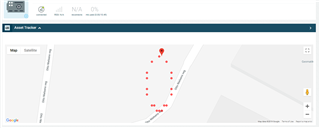
    , the board can connect to the cloud and transfer data:

    but I can't make any AT Command:

    It's clearly something that I'm doing wrong, but I'm not managing to understand what. Also, the flashing is not working for me and I had multiple issues to install  Segger Embedded Studio and follow the nRF connect getting started assistant. 

    I'll try to redo everything and start again.

    Thanks.

  • Jose,
    For some reason turning either pressing the reset button to jump through the boot again or turning the power off and back on worked for me -- with the tool open.
    I had the same exact issue as you, and it seemed to have just fixed itself with persistence. 

    Let us know at what step you run into issues with the getting started with SES, and we'll try to help.
    Good luck!

Reply
  • Jose,
    For some reason turning either pressing the reset button to jump through the boot again or turning the power off and back on worked for me -- with the tool open.
    I had the same exact issue as you, and it seemed to have just fixed itself with persistence. 

    Let us know at what step you run into issues with the getting started with SES, and we'll try to help.
    Good luck!

Children
Related