This post is older than 2 years and might not be relevant anymore
More Info: Consider searching for newer posts

Sample Beacon example from the SDK 12

The example code of beacon was used from the SDK -nRF5_SDK_12.1.0_0d23e2a\examples\ble_peripheral\ble_app_beacon\pca10028\s130\arm5_no_packs\ble_app_beacon_pca10028_s130

We have been working on the nRF51822 IC on a custom board. 
We have flashed the softdevice given by nRF - s130_nrf51_2.0.1_softdevice

Unfortunately, we don't have a crystal oscillators, therefore the firmware is not running on the board. 

Is there any changes that we can do to the firmware so that it doesn't need the crystal oscillator?

Parents Reply
  • How to set the frequency of RC or Synth clock?

    Have a look at the Clock Management chapter in the product specification for the nRF51822. The settings I referred to are for the Low-Frequency Clock (LFCLK), meaning you will only get 32kHz.

    Another detail, please see this relevant case to configure the internal RC osc for SDK 12.

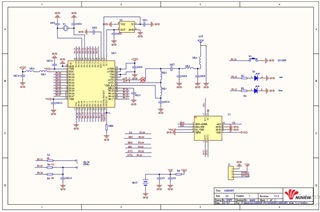
    How to know what clock is available on the custom board, this is not a custom board made by us.


    To know what clock sources are available on the custom board, you will need the documentation/user guide for this board. Do you have a link or name?

    Also when used the SDK 11 to run the sample beacon example, it worked perfectly.

     By default, the clock source should be set to external LFCLK. Is the SDK 11 project already configured with the internal LFCLK?

    Kind regards,
    Oeyvind

Children
Related