This post is older than 2 years and might not be relevant anymore
More Info: Consider searching for newer posts

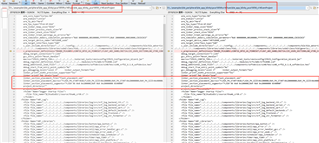
PCA10056 Transplant to PCA10059

I use nRF5_SDK_for_Thread_and_Zigbee_2.0.0_29775ac.

Example nRF5_SDK_for_Thread_and_Zigbee_2.0.0_29775ac\examples\thread\cli\uart\pca10056.

define BOARD_PCA10059.
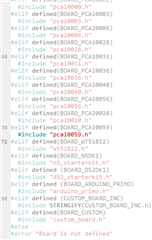
But I use nrf Connect Programmer check.
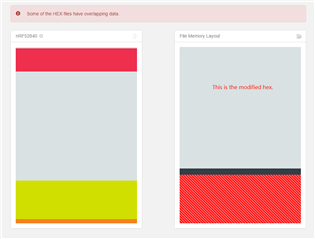
What should I do? Transplant 10056 to 10059.

Parents
  • Hi.

    The nRF52840 Dongle does not use UART, it uses USB.

    Try the project found in examples\thread\cli\usb\pca10056, you also have to adjust the FLASH and RAM settings as explained in the secton Adapt a simple example (without SoftDevice) in the nRF52840 Dongle Programming Tutorial.

    FLASH_PH_START=0x0
    FLASH_PH_SIZE=0x100000
    RAM_PH_START=0x20000000
    RAM_PH_SIZE=0x40000
    FLASH_START=0x1000
    FLASH_SIZE=0xDF000
    RAM_START=0x20000008
    RAM_SIZE=0x3FFF8

    In the code snippet above you can see what I used.

    Best regards,

    Andreas

Reply
  • Hi.

    The nRF52840 Dongle does not use UART, it uses USB.

    Try the project found in examples\thread\cli\usb\pca10056, you also have to adjust the FLASH and RAM settings as explained in the secton Adapt a simple example (without SoftDevice) in the nRF52840 Dongle Programming Tutorial.

    FLASH_PH_START=0x0
    FLASH_PH_SIZE=0x100000
    RAM_PH_START=0x20000000
    RAM_PH_SIZE=0x40000
    FLASH_START=0x1000
    FLASH_SIZE=0xDF000
    RAM_START=0x20000008
    RAM_SIZE=0x3FFF8

    In the code snippet above you can see what I used.

    Best regards,

    Andreas

Children
Related