This post is older than 2 years and might not be relevant anymore
More Info: Consider searching for newer posts

n51822 DTM Settings?

Hi

I want to get a certification.
I need your help because I am not currently in DTM mode.

The procedure I checked is as follows.

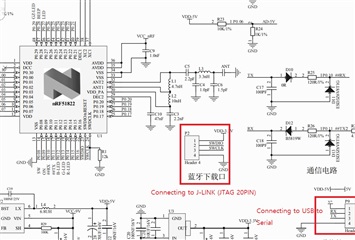
1. J-LINK , USB to Serial Converter
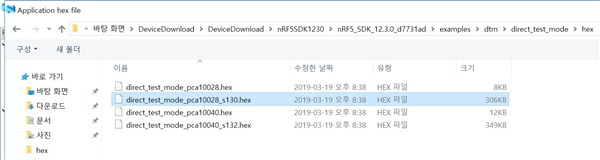
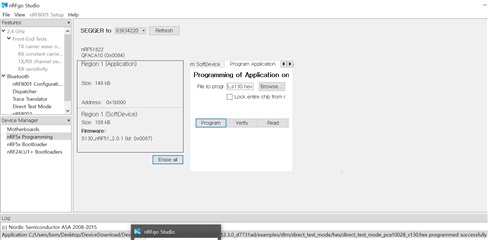
2. Firmware update
- Update List

 nRF5_SDK_15.3.0_59ac345

nRF51_SDK_10.0.0_dc26b5e

nRF5_SDK_15.0.0_a53641a

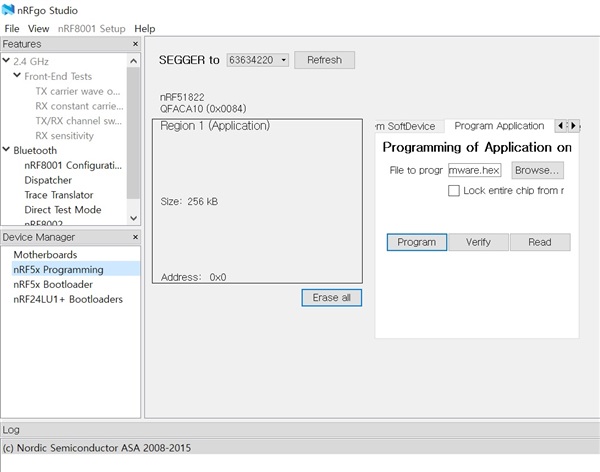
3. DTM Error
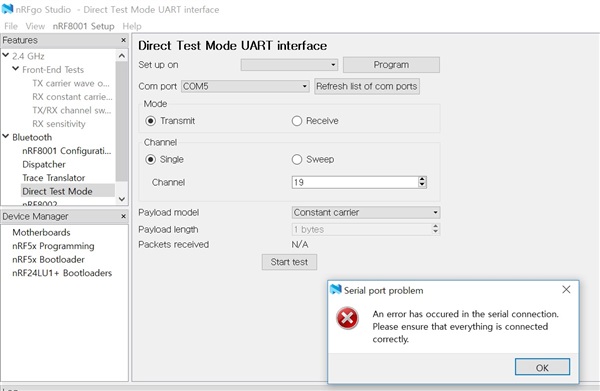
What did I do wrong?

Please help me.

Parents
  • Hi,

    The prebuilt firmware is assigned UART T/Rx pin as below.

    #define RX_PIN_NUMBER  11
    #define TX_PIN_NUMBER  9
    

    But your hardware doesn't use same pin as default.

    Try to change the firmware code as below.

    static void uart_init(void)
    {
        // Configure UART0 pins.
        nrf_gpio_cfg_output(TX_PIN_NUMBER);
        nrf_gpio_cfg_input(RX_PIN_NUMBER, NRF_GPIO_PIN_NOPULL);
    
        NRF_UART0->PSELTXD       = 10;//TX_PIN_NUMBER;
        NRF_UART0->PSELRXD       = 11;//RX_PIN_NUMBER;
        NRF_UART0->BAUDRATE      = DTM_BITRATE;
    
        // Clean out possible events from earlier operations
        NRF_UART0->EVENTS_RXDRDY = 0;
        NRF_UART0->EVENTS_TXDRDY = 0;
        NRF_UART0->EVENTS_ERROR  = 0;
    
        // Activate UART.
        NRF_UART0->ENABLE        = UART_ENABLE_ENABLE_Enabled;
        NRF_UART0->INTENSET      = 0;
        NRF_UART0->TASKS_STARTTX = 1;
        NRF_UART0->TASKS_STARTRX = 1;
    }
    

    Thanks,

    Eugene

  • How do I do the HEX edition?
    What kind of program do you use?

Reply Children
No Data
Related