This post is older than 2 years and might not be relevant anymore
More Info: Consider searching for newer posts

n51822 DTM Settings?

Hi

I want to get a certification.
I need your help because I am not currently in DTM mode.

The procedure I checked is as follows.

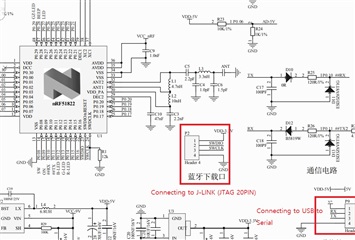
1. J-LINK , USB to Serial Converter
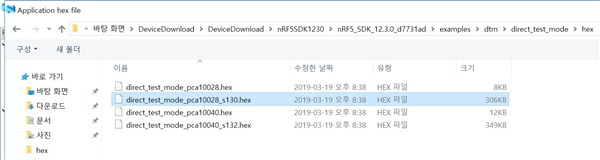
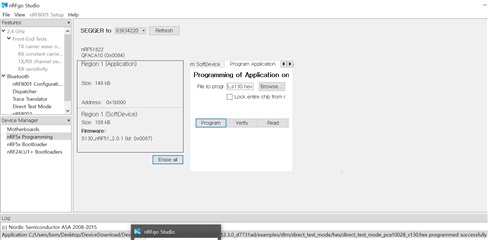
2. Firmware update
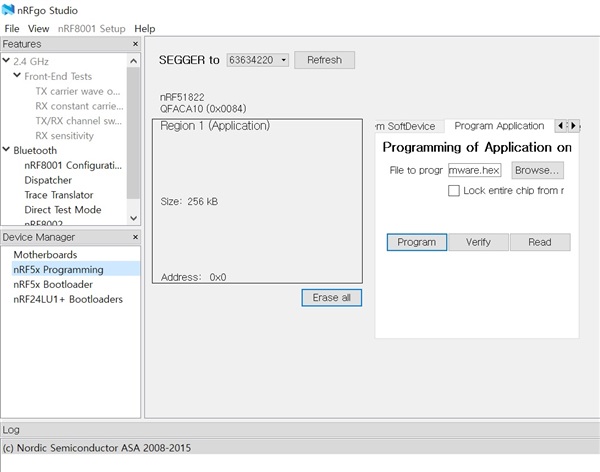
- Update List

 nRF5_SDK_15.3.0_59ac345

nRF51_SDK_10.0.0_dc26b5e

nRF5_SDK_15.0.0_a53641a

3. DTM Error
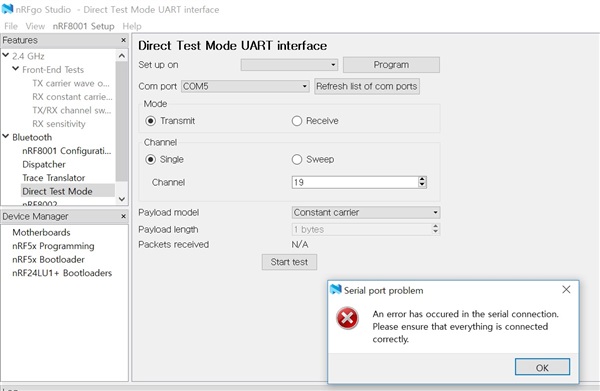
What did I do wrong?

Please help me.

Parents
  • Hi,

    The prebuilt firmware is assigned UART T/Rx pin as below.

    #define RX_PIN_NUMBER  11
    #define TX_PIN_NUMBER  9
    

    But your hardware doesn't use same pin as default.

    Try to change the firmware code as below.

    static void uart_init(void)
    {
        // Configure UART0 pins.
        nrf_gpio_cfg_output(TX_PIN_NUMBER);
        nrf_gpio_cfg_input(RX_PIN_NUMBER, NRF_GPIO_PIN_NOPULL);
    
        NRF_UART0->PSELTXD       = 10;//TX_PIN_NUMBER;
        NRF_UART0->PSELRXD       = 11;//RX_PIN_NUMBER;
        NRF_UART0->BAUDRATE      = DTM_BITRATE;
    
        // Clean out possible events from earlier operations
        NRF_UART0->EVENTS_RXDRDY = 0;
        NRF_UART0->EVENTS_TXDRDY = 0;
        NRF_UART0->EVENTS_ERROR  = 0;
    
        // Activate UART.
        NRF_UART0->ENABLE        = UART_ENABLE_ENABLE_Enabled;
        NRF_UART0->INTENSET      = 0;
        NRF_UART0->TASKS_STARTTX = 1;
        NRF_UART0->TASKS_STARTRX = 1;
    }
    

    Thanks,

    Eugene

  • You need to recompile the firmware with the correct pins. For nRF51, we recommend using SDK v12.3.0, as this is the latest one with support for nRF51 series ICs.

Reply Children
Related