This post is older than 2 years and might not be relevant anymore
More Info: Consider searching for newer posts

Thingy 52 - Getting Started, Having Issues

Hi,

I am just getting started with the thingy 52 and I need some guidance. I am a EE by profession so I feel a bit out of my league here. 

When I unwrapped my thingy I was able to pair it with my phone no problem. Since then I've messed around with flashing my own code and other examples but now on the app it can never locate the device. I assumed with the one given example in the thingy 52 SDK, it would be able to pair to the phone. Is this not true? What do I need to do to use the example (ble_app_thingy_s132_pca20020) and pair it to my phone?

My application is very simple, all I want to do is send motion data (accelerometer and gyrocope data) and one other external sensor via BLE to the app. I find the thingy SDK example to be pretty overwhelming for my skill set, is there a better place to start or at least what section of the app should I pay attention to? 

Thanks!

Parents Reply
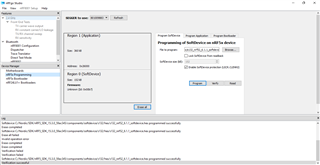
  • Thanks. I am trying to stream data over nRFConnect, however something is not right. I followed the instructions in the SDK to first program the soft device. It says to use s132 V4.0.2 for the Thingy, however the link is broken and all that comes with the SDK is s132 V6.1.1, is this ok? I am using nRF Go Studio to do this and nothing is complaining when I program and verify, however something doesn't seem totally right. I can not see my device under the device manager area. I am not sure why.

    Following the instructions once the softdevice is programmed, I am compiling and flashing ble_app_blinky_pca10040_s132 as recommended by the SDK. I realize my Thingy is using PCA20020, so what kind of incompatibility will this cause? 

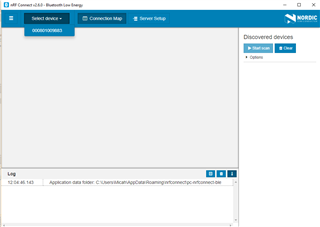
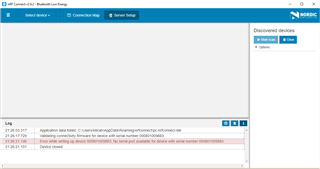
    Anyways, when I open nRFConnect it can not see the device. Attached are screen shots of both my nRF Go Studio and nRFConnect windows. Any help would be much appreciated. 

Children
Related