This post is older than 2 years and might not be relevant anymore
More Info: Consider searching for newer posts

Error: Symbol multiply defined

Hi everyone,

I am trying to implement my device with nus service. Both nus client and server role on the same device, similar to the official example of  "relay".

But when I generated the hex.file, the error came like this:

.\_build\nrf52832_xxaa.axf: Error: L6200E: Symbol m_nrf_log_ble_nus_logs_data_const multiply defined (by ble_nus.o and ble_nus_c.o).
.\_build\nrf52832_xxaa.axf: Error: L6200E: Symbol m_nrf_log_ble_nus_logs_data_dynamic multiply defined (by ble_nus.o and ble_nus_c.o).

I changed the NRF_LOG_MODULE_NAME at the "ble_nus_c" sources files to solve the error but it had a fatal error when I ran the program on the device.

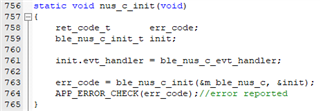
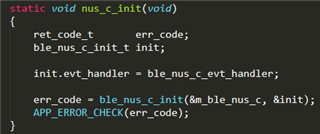
The fatal error should locate at the initialization of nus client and service. 

Any advice would help a lot.

Thanks in advance.

Duncan
Parents
  • Hi,

    This issue should have been fixed by using ble_nus_c as log module name, which is done in SDK 15.2 and newer. This should fix the issue. Which SDK version are you using?

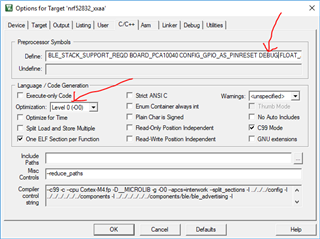
    After fixing this issue you write that you get a different error, which I guess is where you should focus now. However, you do not write any information that could help identify that problem. Note that you typically find details of such errors by using a debug build (define DEBUG for the project or just select Debug from the build configuration drop-down if you are using SES). Then you should see the file name, like number and error code printed in the RTT log.

Reply
  • Hi,

    This issue should have been fixed by using ble_nus_c as log module name, which is done in SDK 15.2 and newer. This should fix the issue. Which SDK version are you using?

    After fixing this issue you write that you get a different error, which I guess is where you should focus now. However, you do not write any information that could help identify that problem. Note that you typically find details of such errors by using a debug build (define DEBUG for the project or just select Debug from the build configuration drop-down if you are using SES). Then you should see the file name, like number and error code printed in the RTT log.

Children
Related