This post is older than 2 years and might not be relevant anymore
More Info: Consider searching for newer posts

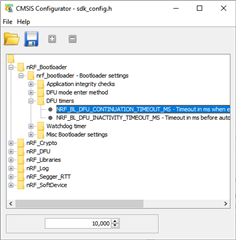
cannot open CMSIS configuration wizard in Segger Embedded Studio

I followed the instructions in https://infocenter.nordicsemi.com/index.jsp?topic=%2Fcom.nordic.infocenter.sdk5.v15.3.0%2Fsdk_config.html  

and pasted the appropriate text in tools.xml. The CMSIS configuration wizard is not starting.

This is the output I get :
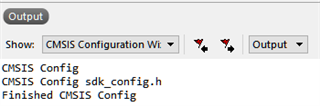
and besides that, nothing happens.

Is there a CMSIS package I need to install in the SES, in order for the wizard to work?

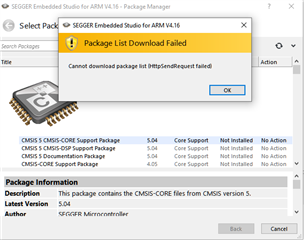
Btw, I tried to install CMSIS packages, and it fails:
Thanks

Parents Reply Children
  • Hi,

    I have not seen this issue before, but the only thing I can think of if a problem in the External Tools Configuration. Can you list the full content of tools.xml (File -> Open Studio Folder... -> External Tools Configuration)?

    It should be something like this:

    <tools>
    
      <!-- PC-lint - http://www.gimpel.com/html/pcl.htm -->
    
      <if host_os="win">
        <item name="Tool.PClint">
          <menu>&PC-lint (Unit Check)</menu>
          <text>PC-lint (Unit Check)</text>
          <tip>Run a PC-lint unit checkout on the selected file or folder</tip>
          <key>Ctrl+L, Ctrl+P</key>
          <match>*.c;*.cpp</match>
          <message>Linting</message>
          <commands>
            "$(LINTDIR)/lint-nt" -v -incvar(__CW_ARM) -i$(LINTDIR)/lnt co-gcc.lnt $(DEFINES) $(INCLUDES) -D__GNUC__ -u -b +macros +macros -w2 -e537 +fie +ffn -width(0,4) -hF1 "-format=%f:%l:%C:\s%t:\s%m [-e%n]" "$(InputPath)"
          </commands>
        </item>
      </if>
    
      <item name="Tool.CMSIS_Config_Wizard" wait="no">
          <menu>&CMSIS Configuration Wizard</menu>
          <text>CMSIS Configuration Wizard</text>
          <tip>Open a configuration file in CMSIS Configuration Wizard</tip>
          <key>Ctrl+Y</key>
          <match>*config*.h</match>
          <message>CMSIS Config</message>
          <commands>
            java -jar "$(CMSIS_CONFIG_TOOL)" "$(InputPath)"
          </commands>
      </item>
    
    </tools>
    

  • I just installed SES and have updated a project. It does NOT have the Tool.CMSIS_Config_Wizard in the tools.xml like you show above. Why not? I am not getting NRF_LOG_DEBUG to print anything. In the step by step debuuging the NRF_LOG_DEBUG statements are skipped. There is no little arrow on those lines.

Related