

Hi,
DFU update with android ver of nRF Connect working but for IOS ver of nRF Connect not working.
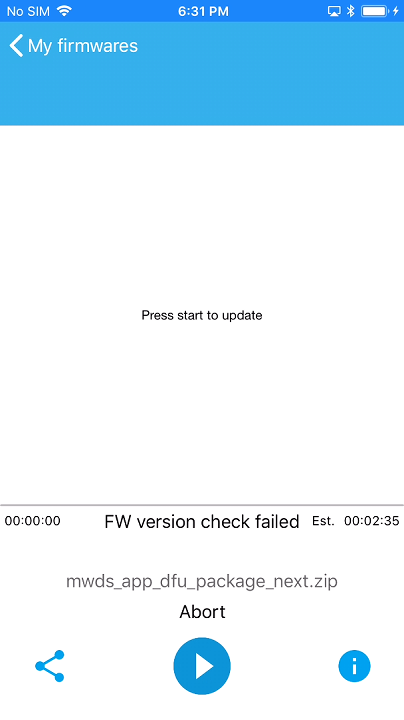
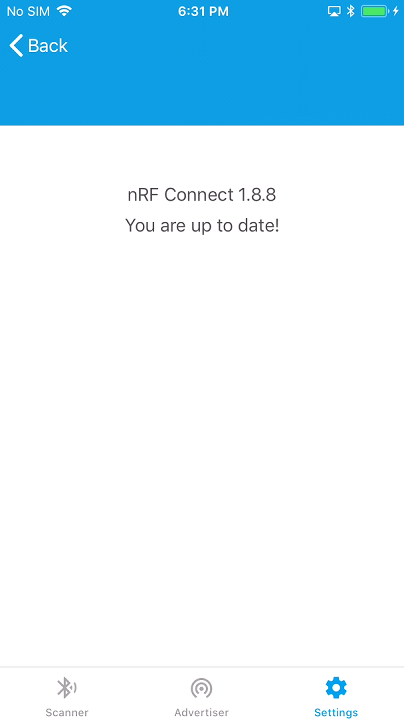
HW: Custom nRF52840
SW: nRF5_SDK_15.2.0_9412b96
demo: (ble_app_buttonless_dfu + blinky_rtc_FreeRTOS) ,
dfu\secure_bootloader\pca10056_ble
Step of generating the package:
2. Generate a private key by running this command in cmd in your SDK 15 folder:`
nrfutil keys generate priv.pem
3. Generate a public key file from that private key by running this command in cmd in your SDK 15 folder:
nrfutil keys display --key pk --format code priv.pem --out_file dfu_public_key.c
4. copy dfu_public_key.c into \nRF5_SDK_15.2.0_9412b96\examples\dfu to replace the dummy dfu_public_key.c
5. Compile \dfu\secure_bootloader\pca10056_ble\ses example and copy the output secure_bootloader_ble_s140_pca10056.hex to the nrfutil folder
6. Open the folder \components\softdevice\s140\hex, and copy the .hex file s140_nrf52_6.1.0_softdevice.hex to nrfutil folder
7. Copy \project\peripheral\MWDS\pca10056\s140\ses\Output\Release\Exe, named blinky_rtc_FreeRTOS_pca10056.hex into nrfutil folder
8. Generate a bootloader settings page in nrfutil folder:
nrfutil settings generate --family NRF52840 --application blinky_rtc_FreeRTOS_pca10056.hex --application-version 1 --bootloader-version 1 --bl-settings-version 1 settings.hex
9. Generate merged bootloader hex
mergehex.exe --merge settings.hex secure_bootloader_ble_s140_pca10056.hex --output my_bootloader.hex
10. Generate DFU package
nrfutil pkg generate --hw-version 52 --application-version 1 --application blinky_rtc_FreeRTOS_pca10056.hex --softdevice s140_nrf52_6.1.0_softdevice.hex --bootloader my_bootloader.hex --bootloader-version 1 --sd-req 0xAE --sd-id 0xAE --key-file private.pem mwds_app_dfu_package.zip
11. Setup DFU environment with clean dfu bootloader
nrfjprog.exe -e
nrfjprog.exe --program s140_nrf52_6.1.0_softdevice.hex --verify
nrfjprog.exe --program my_bootloader.hex --verify –r

