This post is older than 2 years and might not be relevant anymore
More Info: Consider searching for newer posts

nrf5SDKforMeshv310src

Hello,

I`m trying to run the example in the light_switch after i download the "nrf5SDKforMeshv310src"

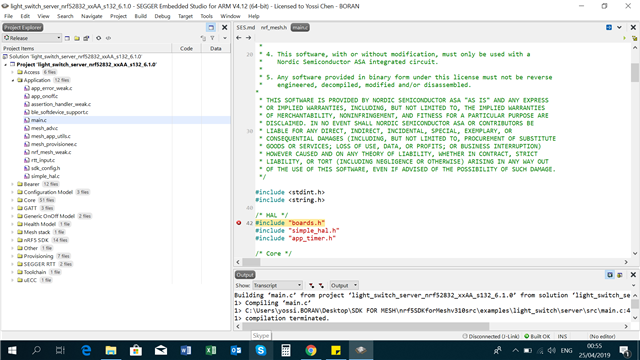
When I tried to build Provisioner or Client ,for example this project: "light_switch_provisioner_nrf52832_xxAA_s132_6_1_0.emProject"  I got the error ,

1> C:\Users\yossi.BORAN\Desktop\SDK FOR MESH\nrf5SDKforMeshv310src\examples\light_switch\server\src\main.c:42:10: fatal error: boards.h: No such file or directory
1> compilation terminated.

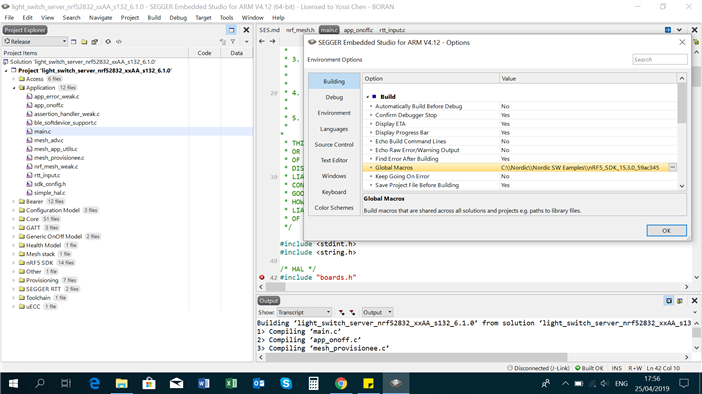
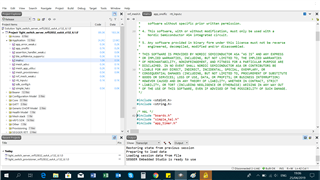
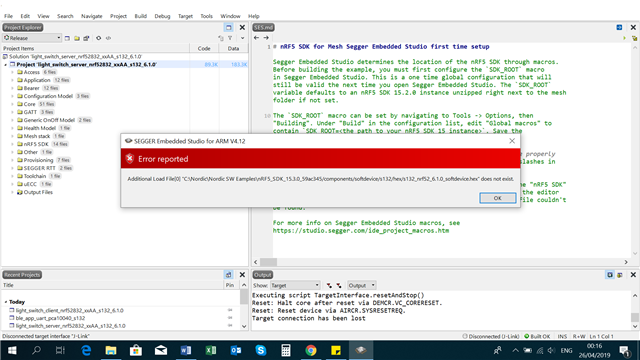
See screenshot attached,

Please advise.

Thanks
Parents
  • Try to check following. From https://infocenter.nordicsemi.com/index.jsp.

    Before building the mesh examples with SEGGER Embedded Studio for the first time, you must complete a one-time setup of the SDK_ROOT macro in SEGGER Embedded Studio. This macro is used to find the nRF5 SDK files.

    You can either:

    • Use the default settings of the SDK_ROOT macro. It defaults to an nRF5 SDK 15.2.0 instance unzipped right next to the mesh folder.
    • Set the SDK_ROOT macro to a custom nRF5 SDK instance.

    To set the SDK_ROOT macro manually in SEGGER Embedded Studio:

    1. Go to Tools -> Options.
    2. Select Building.
    3. Under Build in the configuration list, edit Global macros to contain SDK_ROOT=<the path to nRF5 SDK instance>.
    4. Save the configuration.

    You can verify the path by opening one of the source files under the nRF5 SDK file group. If the macro is set correctly, the file opens in the editor window. If not, an error message is displayed with information that the file cannot be found.

  • Hi Patrik,

    Thanks for your prompt replay.

    I set the path manually as described and still have the same error when I tried to Build,

Reply Children
Related