

Hello,
I am currently utilizing the Keil uVision5 for debugging, but have confronted a problem which I cannot solve.
I managed to succeed in programming a soft device through the Keil uVision5, and was able to confirm that the code works in the nrf52832 bluetooth module in the development kit.
I also have a completed PCBt by reference from the circuit provided by Nordic.
My goal is to debug the code to an external board, but I am having trouble at this stage.
Is it possible to transfer the code into a soft device to an external board which I made by using the Keil uvision5 tool?
I am aware that we should connect the VDD, GND, SWDIO, SWCLK pin with the pin 20 in the development kit.
I have already read the documentations and instructions on your homepage online about the nRF52832, but I would like a more detailed instruction on how to perform this step.
Thank you for your help in advance.
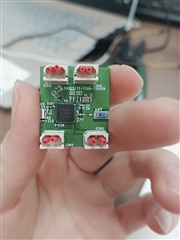
(This is the external board which I made by using reference circuit.)

