This post is older than 2 years and might not be relevant anymore
More Info: Consider searching for newer posts

Hello World nRF9160 problems

Hello, 

I've been very slowly gearing up towards developing for the nRF9160. I'm going through the "nRF Connect SDK Tutorial"

 https://devzone.nordicsemi.com/nordic/cellular-iot-guides/b/getting-started-cellular/posts/nrf-connect-sdk-tutorial#h166sjwm56wzcmgvd418wzzus1esk5n3

but have hit a little snag while working through the Hello World section. (ironic I know)

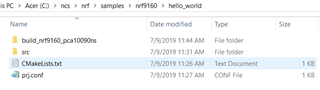
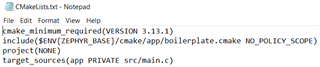
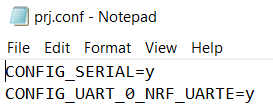
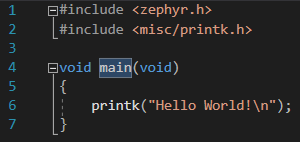
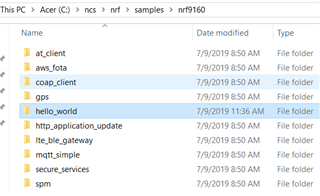
I believe I have everything configured appropriately
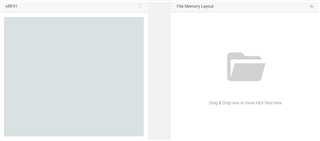
I cleared the chip using the programmer app 
and then proceeded to "Build and Run" the Hello World program
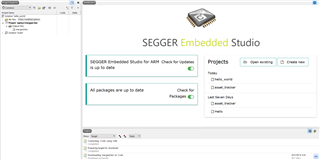
I however, don't see a terminal come up that prints out "Hello World!". Is it supposed to be a command terminal? I also don't see it come up on the debug terminal.

I can see that the chip has been flashed w/ the code
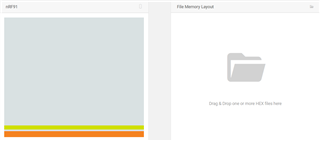
But nothing seems to happen even if I reset it. 

I believe I'm missing something very simple, but can't see what it is. Any help is appreciated

  • Which terminal you use?
    It is not supposed to be a command terminal. With Termite, you only need to configure the baud rate and select the right uart port.

  • As Jerome said, the output of a printk() will not appear in a random command terminal window. I believe the debug terminal of SES needs to be set-up before it shows debug information, but I don't use Seggar to write nRF91 code so I wouldn't know how that works.

    To view the output of the nRF9160 DK, you need a serial port program that can select the port you want to listen to. You already have nRF Connect for your desktop, you can download the LTE Link Monitor application for the nRF Connect program that will allow you to see the output of the DK. It's not just for LTE applications, all you need to do is install it and select the nRF9160 from the "select device" list (three serial ports will appear in this list, you may need to cycle through them, one is for the nRF51840, one is for the nRF9160 and the other one I have no idea).

    Alternatively, you can use any other Serial port program such as minicom or Termite as Jerome suggested. However, these programs will more than likely require set-up (select the correct port, set the baud rate, set echo on if using minicom, etc) which LTE Link Monitor does automatically (it was designed for this DK).

  • Hello, I am running the same "hello world" demo program on the nRF9160DK. I am unable to view serial port output from the nRF9160 on my Mac OS Catalina. It was working for me a few days ago and now I cannot see anything in the LTE-Link monitor. Could this be some kind of security issue with a Mac OS? 

Related