This post is older than 2 years and might not be relevant anymore
More Info: Consider searching for newer posts

Segger embedded studio Build failed

Hello everyone,

I was trying to compile ble_app_uart code in segger embedded stdio but sample code not compile this sofware any configuration setting i need to change..???

DK: PCA10040

SDK: 15.2

location: D:\nRF5_SDK_15.2.0\examples\ble_peripheral\ble_app_uart\pca10040\s132\ses
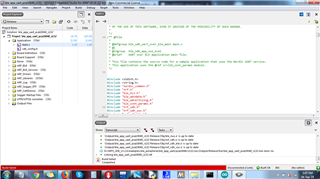
Parents
  • Of course, the provided sample projects should just build as-is.

    Is it a fresh download of the SDK?

    Can you build any other example projects?

    What version of SES are you using?

    Give detailed steps of how you got to this point.

    You haven't showed the actual error! It is slightly further down in the output!

    Better to copy & paste the output - post as for source code, but omit step 3:

  • Thanks for replay awneil,

    I'm compiling fresh download SDK15.2 without any changes just build solution in ses V4.18(32Bit). I check other examples fresh code in SDK15,0 ble_app_beacon same issue faced below 

    Building ‘ble_app_beacon_pca10040_s132’ from solution ‘ble_app_beacon_pca10040_s132’ in configuration ‘Release’
    1> 'Output/ble_app_beacon_pca10040_s132 Release/Obj/thumb_crt0.o' is up to date
    2> 'Output/ble_app_beacon_pca10040_s132 Release/Obj/nrf_log_backend_rtt.o' is up to date
    1> 'Output/ble_app_beacon_pca10040_s132 Release/Obj/nrf_log_backend_serial.o' is up to date
    3> 'Output/ble_app_beacon_pca10040_s132 Release/Obj/nrf_log_backend_uart.o' is up to date
    1> 'Output/ble_app_beacon_pca10040_s132 Release/Obj/nrf_log_default_backends.o' is up to date
    2> 'Output/ble_app_beacon_pca10040_s132 Release/Obj/nrf_log_frontend.o' is up to date
    1> 'Output/ble_app_beacon_pca10040_s132 Release/Obj/nrf_log_str_formatter.o' is up to date
    4> 'Output/ble_app_beacon_pca10040_s132 Release/Obj/app_button.o' is up to date
    1> 'Output/ble_app_beacon_pca10040_s132 Release/Obj/app_error.o' is up to date
    2> 'Output/ble_app_beacon_pca10040_s132 Release/Obj/app_error_handler_gcc.o' is up to date
    1> 'Output/ble_app_beacon_pca10040_s132 Release/Obj/app_error_weak.o' is up to date
    3> 'Output/ble_app_beacon_pca10040_s132 Release/Obj/app_scheduler.o' is up to date
    1> 'Output/ble_app_beacon_pca10040_s132 Release/Obj/app_timer.o' is up to date
    2> 'Output/ble_app_beacon_pca10040_s132 Release/Obj/app_util_platform.o' is up to date
    1> 'Output/ble_app_beacon_pca10040_s132 Release/Obj/hardfault_implementation.o' is up to date
    1> 'Output/ble_app_beacon_pca10040_s132 Release/Obj/nrf_assert.o' is up to date
    2> 'Output/ble_app_beacon_pca10040_s132 Release/Obj/nrf_atfifo.o' is up to date
    1> 'Output/ble_app_beacon_pca10040_s132 Release/Obj/nrf_atomic.o' is up to date
    3> 'Output/ble_app_beacon_pca10040_s132 Release/Obj/nrf_balloc.o' is up to date
    1> 'Output/ble_app_beacon_pca10040_s132 Release/Obj/nrf_fprintf.o' is up to date
    2> 'Output/ble_app_beacon_pca10040_s132 Release/Obj/nrf_fprintf_format.o' is up to date
    1> 'Output/ble_app_beacon_pca10040_s132 Release/Obj/nrf_memobj.o' is up to date
    4> 'Output/ble_app_beacon_pca10040_s132 Release/Obj/nrf_pwr_mgmt.o' is up to date
    1> 'Output/ble_app_beacon_pca10040_s132 Release/Obj/nrf_section_iter.o' is up to date
    2> 'Output/ble_app_beacon_pca10040_s132 Release/Obj/nrf_strerror.o' is up to date
    1> 'Output/ble_app_beacon_pca10040_s132 Release/Obj/ses_nRF_Startup.o' is up to date
    3> 'Output/ble_app_beacon_pca10040_s132 Release/Obj/ses_nrf52_Vectors.o' is up to date
    1> 'Output/ble_app_beacon_pca10040_s132 Release/Obj/system_nrf52.o' is up to date
    2> 'Output/ble_app_beacon_pca10040_s132 Release/Obj/boards.o' is up to date
    1> 'Output/ble_app_beacon_pca10040_s132 Release/Obj/nrf_drv_clock.o' is up to date
    1> 'Output/ble_app_beacon_pca10040_s132 Release/Obj/nrf_drv_uart.o' is up to date
    2> 'Output/ble_app_beacon_pca10040_s132 Release/Obj/nrfx_clock.o' is up to date
    1> 'Output/ble_app_beacon_pca10040_s132 Release/Obj/nrfx_gpiote.o' is up to date
    3> 'Output/ble_app_beacon_pca10040_s132 Release/Obj/nrfx_power_clock.o' is up to date
    1> 'Output/ble_app_beacon_pca10040_s132 Release/Obj/nrfx_prs.o' is up to date
    2> 'Output/ble_app_beacon_pca10040_s132 Release/Obj/nrfx_uart.o' is up to date
    1> 'Output/ble_app_beacon_pca10040_s132 Release/Obj/nrfx_uarte.o' is up to date
    4> 'Output/ble_app_beacon_pca10040_s132 Release/Obj/bsp.o' is up to date
    1> 'Output/ble_app_beacon_pca10040_s132 Release/Obj/main.o' is up to date
    1> 'Output/ble_app_beacon_pca10040_s132 Release/Obj/SEGGER_RTT.o' is up to date
    3> 'Output/ble_app_beacon_pca10040_s132 Release/Obj/SEGGER_RTT_Syscalls_SES.o' is up to date
    1> 'Output/ble_app_beacon_pca10040_s132 Release/Obj/SEGGER_RTT_printf.o' is up to date
    2> 'Output/ble_app_beacon_pca10040_s132 Release/Obj/ble_advdata.o' is up to date
    1> 'Output/ble_app_beacon_pca10040_s132 Release/Obj/ble_srv_common.o' is up to date
    1> 'Output/ble_app_beacon_pca10040_s132 Release/Obj/nrf_sdh.o' is up to date
    2> 'Output/ble_app_beacon_pca10040_s132 Release/Obj/nrf_sdh_ble.o' is up to date
    1> 'Output/ble_app_beacon_pca10040_s132 Release/Obj/nrf_sdh_soc.o' is up to date
    1> D:/SDK_15.0/examples/ble_peripheral/ble_app_beacon/pca10040/s132/ses/Output/Release/Exe/ble_app_beacon_pca10040_s132.hex does not exist.
    1> Linking ble_app_beacon_pca10040_s132.elf
    1> "C:/Program Files/SEGGER/SEGGER Embedded Studio for ARM 4.18/gcc/arm-none-eabi/bin/ld" -X --omagic -eReset_Handler --defsym=__vfprintf=__vfprintf_long --defsym=__vfscanf=__vfscanf_int -EL --gc-sections "-TD:/SDK_15.0/examples/ble_peripheral/ble_app_beacon/pca10040/s132/ses/Output/ble_app_beacon_pca10040_s132 Release/Obj/ble_app_beacon_pca10040_s132.ld" -Map Output/Release/Exe/ble_app_beacon_pca10040_s132.map -u_vectors -o Output/Release/Exe/ble_app_beacon_pca10040_s132.elf --emit-relocs --start-group "@D:/SDK_15.0/examples/ble_peripheral/ble_app_beacon/pca10040/s132/ses/Output/ble_app_beacon_pca10040_s132 Release/Obj/ble_app_beacon_pca10040_s132.ind" --end-group
    1> "C:/Program Files/SEGGER/SEGGER Embedded Studio for ARM 4.18/gcc/arm-none-eabi/bin/objcopy" Output/Release/Exe/ble_app_beacon_pca10040_s132.elf D:/SDK_15.0/examples/ble_peripheral/ble_app_beacon/pca10040/s132/ses/Output/Release/Exe/ble_app_beacon_pca10040_s132.hex -Oihex
    1> C:/Program Files/SEGGER/SEGGER Embedded Studio for ARM 4.18/gcc/arm-none-eabi/bin/objcopy: D:/SDK_15.0/examples/ble_peripheral/ble_app_beacon/pca10040/s132/ses/Output/Release/Exe/ble_app_beacon_pca10040_s132.hex 64-bit address 0x4ccc2300026000 out of range for Intel Hex file
    1> C:/Program Files/SEGGER/SEGGER Embedded Studio for ARM 4.18/gcc/arm-none-eabi/bin/objcopy:D:/SDK_15.0/examples/ble_peripheral/ble_app_beacon/pca10040/s132/ses/Output/Release/Exe/ble_app_beacon_pca10040_s132.hex: bad value
    Build failed
    

  • So the error is in creating the Hex file:

    64-bit address 0x4ccc2300026000 out of range for Intel Hex file
    bad value

    Is that the same error that you got with the UART example?

    I've never seen that one!

    Open mouth

Reply Children
  • yes i have getting same error in SDK15.2 UART example

    Building ‘ble_app_uart_pca10040_s132’ from solution ‘ble_app_uart_pca10040_s132’ in configuration ‘Release’
    1> 'Output/ble_app_uart_pca10040_s132 Release/Obj/thumb_crt0.o' is up to date
    2> 'Output/ble_app_uart_pca10040_s132 Release/Obj/nrf_log_backend_rtt.o' is up to date
    1> 'Output/ble_app_uart_pca10040_s132 Release/Obj/nrf_log_backend_serial.o' is up to date
    3> 'Output/ble_app_uart_pca10040_s132 Release/Obj/nrf_log_default_backends.o' is up to date
    1> 'Output/ble_app_uart_pca10040_s132 Release/Obj/nrf_log_frontend.o' is up to date
    2> 'Output/ble_app_uart_pca10040_s132 Release/Obj/nrf_log_str_formatter.o' is up to date
    1> 'Output/ble_app_uart_pca10040_s132 Release/Obj/app_button.o' is up to date
    4> 'Output/ble_app_uart_pca10040_s132 Release/Obj/app_error.o' is up to date
    1> 'Output/ble_app_uart_pca10040_s132 Release/Obj/app_error_handler_gcc.o' is up to date
    2> 'Output/ble_app_uart_pca10040_s132 Release/Obj/app_error_weak.o' is up to date
    1> 'Output/ble_app_uart_pca10040_s132 Release/Obj/app_fifo.o' is up to date
    3> 'Output/ble_app_uart_pca10040_s132 Release/Obj/app_scheduler.o' is up to date
    1> 'Output/ble_app_uart_pca10040_s132 Release/Obj/app_timer.o' is up to date
    2> 'Output/ble_app_uart_pca10040_s132 Release/Obj/app_uart_fifo.o' is up to date
    1> 'Output/ble_app_uart_pca10040_s132 Release/Obj/app_util_platform.o' is up to date
    1> 'Output/ble_app_uart_pca10040_s132 Release/Obj/hardfault_implementation.o' is up to date
    2> 'Output/ble_app_uart_pca10040_s132 Release/Obj/nrf_assert.o' is up to date
    1> 'Output/ble_app_uart_pca10040_s132 Release/Obj/nrf_atfifo.o' is up to date
    3> 'Output/ble_app_uart_pca10040_s132 Release/Obj/nrf_atflags.o' is up to date
    1> 'Output/ble_app_uart_pca10040_s132 Release/Obj/nrf_atomic.o' is up to date
    2> 'Output/ble_app_uart_pca10040_s132 Release/Obj/nrf_balloc.o' is up to date
    1> 'Output/ble_app_uart_pca10040_s132 Release/Obj/nrf_fprintf.o' is up to date
    4> 'Output/ble_app_uart_pca10040_s132 Release/Obj/nrf_fprintf_format.o' is up to date
    1> 'Output/ble_app_uart_pca10040_s132 Release/Obj/nrf_memobj.o' is up to date
    2> 'Output/ble_app_uart_pca10040_s132 Release/Obj/nrf_pwr_mgmt.o' is up to date
    1> 'Output/ble_app_uart_pca10040_s132 Release/Obj/nrf_ringbuf.o' is up to date
    3> 'Output/ble_app_uart_pca10040_s132 Release/Obj/nrf_section_iter.o' is up to date
    1> 'Output/ble_app_uart_pca10040_s132 Release/Obj/nrf_strerror.o' is up to date
    2> 'Output/ble_app_uart_pca10040_s132 Release/Obj/retarget.o' is up to date
    1> 'Output/ble_app_uart_pca10040_s132 Release/Obj/ses_startup_nrf52.o' is up to date
    1> 'Output/ble_app_uart_pca10040_s132 Release/Obj/ses_startup_nrf_common.o' is up to date
    2> 'Output/ble_app_uart_pca10040_s132 Release/Obj/system_nrf52.o' is up to date
    1> 'Output/ble_app_uart_pca10040_s132 Release/Obj/boards.o' is up to date
    3> 'Output/ble_app_uart_pca10040_s132 Release/Obj/nrf_drv_clock.o' is up to date
    1> 'Output/ble_app_uart_pca10040_s132 Release/Obj/nrf_drv_uart.o' is up to date
    2> 'Output/ble_app_uart_pca10040_s132 Release/Obj/nrfx_clock.o' is up to date
    1> 'Output/ble_app_uart_pca10040_s132 Release/Obj/nrfx_gpiote.o' is up to date
    4> 'Output/ble_app_uart_pca10040_s132 Release/Obj/nrfx_power_clock.o' is up to date
    1> 'Output/ble_app_uart_pca10040_s132 Release/Obj/nrfx_prs.o' is up to date
    2> 'Output/ble_app_uart_pca10040_s132 Release/Obj/nrfx_uart.o' is up to date
    1> 'Output/ble_app_uart_pca10040_s132 Release/Obj/nrfx_uarte.o' is up to date
    3> 'Output/ble_app_uart_pca10040_s132 Release/Obj/bsp.o' is up to date
    1> 'Output/ble_app_uart_pca10040_s132 Release/Obj/bsp_btn_ble.o' is up to date
    2> 'Output/ble_app_uart_pca10040_s132 Release/Obj/main.o' is up to date
    1> 'Output/ble_app_uart_pca10040_s132 Release/Obj/SEGGER_RTT.o' is up to date
    2> 'Output/ble_app_uart_pca10040_s132 Release/Obj/SEGGER_RTT_Syscalls_SES.o' is up to date
    1> 'Output/ble_app_uart_pca10040_s132 Release/Obj/SEGGER_RTT_printf.o' is up to date
    3> 'Output/ble_app_uart_pca10040_s132 Release/Obj/ble_advdata.o' is up to date
    1> 'Output/ble_app_uart_pca10040_s132 Release/Obj/ble_advertising.o' is up to date
    2> 'Output/ble_app_uart_pca10040_s132 Release/Obj/ble_conn_params.o' is up to date
    1> 'Output/ble_app_uart_pca10040_s132 Release/Obj/ble_conn_state.o' is up to date
    4> 'Output/ble_app_uart_pca10040_s132 Release/Obj/ble_link_ctx_manager.o' is up to date
    1> 'Output/ble_app_uart_pca10040_s132 Release/Obj/ble_srv_common.o' is up to date
    2> 'Output/ble_app_uart_pca10040_s132 Release/Obj/nrf_ble_gatt.o' is up to date
    1> 'Output/ble_app_uart_pca10040_s132 Release/Obj/nrf_ble_qwr.o' is up to date
    3> 'Output/ble_app_uart_pca10040_s132 Release/Obj/utf.o' is up to date
    1> 'Output/ble_app_uart_pca10040_s132 Release/Obj/ble_nus.o' is up to date
    2> 'Output/ble_app_uart_pca10040_s132 Release/Obj/nrf_sdh.o' is up to date
    1> 'Output/ble_app_uart_pca10040_s132 Release/Obj/nrf_sdh_ble.o' is up to date
    1> 'Output/ble_app_uart_pca10040_s132 Release/Obj/nrf_sdh_soc.o' is up to date
    1> D:/nRF5_SDK_15.2.0/examples/ble_peripheral/ble_app_uart/pca10040/s132/ses/Output/Release/Exe/ble_app_uart_pca10040_s132.hex does not exist.
    1> Linking ble_app_uart_pca10040_s132.elf
    1> "C:/Program Files/SEGGER/SEGGER Embedded Studio for ARM 4.18/gcc/arm-none-eabi/bin/ld" -X --omagic -eReset_Handler --defsym=__vfprintf=__vfprintf_long --defsym=__vfscanf=__vfscanf_int -EL --gc-sections "-TD:/nRF5_SDK_15.2.0/examples/ble_peripheral/ble_app_uart/pca10040/s132/ses/Output/ble_app_uart_pca10040_s132 Release/Obj/ble_app_uart_pca10040_s132.ld" -Map Output/Release/Exe/ble_app_uart_pca10040_s132.map -u_vectors -o Output/Release/Exe/ble_app_uart_pca10040_s132.elf --emit-relocs --start-group "@D:/nRF5_SDK_15.2.0/examples/ble_peripheral/ble_app_uart/pca10040/s132/ses/Output/ble_app_uart_pca10040_s132 Release/Obj/ble_app_uart_pca10040_s132.ind" --end-group
    1> "C:/Program Files/SEGGER/SEGGER Embedded Studio for ARM 4.18/gcc/arm-none-eabi/bin/objcopy" Output/Release/Exe/ble_app_uart_pca10040_s132.elf D:/nRF5_SDK_15.2.0/examples/ble_peripheral/ble_app_uart/pca10040/s132/ses/Output/Release/Exe/ble_app_uart_pca10040_s132.hex -Oihex
    1> C:/Program Files/SEGGER/SEGGER Embedded Studio for ARM 4.18/gcc/arm-none-eabi/bin/objcopy: D:/nRF5_SDK_15.2.0/examples/ble_peripheral/ble_app_uart/pca10040/s132/ses/Output/Release/Exe/ble_app_uart_pca10040_s132.hex 64-bit address 0x4ccc2300026000 out of range for Intel Hex file
    1> C:/Program Files/SEGGER/SEGGER Embedded Studio for ARM 4.18/gcc/arm-none-eabi/bin/objcopy:D:/nRF5_SDK_15.2.0/examples/ble_peripheral/ble_app_uart/pca10040/s132/ses/Output/Release/Exe/ble_app_uart_pca10040_s132.hex: bad value
    Build failed

  • This is super weird.

    I believe 0x26000 is the base address of that hex file, but somehow the linker appends 0x4CCC23000 to it.

    I don't know what's wrong. I suggest you remove and reinstall SES, and move the SDK from your D:/ drive to C:/ . 

  • Well if v4.12 does not work after a clean reinstall, then you should try another version. 

    I'm running V4.16 with SDK15.3 without any issues so far. 

  • Now i reinstall updated version V4.20a now it's working very well thanks for all

Related