This post is older than 2 years and might not be relevant anymore
More Info: Consider searching for newer posts
This discussion has been locked.
You can no longer post new replies to this discussion. If you have a question you can start a new discussion

Sending SAADC data via ble_nus_data_send

Hello,

I am trying to send data obtained from a SAADC port via BLE using the ble_nus_data_send function. This must happen periodically at frequencies within the Gigahertz range, ideally.

I started with the ble_app_uart example, from SDK16. Then, I initialized a timer using PPI to trigger an SAADC sampling event, such as in the saadc example.

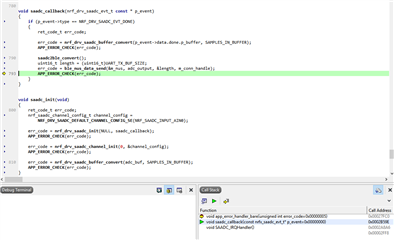
Inside the saadc_callback function, I process the data and call the ble_nus_data_send function, as seen bellow:

void saadc_callback(nrf_drv_saadc_evt_t const * p_event)
{
    if (p_event->type == NRF_DRV_SAADC_EVT_DONE)
    {
        ret_code_t err_code;

        err_code = nrf_drv_saadc_buffer_convert(p_event->data.done.p_buffer, SAMPLES_IN_BUFFER);
        APP_ERROR_CHECK(err_code);

        saadc2ble_convert();   
        uint16_t length = (uint16_t)UART_TX_BUF_SIZE;
        err_code = ble_nus_data_send(&m_nus, adc_output, &length, m_conn_handle);                  
        APP_ERROR_CHECK(err_code);         
    }
}

the saadc2ble_convert function simply converts the data from uint16_t to uint8_t and the length of the data transmitted via ble_nus_data_send function has not been modified from the initial example:

#define UART_TX_BUF_SIZE                256                                         /**< UART TX buffer size. */
#define SAMPLES_IN_BUFFER  UART_TX_BUF_SIZE/2
static nrf_saadc_value_t adc_buf[SAMPLES_IN_BUFFER];                   //!< Buffer used for storing ADC value.
static uint8_t          adc_output[UART_TX_BUF_SIZE]; //!< Current battery level.


void saadc2ble_convert(){

   int i;

   for(i=0; i<SAMPLES_IN_BUFFER; i++){
       adc_output[i*2] = adc_buf[i] & 0xff;
       adc_output[i*2 + 1] = (adc_buf[i] >> 8) & 0xff;
   }

}

I initialize all in the main function as seen in the next code block:

int main(void)
{
    bool erase_bonds;
    ret_code_t err_code;

    // Initialize.
    uart_init();
    log_init();
    timers_init();    
    buttons_leds_init(&erase_bonds);
    power_management_init();
    ble_stack_init();
    gap_params_init();
    gatt_init();
    services_init();

    saadc_init();
    saadc_sampling_event_init();
    

    advertising_init();
    conn_params_init();

    // Start execution.
    printf("\r\nUART started.\r\n");
    NRF_LOG_INFO("Debug logging for UART over RTT started.");


    advertising_start();

    saadc_sampling_event_enable();


    // Enter main loop.
    for (;;)
    {
        idle_state_handle();
    }
}

Debugging, I see that the SAADC is reading data well, however, I couldn't get any data at the smartphone.

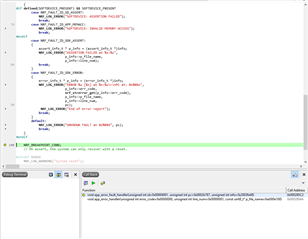
I am getting the error shown on the image:
Could anyone help me to find a way to solve this problem?

Parents
  • Hello,

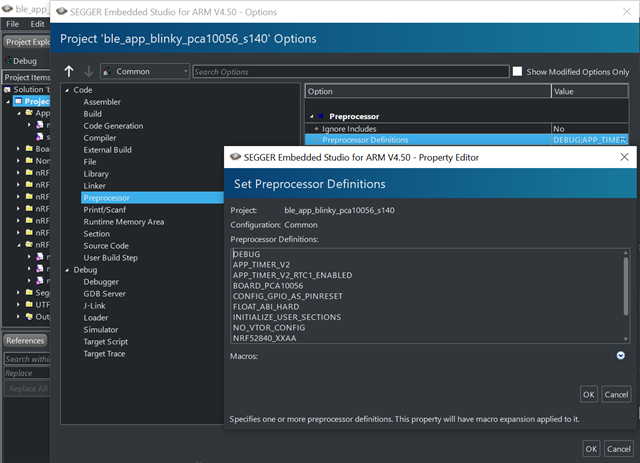
    Could you make sure that DEBUG is defined in your preprocessor definition, like shown in the included image?

    Enabling DEBUG will let you see which and where the error is generated.
    Please do this, and run the program again, to see the output and returning function written to the log.
    With this information, we can begin debugging and resolving the issue.

    the saadc2ble_convert function simply converts the data from uint16_t to uint8_t

    I would also alert you to the BSD utility library, and the uint16_t to uint8_t encoding / decoding functions, for future reference.

    Looking forward to resolving this issue together!

    Best regards,
    Karl

  • Thank you for your response.

    I followed your instruction and got the following messages:

  • This does not look right, if you had both the logger module enabled, and DEBUG defined in your preprocessor config.
    Can you check again, and verify that you have defined debug in your COMMON build configuration? Alternatively, that you are both defining and building in the debug configuration.

    The Nordic UART example by default uses the RTT logger backend, but nothing is showing in your Segger "Debug terminal", from the picture you have provided.
    Are you able to see any other logger outputs? Do you have a separate RTT terminal running?

    Best regards,
    Karl

  • You are right, I don't see any logger outputs, at least not for this project. I don't have a separate RTT terminal running.

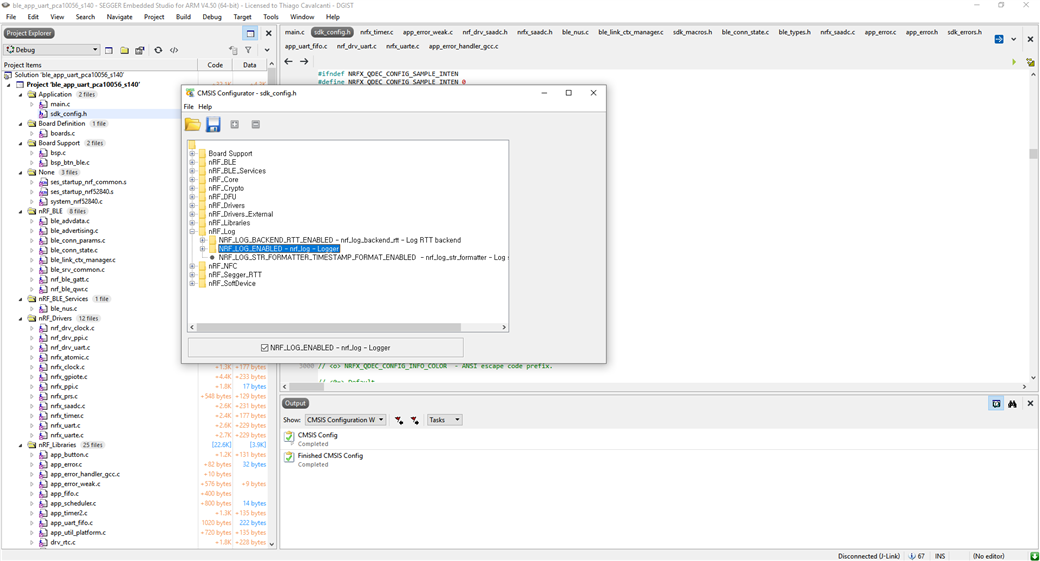
    This is how the project is configured:

    DEBUG definition:

    nRF_Log configuration:

Reply Children
  • Your debug define seems correct, thank you for clarifying this.

    Could you instead share your sdk_config.h file? It will be easier for me to take a look at.
    Are you using the idle_state_handler in your main-while loop?
    If you could share your entire main function, that would also be helpful - I just want to verify that you have enabled and configured the logger module.

    Best regards,
    Karl

  • I got an error message when attaching the code in my sdk_config.h file to this post, so I uploaded the file to the link bellow:

    5736.sdk_config.h

    and this is the main function:

    /**@brief Application main function.
     */
    int main(void)
    {
        bool erase_bonds;
        ret_code_t err_code;
    
        // Initialize.
        uart_init();
        log_init();
        timers_init();    
        buttons_leds_init(&erase_bonds);
        power_management_init();
        ble_stack_init();
        gap_params_init();
        gatt_init();
        services_init();
    
        saadc_init();
        saadc_sampling_event_init();
        
    
        advertising_init();
        conn_params_init();
    
        // Start execution.
        printf("\r\nUART started.\r\n");
        NRF_LOG_INFO("Debug logging for UART over RTT started.");


        advertising_start();
    
        saadc_sampling_event_enable();


        // Enter main loop.
        for (;;)
        {
            idle_state_handle();
        }
    }

  • Both the main function and sdk_config seems all right.
    Could you try to use an RTT terminal, like J-Link RTT Viewer, to see the RTT outputs?
    You should see the message "Debug logging for UART over RTT started." when the application starts.

    If you are not able to see this, could you try to run an unmodified version of the ble_app_uart from the SDK, to see if this yields the proper output to the RTT terminal?

    From the earlier screenshots I assume you are developing on a nRF52840 DK, could you confirm this? If so, could you tell me how you have connected the board to your computer, and what the switches on the boards are set to?
    I just want to rule out some common errors.

    Looking forward to resolving this issue together,

    Best regards,
    Karl

  • Hello, Karl.

    I am using a SEGGER J-Link EDU Mini to connect with my board. The exact DK I am using is the one shown in this link:

    MDBT50Q-DB-40

    I tried using RTT viewer. But I don't see any message. However, if I use the function SEGGER_RTT_WriteString() I can see messages both in the RTT terminal and on the debug terminal in SEGGER embedded Studio.

    All the issues discussed above happen when I run the ble_app_uart (unmodified) example from SDK16. The example runs perfectly (I can interchange messages between UART port in the DK and the smartphone app). But, when I switch to SDK15, and run the same example (ble_app_uart, unmodified), I can see all the debugging messages. On the other hand, I can send data from the Android application (NRF Connect) to the UART port, but I cannot send data from the UART port to the smartphone anymore. 

  • Hello, Karl

    I downgraded to the SDK15 repeated the fusion of the two examples. I basically copied all the functions from the saadc example into the ble_app_uart. As I mentioned before, I just included my saadc2ble_convert

    void saadc2ble_convert(){
    
       int i;
    
       for(i=0; i<SAMPLES_IN_BUFFER; i++){
           adc_output[i*2] = m_buffer_pool[i] & 0xff;
           adc_output[i*2 + 1] = (m_buffer_pool[i] >> 8) & 0xff;
       }
    
    }

    and made a few changes to the saadc_callback

    void saadc_callback(nrf_drv_saadc_evt_t const * p_event)
    {
        if (p_event->type == NRF_DRV_SAADC_EVT_DONE)
        {
            ret_code_t err_code;
    
            err_code = nrf_drv_saadc_buffer_convert(p_event->data.done.p_buffer, SAMPLES_IN_BUFFER);
            APP_ERROR_CHECK(err_code);
    
            if(m_conn_handle != BLE_CONN_HANDLE_INVALID){
                saadc2ble_convert();   
                uint16_t length = (uint16_t)UART_TX_BUF_SIZE;
                err_code = ble_nus_data_send(&m_nus, adc_output, &length, m_conn_handle);                  
                if ((err_code != NRF_ERROR_INVALID_STATE) && (err_code != NRF_ERROR_BUSY) && (err_code != NRF_ERROR_NOT_FOUND))
                {
                    APP_ERROR_CHECK(err_code);
                    char error_message[20];
                    sprintf(error_message, "Error code: %x", err_code);
                    SEGGER_RTT_WriteString(0, error_message);
                }        
            } 
            
        }
    }

    The main function is like this:

    /**@brief Application main function.
     */
    int main(void)
    {
        bool erase_bonds;
    
        // Initialize.
        uart_init();
        log_init();
        timers_init();
        buttons_leds_init(&erase_bonds);
        power_management_init();
        ble_stack_init();
        gap_params_init();
        gatt_init();
        services_init();
        advertising_init();
        conn_params_init();
    
        saadc_init();
        saadc_sampling_event_init();
        
    
        // Start execution.
        printf("\r\nUART started.\r\n");
        NRF_LOG_INFO("Debug logging for UART over RTT started.");
        advertising_start();
    
        saadc_sampling_event_enable();
    
        // Enter main loop.
        for (;;)
        {
            idle_state_handle();
        }
    }

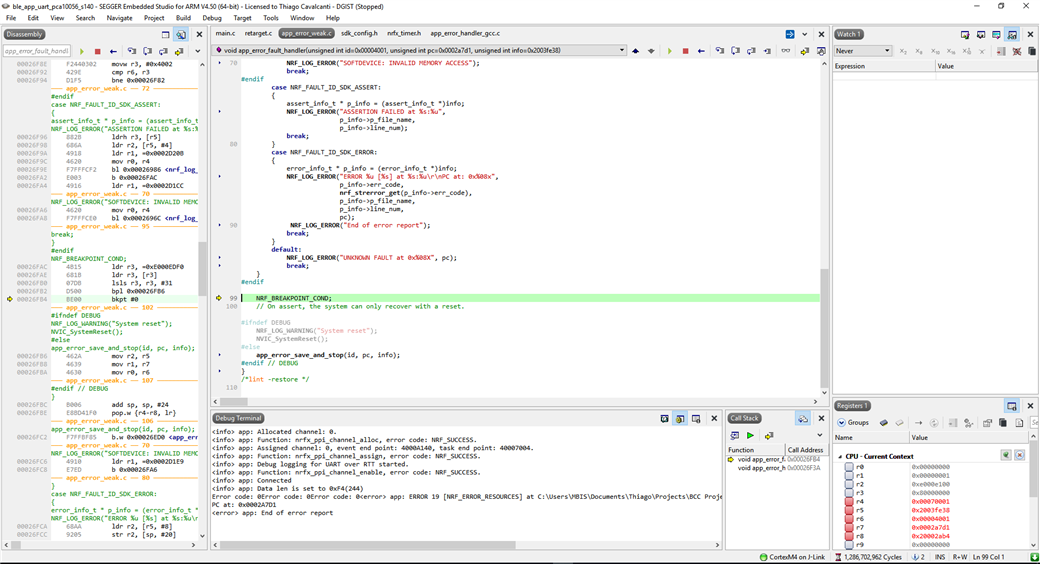
    I run the debug and the nrf_Connect app and when I enable notifications, the code goes into a breakpoint. But now because I moved to SDK15, as I mentioned earlier, I can see the debug messages as you see bellow:

    The content of the debug terminal is shown here in detail:

    <info> app: Allocated channel: 0.
    <info> app: Function: nrfx_ppi_channel_alloc, error code: NRF_SUCCESS.
    <info> app: Assigned channel: 0, event end point: 4000A140, task end point: 40007004.
    <info> app: Function: nrfx_ppi_channel_assign, error code: NRF_SUCCESS.
    <info> app: Debug logging for UART over RTT started.
    <info> app: Function: nrfx_ppi_channel_enable, error code: NRF_SUCCESS.
    <info> app: Connected
    <info> app: Data len is set to 0xF4(244)
    Error code: 0Error code: 0Error code: 0<error> app: ERROR 19 [NRF_ERROR_RESOURCES] at C:\Users\MBIS\Documents\Thiago\Projects\BCC Project\BLE Projects\nRF5_SDK_Current\examples\ble_peripheral\ble_app_uart - Copy\main.c:777
    PC at: 0x0002A7D1
    <error> app: End of error report
    

Related