This post is older than 2 years and might not be relevant anymore
More Info: Consider searching for newer posts

BLE Peripheral Passphrase example

Hello,

I am trying to implement a basic BLE connection between the nRF52840 Dongle and an Android Device (nRF Connect). I wanted to secure this BLE connection with a passphrase, ie, on trying to connect to the dongle, the android device will be prompted to enter the 6 digit passphrase and then only it should be able to connect to the dongle. I tried an example mentioned in this post which implemented passphrase, but after flashing it on the dongle, the dongle was not working as expected. 

Anyway, is there any example available in the SDK that implements such a BLE connection? It would be great to get some guidance. Please let me know if you need more information to help me. 

PS: I am using the nRF 17.0.2 SDK, nRF52840 Dongle, nRF Connect and Segger Embedded Studio

Parents
  • Hi Sebastian, 

    You can take a look at this Glucose Application, and you should consider the nRF52840 DK instead if you want to develop firmware or application for the nRF52840. The nRF52840 dongle is primarily intended to be used together with nRF Connect for desktop and is not well suitable as a development board. This is primarily because it lacks an onboard debugger. 

    -Amanda H.

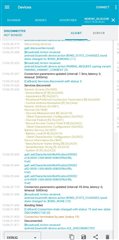
  • Thanks for the reply Amanda. I have tried the example with two android phones and one Apple device. The android devices refuse to connect and they don't ask for the passphrase. An android notification appears for pair and connect but then the devices just don't connect and the log is attached below:


    On the Apple device, it asks for the passphrase and asks to enter the passphrase arriving on the UART. But the nRF Toolbox app gets stuck at connecting when trying to connect using the UART option. 

    Anyway, would it be possible to change this to a static passphrase? Something like this. Are the same functions applicable for the S140 device as well? 

Reply
  • Thanks for the reply Amanda. I have tried the example with two android phones and one Apple device. The android devices refuse to connect and they don't ask for the passphrase. An android notification appears for pair and connect but then the devices just don't connect and the log is attached below:


    On the Apple device, it asks for the passphrase and asks to enter the passphrase arriving on the UART. But the nRF Toolbox app gets stuck at connecting when trying to connect using the UART option. 

    Anyway, would it be possible to change this to a static passphrase? Something like this. Are the same functions applicable for the S140 device as well? 

Children
Related