This post is older than 2 years and might not be relevant anymore
More Info: Consider searching for newer posts

Thingy 91 debug using J link Edu

Hi,

I tried to burn the hello world sample code into thingy 91 using segger and J link Edu.
After configuring Termite it did not show anything.
And now LEDs are not blinking and nothing happening.
can you guide, what to do? or how to reset thingy 91?
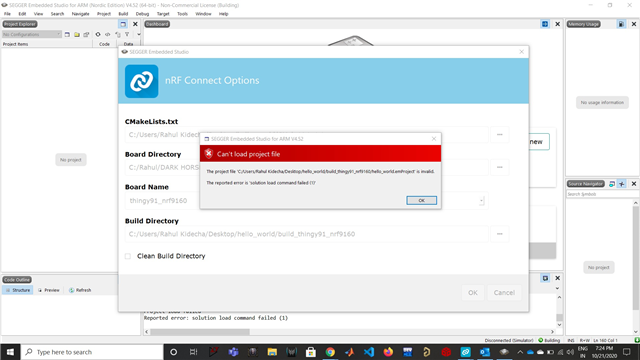
while connecting again to segger showing below issue
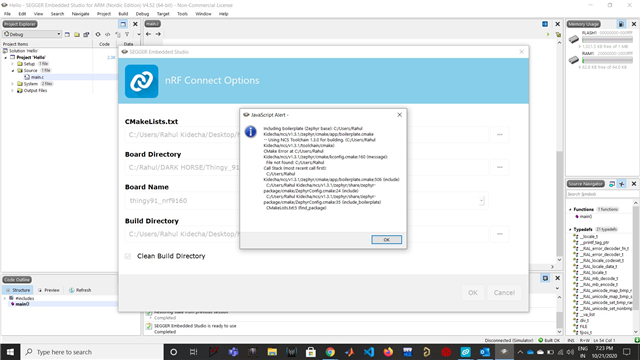
Also, it is not going under the MCU boot mode.
With Regards,
Rahul kidecha
Parents
  • Hello, CARL!!

    Could you first state what Thingy:91 version you have and whether or not you are using the Toolchain manager?
    Ans: tried to debug thingy 91 using j link Edu using SWD pins. 

    Secondly, you are flashing the Zephyr hello_world sample, correct? There are not supposed to be any blinking LEDs when using that sample, and for MCU boot to function with the sample it must be added in prj.conf like this
    CONFIG_MCUBOOT=y

    Ans:  Yes. I have created the prj.conf file as per the tutorial.
    Lastly, I see that you are building for the "board name" thingy91_nrf9160, use thingy91_nrf9160ns instead.
    Ans:  Got it I have downloaded the board file for thingy 91 and made the changes as you said.
    I Made all changes but I am still getting the same error that I informed you of at the beginning. I have done the research for the error and that could be one possibility that space between my user name. which are not allowing segger to connect path. I tried to change the user name folder but I guess now I can not change the same. (suggest to me how to solve this problem).
    To avoid the user name problem I used another PC and did the step shown in the tutorial. after setting the cmakelist.txt, Board directory, board name, and build directory when I click on the OK button segger was getting hang. (Tried 3 times and getting the same error)
    Do you have any videos tutorial which can show the step clearly?
    also to check the output do we need to connect more cable to the micro USB connector or just j-link Edu cable is sufficient?
    Thanks,
    Rahul Kidecha
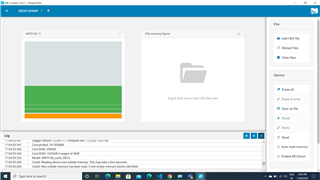
  • What are you seeing in the nRF Connect programmer app when connected through the JLink Edu? Please provide a screenshot.

    check below Image

Reply Children
No Data
Related