This post is older than 2 years and might not be relevant anymore
More Info: Consider searching for newer posts

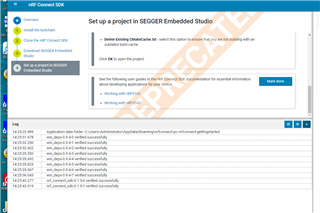
9160 development environment, loading project

1. When I loaded the 9160 project, I had problems,

arm-none-eabi-gcc.exe:error:CreateProcess
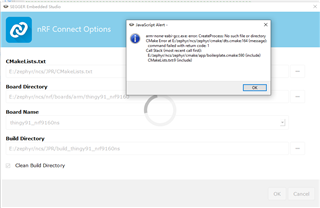
9160 development environment, the required software, I have installed and verified, why I load the project, prompted an error, there is no arm    none EABI- gcc.exe : error:CreateProcess

think you!

Parents
  • Hi,

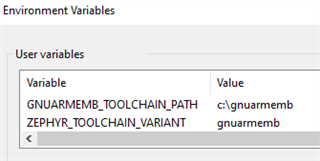
    Did you set the environment variables correctly? You should add the following to your environment variables:

    • ZEPHYR_TOOLCHAIN_VARIANT = gnuarmemb
    • GNUARMEMB_TOOLCHAIN_PATH = c:\gnuarmemb (the path to your GNU Arm Embedded Toolchain installation, which is usually c:\gnuarmemb)

    If this doesn't fix your problem, please try to install the SDK and toolchain using the toolchain manager, as the getting started assistant is deprecated.

    Best regards,

    Marte

Reply
  • Hi,

    Did you set the environment variables correctly? You should add the following to your environment variables:

    • ZEPHYR_TOOLCHAIN_VARIANT = gnuarmemb
    • GNUARMEMB_TOOLCHAIN_PATH = c:\gnuarmemb (the path to your GNU Arm Embedded Toolchain installation, which is usually c:\gnuarmemb)

    If this doesn't fix your problem, please try to install the SDK and toolchain using the toolchain manager, as the getting started assistant is deprecated.

    Best regards,

    Marte

Children
No Data
Related