

SDK version: SDK17.0.2
Product: nRF52840-DK
IDE: Segger
Role: ble peripheral
OS: non-os
Example: examples\ble_central_and_peripheral\experimental\ble_app_multirole_lesc\pca10056\s140
Softdevice: s140
Sniffer equipment: Ellisys
Hi,
Recently, I would like to use the example ble_app_multirole_lesc as a template for ble peripheral, which runs on nrf52840. I expect it could perform the LESC to do pairing, bonding, and connect to the APP (Android or iPhone). Now I use the Android APP, nRF Connect or nRF Toolbox to connect nrf52840. Actually, I don't want to press button 1 to confirm the passkey, so I make a little change in this example as following:
(in main.c)

#define LESC_MITM_NC                    0
as for LESC_DEBUG_MODE, I've tested to set to 1 or 0.
When I tab the connect button in nRF Connect app, nrf52840 starts to bond, it prints the following message:
<info> app_timer: RTC: initialized.
<info> app: LE Secure Connections example started.
<info> app: Scanning
<info> app: Advertising
<info> app: PERIPHERAL: Connected, handle 1.
<info> app: PERIPHERAL: BLE_GAP_EVT_SEC_PARAMS_REQUEST
<info> app: PERIPHERAL: BLE_GAP_EVT_LESC_DHKEY_REQUEST
<info> nrf_ble_lesc: Calling sd_ble_gap_lesc_dhkey_reply on conn_handle: 1
<info> peer_manager_handler: Connection secured: role: Peripheral, conn_handle: 1, procedure: Bonding
<info> app: PERIPHERAL: BLE_GAP_EVT_AUTH_STATUS: status=0x0 bond=0x1 lv4: 0 kdist_own:0x3 kdist_peer:0x2
<info> peer_manager_handler: Peer data updated in flash: peer_id: 0, data_id: Bonding data, action: Update
<info> peer_manager_handler: Peer data updated in flash: peer_id: 0, data_id: Peer rank, action: Update
<info> peer_manager_handler: Peer data updated in flash: peer_id: 0, data_id: Local database, action: Update
<info> peer_manager_handler: Peer data updated in flash: peer_id: 0, data_id: Central address resolution, action: Update
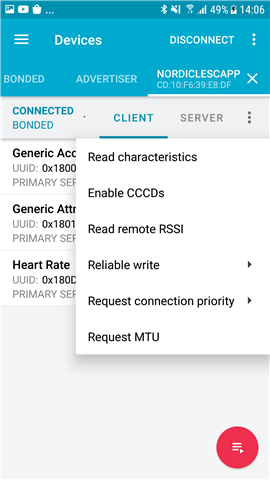
Then I tab the "Read Characteristic" or "Enable CCCDs", nrf52840 starts to encrypt, it prints the following message:
B.T.W., I add some message to print the LTK (from p_enc_info->ltk[]) after calls sd_ble_gap_sec_info_reply() in sec_info_request_process() in security_dispatcher.c.
<info> peer_manager_smd: [sec_info_request_process:372] GOT LTK p_enc_info->ltk[]
<info> peer_manager_smd: 5D BC 17 DD
<info> peer_manager_smd: D3 ED 67 45
<info> peer_manager_smd: 84 3D 3C DE
<info> peer_manager_smd: 40 95 CD A6
<info> peer_manager_handler: Connection secured: role: Peripheral, conn_handle: 1, procedure: Encryption
<info> peer_manager_handler: Peer data updated in flash: peer_id: 0, data_id: Peer rank, action: Update, no change
Everything seemed to go well, but the LTK only successfully decrypt my sniffer packets at the 1st time. And I track the LLCP packets, it show the complete 5 packets as following:
(Actually, this picture is not the 1st time's sniffer packets, because I forgot to save its file... but I'm quite sure these packets are like that)

Their opcode are LL_ENC_REQ, LL_ENC_RSP, LL_START_ENC_REQ, LL_START_ENC_RSP, and LL_START_ENC_RSP. And I use the LTK which I get from sec_info_request_process() , it can decrypt the packets.
But when I try to test again and again (refresh the code, unpair and delete bond), the LLCP packets didn't get the LL_START_ENC_RSP from central (nRF Connect), which means it only has 3 incomplete sequence as following:

now I cannot decrypt the packets with the LTK. I guess the LTK may be wrong, so the central won't send the LL_START_ENC_RSP to nrf52840.
Could you please tell me what can I do now?
Thanks,
Fox Tai

