This post is older than 2 years and might not be relevant anymore
More Info: Consider searching for newer posts

getting an error while building Hello_world using SEGGER

Hello,

While trying to build the hello_world project on Thingy 91 using the SEGGER (connection through J-link edu). Following the Hello World project guide given at:

Hello_World

After choosing the correct nrf Connect Options as CMake file located with  hello_world, should it load the project already where the CMake file exists on its own or is there any process to follow?

As shown in the image it shows me the merged.hex project is loaded. Which I believe is the hex file already on the Thingy 91.
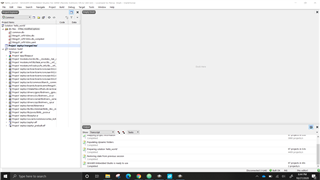
What should I do to load a new project there?

Parents
  • Hello!

    It will load the project where CMakeLists.txt is located. Hence, any changes to the source code and configuration there will apply to the SES project.

    That is not correct. The merged.hex project is what will be flashed to the Thingy:91. What do you mean by loading a new project there? If you want to look at some other applications/samples you must follow the "Open nRF Connect SDK project" procedure for that specific project.

    If you want to see what's already on your Thingy:91 you can use the nRF Connect for Desktop programmer app and read what's in the memory.
    Best regards,
    Carl Richard

Reply
  • Hello!

    It will load the project where CMakeLists.txt is located. Hence, any changes to the source code and configuration there will apply to the SES project.

    That is not correct. The merged.hex project is what will be flashed to the Thingy:91. What do you mean by loading a new project there? If you want to look at some other applications/samples you must follow the "Open nRF Connect SDK project" procedure for that specific project.

    If you want to see what's already on your Thingy:91 you can use the nRF Connect for Desktop programmer app and read what's in the memory.
    Best regards,
    Carl Richard

Children
No Data
Related