

Hello,
I had recently gotten a Nordic Thingy: 91 and I was following this tutorial to help me get started.
https://www.youtube.com/watch?v=xQ7hDzRULJQ
When it came to updating the firmware, I was running into some issues with MCUBoot.
I had done the following process:
1) I turned off my Nordic Thingy:91
2) I plugged my Nordic Thingy:91 into my computer with a USB
3) I opened the Programmer in the Mac OS nRF Connect application
4) I made sure MCUBoot was enabled in the programmer
5) I held down SW3 (the big black button) and while holding it down, I flipped the switch on the Nordic Thingy:91 to ON
6) I then went to Select Device and selected the Nordic Thingy:91 in the programmer,
7) From there I clicked Update Modem, selected the firmware, and clicked write
After doing this, I get the following result:
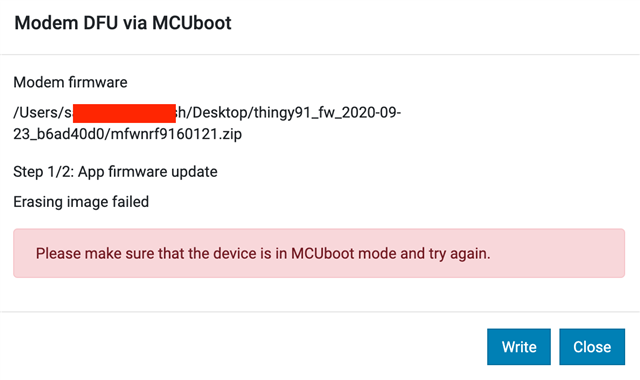
For context as well: When I hold down the button and turn on the device, I notice the LED does not turn off. I am assuming that means the device had entered Serial Recovery Mode.
Do you know what I may be doing wrong or why this is not working?

