

Hi,
I am using
- nRF52832
- SDK 15.3.0
- The soft device is S132
- JLinkRTTViewer for debug
I am making dfu using ble.
After all downloads are finished, the board does not switch from the bootloader to the application program.
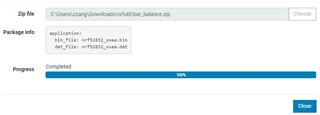
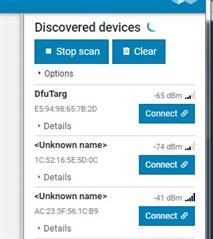
I modified ble_peripheral\ble_app_blinky for dfu.
The revised contents are as follows.
1. preprocessor definitions:
BL_SETTINGS_ACCESS_ONLY
NRF_DFU_SVCI_ENABLED
NRF_DFU_TRANSPORT_BLE=1
2. sdk_config.h
#define BLE_DFU_ENABLED 1 // was 0
#define NRF_PWR_MGMT_CONFIG_AUTO_SHUTDOWN_RETRY 1 // was 0
#define NRF_SDH_BLE_VS_UUID_COUNT 2 // was 1
#define NRF_SDH_BLE_SERVICE_CHANGED 1 // was 0
3. add main.c
static void ble_dfu_buttonless_evt_handler(ble_dfu_buttonless_evt_type_t event)
{
  switch (event)
  {
    case BLE_DFU_EVT_BOOTLOADER_ENTER_PREPARE:
    NRF_LOG_INFO("Device is preparing to enter bootloader mode\r\n");
    break;

  case BLE_DFU_EVT_BOOTLOADER_ENTER:
    NRF_LOG_INFO("Device will enter bootloader mode\r\n");
    break;

  case BLE_DFU_EVT_BOOTLOADER_ENTER_FAILED:
    NRF_LOG_ERROR("Device will enter bootloader mode\r\n");
    break;

  default:
    NRF_LOG_INFO("Unknown event from ble_dfu.\r\n");
    break;
  }
}

static bool app_shutdown_handler(nrf_pwr_mgmt_evt_t event)
{
  switch (event)
  {
    case NRF_PWR_MGMT_EVT_PREPARE_DFU:
      NRF_LOG_INFO("Power management wants to reset to DFU mode\r\n");
     // Change this code to tailor to your reset strategy.
     // Returning false here means that the device is not ready to jump to DFU mode yet.
     //
     // Here is an example using a variable to delay resetting the device:
      if (!m_ready_for_reset)
      {
        return false;
      }
      break;

    default:
      // Implement any of the other events available from the power management module:
      // -NRF_PWR_MGMT_EVT_PREPARE_SYSOFF
      // -NRF_PWR_MGMT_EVT_PREPARE_WAKEUP
      // -NRF_PWR_MGMT_EVT_PREPARE_RESET
      return true;
    }

    NRF_LOG_INFO("Power management allowed to reset to DFU mode\r\n");
    return true;
}

NRF_PWR_MGMT_HANDLER_REGISTER(app_shutdown_handler, 0);
static void services_init(void)
{
 ....
  ble_dfu_buttonless_init_t dfus_init =
  {
    .evt_handler = ble_dfu_buttonless_evt_handler
  };
  err_code = ble_dfu_buttonless_init(&dfus_init);
  APP_ERROR_CHECK(err_code);
}
5. modify main( )
int main(void)
{
  // Initialize.
  log_init();

  // Initialize the async SVCI interface to bootloader before any interrupts are enabled.
  ble_dfu_buttonless_async_svci_init();

  // leds_init();
  timers_init();
  // buttons_init();
  power_management_init();
  ble_stack_init();

  ....

 }
please advice
Alex Kim
