Hi Nordic tech support team,
I am currently testing DFU in my custom board (DWM1001) with secure bootloader and buttonless DFU. I was able to completely test the secure bootloader example present in C:\nRF_SDK\examples\dfu\secure_bootloader\pca10040_s132_ble\ses\ and I had expected results. So the requirement now is to completely make this procedure wireless i.e) waking up the bootloader with DFU service using the example C:\nRF_SDK\examples\ble_peripheral\ble_app_buttonless_dfu\pca10040\s132\ses.
So to initially test this buttonless DFU exampe, I followed the testing procedure https://infocenter.nordicsemi.com/index.jsp?topic=%2Fsdk_nrf5_v16.0.0%2Fble_sdk_app_buttonless_dfu.html. I took the hex file C:\nRF_SDK\examples\dfu\secure_dfu_test_images\ble\nrf52832\sd_s132_bootloader_buttonless_with_setting_page_dfu_secure_ble_debug_without_bonds.hex. I connected the board to the PC and I used below two commands in nRFUtil to program this hex file.
PS C:\Users\rahul> nrfjprog --family nRF52 --eraseall
Erasing user available code and UICR flash areas.
Applying system reset.
PS C:\Users\rahul>
PS C:\Users\rahul> nrfjprog --family nRF52 --program C:\nRF_SDK\examples\dfu_Test\secure_dfu_test_images\ble\nrf52832\sd_s132_bootloader_buttonless_with_setting_page_dfu_secure_ble_debug_without_bonds.hex --verify
Parsing hex file.
Reading flash area to program to guarantee it is erased.
Checking that the area to write is not protected.
Programming device.
Verifying programming.
Verified OK.
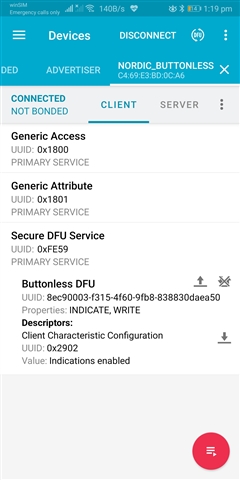
After this I could see that my device is advertising as "Nordic_Buttonless" and I could see the same in nRF Connect in my mobile, but I could not see LED adverting because pin configuration and header file has to be changed.
Now, I would like to do the same with the buttonless dfu example present in the nRF5 SDK 16.0 C:\nRF_SDK\examples\ble_peripheral\ble_app_buttonless_dfu\pca10040\s132\ses
I followed the below steps.
Step 1:
I compiled the buttonless dfu example in segger studio (latest version) and generated the hex file.
Step 2:
Generated the settings page for a simple blinky application to blink leds using below command.
PS C:\Users\rahul> nrfutil settings generate --family NRF52 --application C:\nRF_SDK\examples\My_Projects\3_Boards_tutorial\pca10040\s132\ses\Output\Release\Exe\blinky_pca10040_s132.hex --application-version 1 --bootloader-version 1 --bl-settings-version 2 settings.hex
Please find the settings.hex file for your reference.8132.settings.hex
Step 3:
Now I followed the steps given by Mr. Edvin the issue https://devzone.nordicsemi.com/f/nordic-q-a/65920/generating-bootloader-settings/269638#269638
I connected the device to my laptop and executed below commands in nRFUtil in windows power shell.
a) Erased the total memory.
PS C:\Users\rahul> nrfjprog --family nRF52 --eraseall
Erasing user available code and UICR flash areas.
Applying system reset.
b) Programmed the buttonless dfu bootloader
PS C:\Users\rahul> nrfjprog --program C:\nRF_SDK\examples\My_Projects\ble_app_buttonless_dfu\pca10040\s132\ses\Output\Debug\Exe\ble_app_buttonless_dfu_pca10040_s132.hex --verify
Parsing hex file.
Reading flash area to program to guarantee it is erased.
Checking that the area to write is not protected.
Programming device.
Verifying programming.
Verified OK.
c) Programmed the softdevice
PS C:\Users\rahul> nrfjprog --program C:\nRF_SDK\examples\dfu_Test\secure_dfu_test_images\ble\nrf52832\softdevice_s132.hex --verify
Parsing hex file.
Reading flash area to program to guarantee it is erased.
Checking that the area to write is not protected.
Programming device.
Verifying programming.
Verified OK.
d) Program the application (Application is working fine when flashed directly to device using segger studio)
PS C:\Users\rahul> nrfjprog --program C:\nRF_SDK\examples\My_Projects\3_Boards_tutorial\pca10040\s132\ses\Output\Release\Exe\blinky_pca10040_s132.hex --verify
Parsing hex file.
Reading flash area to program to guarantee it is erased.
ERROR: The area to write is not erased.
So at this stage I am facing this issue. If this is successfull then the one more step is to flash bootloader settings. So I request you to analyze the issue and help to proceed further on the issue. Please let me know If you need any files.
Looking forward to receiving quick reply.
Regards
Rahul Chowdary