

Hello everyone,
I wanted to start with Thingy:91 today, so I first wanted to update the device with the newest firmware.
First thing I found confusing is: On the Getting Started Tab of the product site, right above the Video there is a sentence: "To ensure optimal functionality, please update the nRF52840 SoC FW, the nRF9160 SiP modem FW and then the nRF9160 SiP app FW in that order." But when I follow along the video and/or read the docu (here and here) it seems there is no need to update the firmware of this 3 modules on there own, it seems now it is all together, maybe you should remove this sentence or maybe I had gotten something wrong?
But this is not the point of my post, I tried to update the modem firmware of the thingy:91 and ran in a problem others mention here in devzone before, the Update fails with the following message: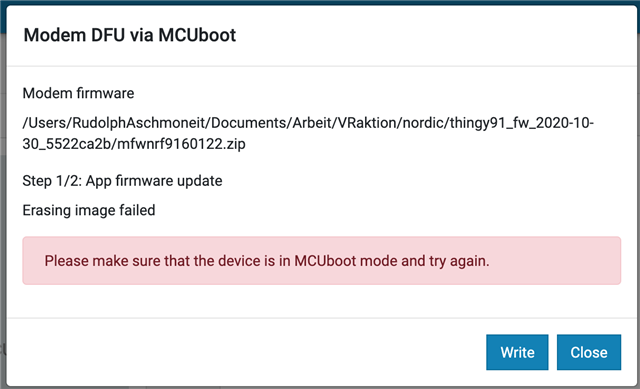
I have pressed SW3 and then switched on the Thingy:91, at the first try(s) I only pressed SW3 until the device was available in the nRF Connect Programmer, later on I pressed it during the whole upgrade process, both failed. Also the Enable MCUboot was checked all the time.
I am using:
nRF Connect for Desktop v3.6.1
nRF Connect Programmer v1.4.8
macOS 10.15.7
Thingy:91 HW v1.4.0
The Full Error Log (maybe not really usefull):
2020-12-08T13:56:33.268Z INFO Application data folder: /Users/RudolphAschmoneit/Library/Application Support/nrfconnect/pc-nrfconnect-programmer
2020-12-08T13:56:33.333Z INFO Using nrfjprog library 10.12.1, pc-nrfjprog-js 1.7.6
2020-12-08T13:56:33.385Z DEBUG App pc-nrfconnect-programmer v1.4.8 official
2020-12-08T13:56:33.385Z DEBUG App path: /Users/RudolphAschmoneit/.nrfconnect-apps/node_modules/pc-nrfconnect-programmer
2020-12-08T13:56:33.385Z DEBUG nRFConnect 3.6.1 is supported by the app (^3.6.0)
2020-12-08T13:56:33.385Z DEBUG nRFConnect path: /Applications/nRF Connect.app/Contents/Resources/app.asar
2020-12-08T13:56:33.385Z DEBUG HomeDir: /Users/RudolphAschmoneit
2020-12-08T13:56:33.385Z DEBUG TmpDir: /var/folders/hf/dq9llqg57lj8c2jrwtl3d5280000gn/T/
2020-12-08T13:56:34.273Z VERBOSE Could not fetch serial number for serial port at /dev/tty.TeufelBoomsterNG-CSRGAIA
2020-12-08T13:56:34.273Z VERBOSE Could not fetch serial number for serial port at /dev/tty.JBLGO-vCOMM-1
2020-12-08T13:56:34.273Z VERBOSE Could not fetch serial number for serial port at /dev/tty.Bluetooth-Incoming-Port
2020-12-08T13:56:34.274Z VERBOSE Could not fetch serial number for serial port at /dev/tty.JBLCharge3-SPPDev-6
2020-12-08T13:56:34.274Z VERBOSE Could not fetch serial number for serial port at /dev/tty.JBLCharge3-SPPDev-14
2020-12-08T13:57:06.730Z INFO Modem DFU starts to write...
2020-12-08T13:57:06.731Z INFO Writing /Users/RudolphAschmoneit/Documents/Arbeit/VRaktion/nordic/thingy91_fw_2020-10-30_5522ca2b/mfwnrf9160122.zip to device
2020-12-08T13:57:19.194Z ERROR MCUboot DFU failed. Please make sure that the device is in MCUboot mode and try again.
Have anyone an idea?
Thank you really much in Advance fpr any Tips!
Greetings Rudolph

